Static Website Hosting: Providers Compared (2026)
Do you know that 1 out of 4 users will abandon a website if it takes more than 4 seconds to load? Studies show that just 1 second of delay reduces customer satisfaction by 16%, which translates into a drastic decrease in conversion rates and leads. Speed has become crucial, making a page’s loading time and overall performance a top priority, and slow or unavailable pages carry a real cost in lost revenue.
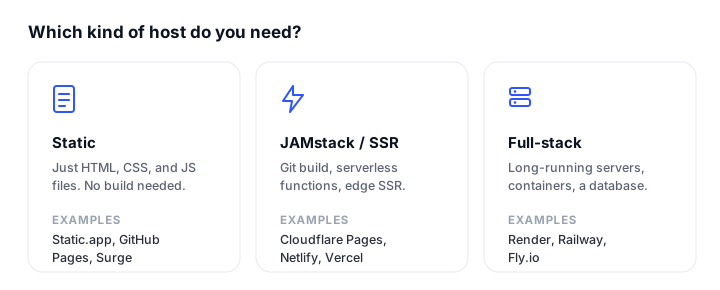
The good news is that you do not have to be a developer to meet these demands. All you need is an oldie but goodie static website paired with the right host. Despite being almost forgotten several years ago, static hosting is now the fastest, cheapest, and most secure way to serve content to the web. This guide is the hub: a side-by-side comparison of the main providers, a framework for picking one, and links to in-depth alternatives roundups for each platform.
If you just want the short answer: for unmetered traffic pick Cloudflare Pages, for a no-code drag-and-drop workflow pick Static.app, and for free hosting straight from a repo pick GitHub Pages. The rest of this guide explains why, and when each of those is wrong for you.
What Is a Static Website?
There are three broad types of website:
- Hosted websites: built and served inside an app like Squarespace.
- Dynamic websites: powered by a CMS like WordPress or generated programmatically on the server.
- Static websites: plain HTML, CSS, and JavaScript files, around since the dawn of the web.
A static website is a set of interconnected HTML files with CSS and JavaScript, where each file represents a page. The content is fixed; it is not wired to a back-end or database, and the same markup is served to every visitor. If you are building the front end yourself, a CSS framework like Bootstrap can speed things up: see our guide on what Bootstrap is for the basics.
This approach serves pre-built files directly. There is no server-side rendering, it consumes minimal compute, and a request returns ready-made HTML, CSS, and JavaScript straight to the browser.
Static does not mean lifeless. Pages can be fully interactive: you use JavaScript for animations, transitions, dynamic effects, and calls to external APIs.

Difference Between Static and Dynamic Websites
A dynamic website uses the same building blocks (HTML, CSS, JavaScript) but generates content on the fly and relies on server-side operations. Where a static site has its header, footer, and interface elements baked into each page, a dynamic site assembles them at request time, often pulling from separate files, templates, or a database.
A dynamic site needs a database layer and server-side technology (such as PHP, Node, or Python) to build each page on demand, which is what lets it serve different content to different visitors.
The main differences:
- In static pages the content is fixed; in dynamic pages it can be partially or fully generated per request.
- Static content is changed by editing and redeploying files; dynamic content can change programmatically or be fetched from other services.
- Static sites use no database or server-side language; dynamic sites usually require both.
- Static sites contain no application logic on the server; dynamic sites can run programs to fetch data, build graphs, or talk to other services in real time.
If you want a hands-on walkthrough of going from files to a live page, see how to build and publish a website with Claude.
Benefits of Static Websites
Dynamic sites win for complex projects with frequently updated, personalized data, and for dashboards and web apps. But static sites are second to none for landing pages, marketing sites, docs, and portfolios. Here is why:
- Lightning speed. No database queries, no server-side rendering, no dynamic generation, so pages load and respond fast.
- Better performance. Without calls to a database, server-side apps, or third-party services at request time, the site stays consistently fast.
- Security. No framework or language runtime to patch, no CMS or plugin vulnerabilities, and a far smaller attack surface.
- Low cost. Static files take little storage and need no special environment, so hosting is cheap or free.
- Easy deployment and maintenance. What you see is what you get. Sites are simple to ship, simple to roll back, and easy to restore after an outage or DDoS attack.
- Design flexibility. Nothing is tied to a single theme or framework, so you can lay out every page exactly as you want.
- Better SEO. Speed, security, and reliability are exactly what search engines reward through Core Web Vitals.
According to studies, pages that take 5 seconds to load see bounce rates near 40%, and Google has found that shaving even 0.1 seconds off load time can lift conversions measurably. Static delivery is the most direct way to win that speed back.
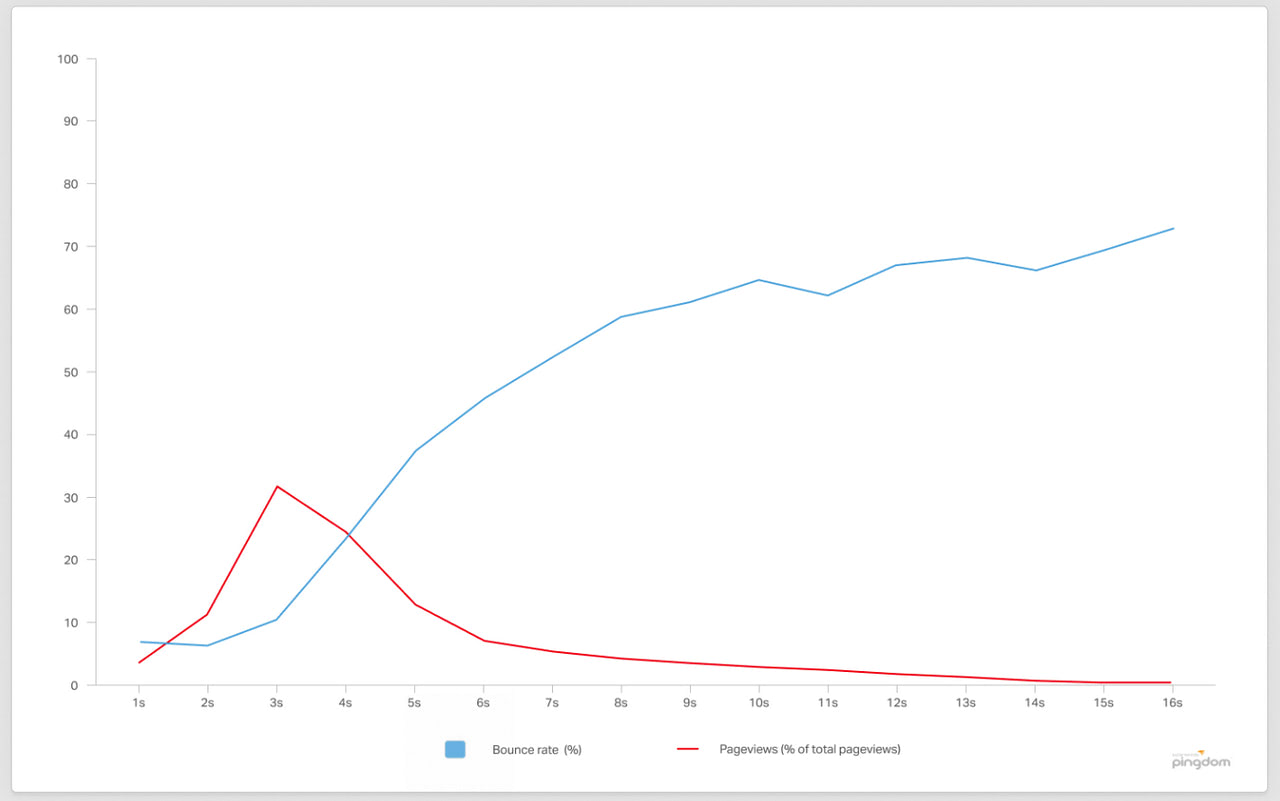
Web page load time vs. bounce rate.
What Is Static Web Hosting?
Static web hosting is hosting designed to serve fixed content and client-side scripts. Almost any host can do it, but some are built specifically for the job. They provide a clean environment for so-called Jamstack sites (JavaScript, APIs, and Markup) where you can deploy or update a site immediately without wrestling the overcomplicated dashboards of all-in-one platforms. You can also pair static hosting with status pages to keep visitors informed during incidents.
What a good static host gives you:
- Free SSL and HTTPS out of the box, usually auto-renewing.
- A global CDN so your files are served from a point of presence near each visitor.
- High uptime and reliability, often with 99.9% or better guarantees. (To check those claims yourself, see our roundup of uptime monitoring tools, and learn why websites go down in the first place.)
- Predictable, low cost. You do not pay for dynamic features you will never use, and most providers have a genuinely free tier.
Static Website Hosting Providers Compared
Here are the providers worth your attention in 2026, with their free tier, entry price, custom-domain and SSL story, and the workload each one fits best. All prices are as of September 2026 and may have changed since.
| Provider | Free tier | Starting price | Custom domain + SSL | Best for |
|---|---|---|---|---|
| Static.app | 1 site, 50MB, free subdomain, free SSL | $6/mo (Starter) | Custom domain on paid plans, free SSL on every tier | No-code drag-and-drop static sites with no build step |
| Cloudflare Pages | Unlimited bandwidth, sites, and requests; 500 builds/mo | $20/mo (Pro, billed annually) | Yes, automatic free SSL, up to 100 domains | Unmetered traffic on a huge global edge network |
| GitHub Pages | Free for public repos, free TLS, custom domains | $4/user/mo (private repos via Pro/Team) | Yes, free Let’s Encrypt SSL | Free docs, blogs, and portfolios straight from a repo |
| Netlify | 300 credits/mo, free SSL, deploy previews | $9/mo (Personal) | Yes, automatic free SSL | Frictionless Git-based deploys and previews |
| Vercel | Hobby (personal use), 100GB transfer/mo | $20/seat/mo (Pro) | Yes, automatic free SSL, wildcards | Next.js and modern SSR apps with per-PR previews |
| Render | Free Hobby workspace, free static sites | $25/mo (Pro workspace) | Free managed TLS; 2 domains included, then $0.25/domain/mo | Full-stack apps and SSR with a database alongside static |
| Surge | Unlimited deploys and projects, free custom domains | $30/mo (Professional) | Yes, basic SSL free; custom cert and force-HTTPS on paid | Fast CLI-first deploys for front-end devs |
| Firebase Hosting | Spark: 10GB storage, 10GB transfer/mo | Pay-as-you-go (Blaze) | Yes, automatic free SSL | Apps in the Google/Firebase ecosystem |
The sections below add the detail behind the table. Each provider that has a dedicated comparison links to its own alternatives roundup if you want to weigh substitutes.
Static.app
Static.app is a purpose-built static host that hides Git, object storage, and complex dashboards entirely. You publish by dragging and dropping a folder or ZIP, or by syncing from the desktop app, and the site goes live. It is the simplest option here for non-developers, and it is this site’s hosting partner.
What you get:
- Drag-and-drop, ZIP upload, in-browser code editor, or Mac/Windows desktop sync.
- Free SSL on every tier, including the free plan.
- Managed extras most static hosts skip: form collection with spam protection, analytics, password-protected pages, and QR codes.
- A modern deploy surface for the niche: a REST API, an MCP server for AI agents, GitHub Actions for CI, and webhooks.
The free plan covers 1 site with 50MB of storage and a free subdomain (custom domains start on the $6/mo Starter plan, $5/mo billed annually, which adds unlimited traffic and 2 sites). The trade-off is that it is static only, with no platform-side build step, so you supply already-built output. For portfolios, landing pages, and docs, that is exactly the point.

Cloudflare Pages
Cloudflare Pages is the go-to for static and Jamstack sites that need scale. It runs on Cloudflare’s global edge network (300+ points of presence), builds on every push when you connect a Git repo, and serves over a fast CDN with HTTPS by default.
Its standout feature is the free plan:
- Unlimited bandwidth, sites, and static requests, even on the free tier. Cloudflare does not bill for data transfer, so a viral landing page will not generate a surprise invoice.
- 500 builds per month with one concurrent build.
- Free SSL, custom domains (up to 100 per project), and unlimited preview deployments per branch.
- Up to 20,000 files per site on the free plan, rising to 100,000 files on paid plans.
- Dynamic routes via Pages Functions on the Workers runtime, with access to KV, D1, and R2.
One caveat for 2026: Cloudflare now steers new full-stack and SSR projects toward Workers (with Static Assets), with Pages fully supported but receiving less new feature work. For a pure static site, Pages remains an excellent, generous choice. If you are weighing the wider field, see our Cloudflare Pages alternatives.
GitHub Pages
GitHub Pages publishes a static site straight from a GitHub repository, with changes going live on every push. It hosts via a built-in Jekyll build or a custom GitHub Actions workflow, which lets you ship any static site generator (Hugo, Astro, an Next.js export, and so on).
- Genuinely free for public repos, with free auto-renewing HTTPS via Let’s Encrypt and custom domain support.
- Tight Git integration: push to deploy, plus Actions for full CI.
- Soft limits to know about: 1GB published site size and roughly 100GB/month bandwidth.
The catches are that it is static only (no functions, SSR, or databases), publishing from a private repo requires a paid GitHub plan (Pro or Team, around $4/user/month), and there are no per-PR deploy previews out of the box. For developers hosting docs, blogs, and portfolios from a repo, it is hard to beat on price. Compare it against the field in our GitHub Pages alternatives.
Netlify
Netlify was built with the Jamstack in mind and remains one of the smoothest Git-based workflows around. Connect a repo and Netlify builds and deploys on push, gives every branch and pull request an immutable deploy preview, and offers one-click rollback. It also bundles serverless and Deno edge functions, managed Postgres, blob storage, and unlimited form submissions.
In September 2025 Netlify moved new accounts to a credit-based model. The free plan grants 300 credits per month (credits cover deploys, bandwidth, compute, and requests); paid plans start at $9/mo (Personal, 1,000 credits), and Pro is now tiered by credit allowance rather than flat: $20/mo for 3,000 credits, then $33 for 5,000, $63 for 10,000, $95 for 15,000, and $126 for 20,000. The thing to watch is that a traffic spike draws down the shared credit pool, and when the free credits run out the site pauses and shows a “Site not available” page. For predictable workflows and the easiest non-Next.js setup, it is still a top pick. See our Netlify alternatives for substitutes.
Vercel
Vercel is the frontend cloud behind Next.js, and it hosts plain static sites just as happily as full SSR apps. Push to Git and Vercel builds and deploys automatically, with a unique preview URL for every pull request.
- The free Hobby plan includes 100GB of fast data transfer per month, automatic preview deployments, edge functions, and free SSL with custom domains.
- Paid Pro starts at $20 per developer seat per month with a $20 usage credit, then meters bandwidth, compute, and build minutes above that.
Two things to keep in mind: the Hobby tier is for personal, non-commercial use only, so a business site needs Pro, and Pro’s usage-based billing can produce surprise charges during a traffic spike. For Next.js and modern SSR, the integration is unmatched. Weigh the options in our Vercel alternatives.
Render
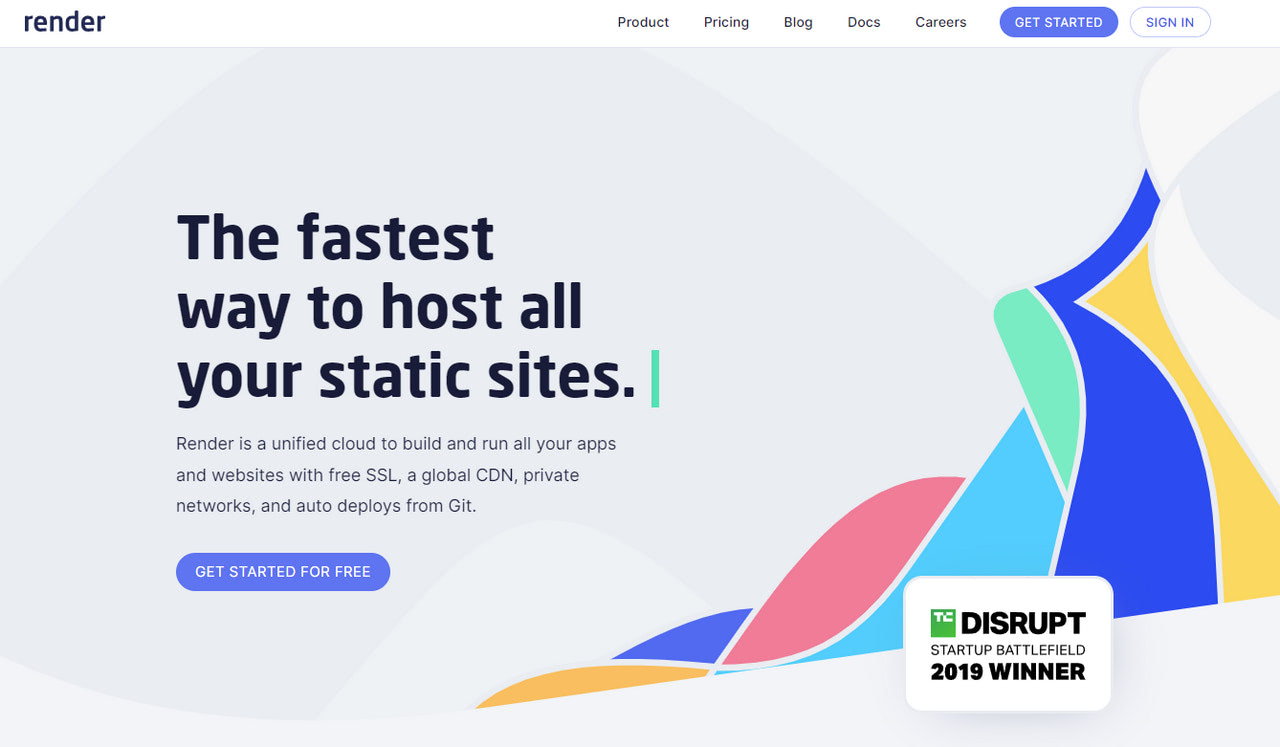
Render is a unified cloud that hosts static sites alongside containers, background workers, cron jobs, and managed Postgres, all from one Git-driven workflow. Static sites are served over a global CDN with free DDoS protection and instant cache invalidation.
- The free Hobby workspace includes free static sites, free web services (which sleep after 15 minutes idle), and free Postgres (which expires 30 days after creation).
- The Pro workspace is a flat $25/month, with a Scale tier at $499/month above it, and all of them bill compute on top. Note that 2026’s plan changes cut included bandwidth sharply (5GB/month on Hobby, 25GB/month on Pro) with $0.15/GB overage, and builds are metered as pipeline minutes.
- Managed TLS is free and automatic on every plan, but custom domains are now metered: the Hobby workspace includes two, and additional domains cost $0.25 per domain per month.
Render shines when your static front end sits next to a real back end you also want to host. For a pure static site it is heavier than a dedicated host. Compare it in our Render alternatives.
Surge
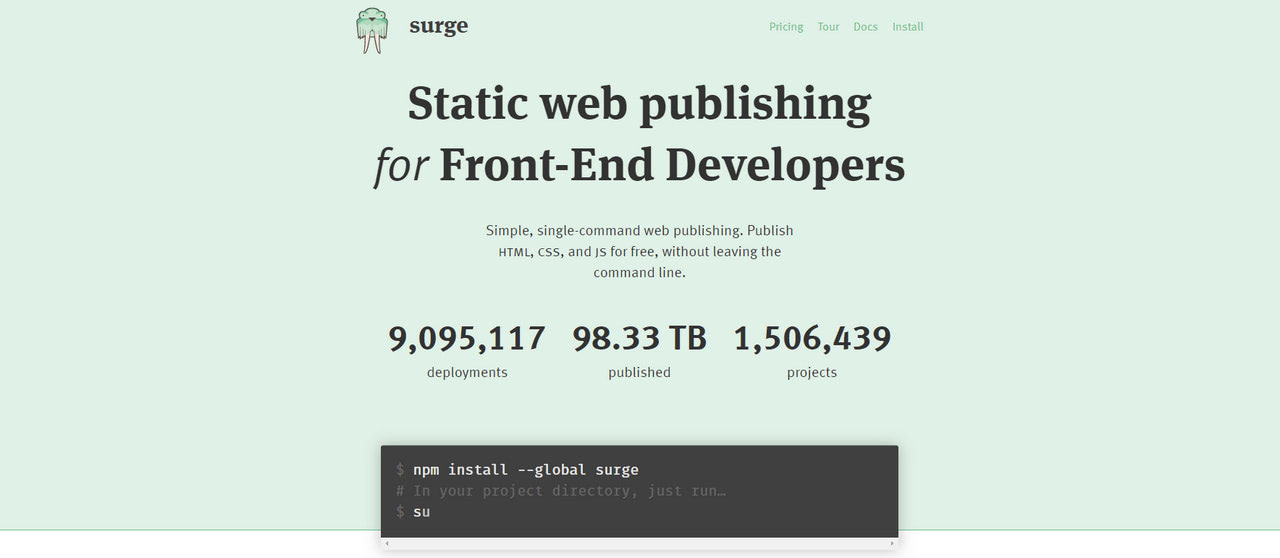
Surge is for front-end developers who prefer the terminal. Install it with npm, run surge in your project directory, and your pre-built files go to a CDN in seconds.
- The free plan offers unlimited deploys, unlimited projects, free custom domains, and basic SSL.
- Paid Professional is a flat $30/month and adds custom SSL upload, force-HTTPS, password protection, and custom redirects.
- It supports SPA pushState routing, custom 404 pages, and CORS, and plugs into GitHub Actions and other CI.
There is no managed build step or Git-push previews; you build locally or in CI, and Surge hosts the output. The pricing also jumps straight from free to $30/month with nothing in between. For prototypes, demos, and front-end deploys from the CLI, it is fast and frictionless. See our Surge alternatives for other options.
Firebase Hosting
Firebase Hosting puts static files and SPAs on Google’s global CDN, with optional SSR and dynamic content through Cloud Functions or Cloud Run.
- The free Spark plan covers 10GB of stored content and 10GB/month of transfer (the pricing page frames the same allowance as 360MB/day), with multiple sites, custom domains, and automatic free SSL. Exceed it and the site is disabled until the next month, not throttled.
- The Blaze plan is pay-as-you-go ($0.026/GB storage and $0.15/GB transfer beyond the free allotment), and SSR or dynamic features require it.
- Deploys run through the Firebase CLI (
firebase deploy) or GitHub Actions, with preview channels and atomic rollbacks.
It fits teams already using Firebase Auth, Firestore, or Cloud Functions, where adding hosting keeps everything in one ecosystem. The main caution is billing: Google’s own docs say budget alerts do not cap usage or charges, and Hosting is not covered by its budget spend caps, so a spike can cost money. Our Firebase Hosting alternatives roundup covers where to go instead.
If you arrived here weighing other platforms, we also cover AWS Amplify alternatives and Tiiny Host alternatives.
How to Choose a Static Host
Most of these providers will host a small site well, so the decision comes down to a few questions:
- Do you write code, or do you want drag-and-drop? If you do not want to touch Git or a build pipeline, Static.app is the simplest path. If you live in a repo, almost any of the others fit.
- How much traffic do you expect, and how spiky is it? If a post might go viral, Cloudflare Pages is the safest because bandwidth is unmetered. Vercel, Netlify, Render, and Firebase all meter traffic in some form, so a spike can pause a free site or run up a bill.
- Is it personal or commercial? Vercel’s free Hobby tier is personal-use only, so a business site needs a paid plan there. GitHub Pages, Cloudflare Pages, and Netlify allow commercial use on their free tiers.
- Will the site stay purely static, or grow a back end? If you will add functions, SSR, or a database later, pick a platform that grows with you: Cloudflare Pages/Workers, Netlify, Vercel, or Render. If it will always be static files, a dedicated host like Static.app or Surge keeps things simpler and cheaper.
- Did an AI tool build the site? What Lovable, v0, Bolt, or Claude hands you decides where it can live, since some emit a single HTML file and others a server-rendered app. Our guide to where to host a website built by AI matches each kind of export to a host.
- Do you want previews on every change? Netlify and Vercel give every pull request its own preview URL, which is invaluable for teams reviewing changes before they go live.
- Predictable price or pay-as-you-go? Flat plans (Static.app, Surge, Render Pro) make budgeting easy. Credit and usage models (Netlify, Vercel, Firebase Blaze) are cheaper at low volume but can surprise you under load.
Whichever you pick, the essentials are the same across the board: high uptime, a CDN close to your visitors, free auto-renewing SSL, and a deploy workflow you will actually use.
Conclusion
The push for high-end web performance is here to stay. Google rewards fast, well-built sites through Core Web Vitals, and static delivery is the most direct way to earn that speed. Pinterest, for example, saw a 15% rise in sign-ups after cutting wait times by 40%.
Building a static site is the easy part. Hosting it well is where the real choices are, because most general-purpose hosts push you toward dynamic features and pricing you do not need. The fix is to match the host to your workflow:
- For unmetered traffic and a world-class edge network, Cloudflare Pages is hard to beat.
- For frictionless Git deploys with previews, Vercel or Netlify will feel right at home.
- For free hosting straight from a repo, GitHub Pages is dependable and costs nothing.
- For a no-code, drag-and-drop experience that hides the complexity, a purpose-built host like Static.app is worth a look.
- For a static front end next to a real back end, Render keeps both under one roof.
Pick the platform that matches how you work, and you will have a fast, reliable home for your static site and the high-converting pages that go with it.
FAQ
What is static website hosting?
Static website hosting serves pre-built HTML, CSS, and JavaScript files directly to visitors, with no server-side rendering or database behind them. Because the files are fixed and delivered straight from a CDN, static sites load extremely fast, are inexpensive to run, and have a smaller attack surface than dynamic, database-driven sites.
Is static website hosting free?
Yes. Many of the best providers offer genuinely free plans. GitHub Pages, Cloudflare Pages, Netlify, Vercel, Render, and Firebase Hosting all let you host static sites at no cost, though each free tier has its own limits on bandwidth, build counts, storage, or commercial use. Cloudflare Pages stands out for offering unlimited bandwidth even on its free plan.
Which is the best free static site host?
It depends on your workflow. Cloudflare Pages is hard to beat for unmetered traffic and a global edge network; Vercel and Netlify shine if you work in Git and want preview deployments on every pull request; and GitHub Pages is a dependable, fully free option for developers comfortable with a repo. For a no-code, drag-and-drop experience, a purpose-built service like Static.app is worth a look.
What is the difference between static and dynamic hosting?
Static hosting delivers fixed, pre-built files that look the same to every visitor and need no server-side processing. Dynamic hosting runs server-side code and a database to generate pages on the fly, so it can personalize content and handle complex applications. Static hosting is faster, cheaper, and more secure for content that does not change per user, while dynamic hosting is the right choice for web apps, dashboards, and frequently updated, personalized content.
Can I use a custom domain with free static hosting?
In most cases, yes. Cloudflare Pages, GitHub Pages, Netlify, Vercel, and Firebase Hosting all support custom domains with free, automatic SSL on their free tiers. The main exception among popular hosts is Static.app, where custom domains start on the paid Starter plan, though free SSL is included on every tier. Always point your DNS records as the host instructs so the certificate can be issued.
Do static hosts handle high-traffic spikes?
It varies, and this is where free tiers differ most. Cloudflare Pages does not meter bandwidth at all, so a traffic spike will not pause your site or generate an overage bill. Netlify (credit-based), Vercel, Render, and Firebase Blaze all meter traffic in some form, so a spike can either pause a free site or add cost. If you expect viral spikes, an unmetered host is the safest choice.
How do I deploy a static site?
It depends on the host. The simplest path is drag-and-drop or ZIP upload (Static.app, Netlify), which needs no tooling. Most developer-focused hosts (Cloudflare Pages, GitHub Pages, Netlify, Vercel, Render) deploy automatically when you push to a connected Git repository, building the site on each push. CLI-first hosts like Surge publish pre-built files with a single terminal command. For a step-by-step example, see how to build and publish a website with Claude.
Build your Bootstrap theme
Design a custom Bootstrap 5 theme visually with a live preview, then export clean Sass or CSS.
Open the Builder