Google Sites vs Wix (2026): Which Builder Is Better?
Google Sites vs Wix comes down to what the site is for. Google Sites is a free, simple builder made for team sites, class pages, and intranets that live next to your Google Drive files, while Wix is a full website platform with 2,000+ templates, a blog, payments, and bookings, from $17 a month billed yearly. If the site is internal or a quick project page, pick Google Sites; if it is a public website for a business, pick Wix. Every price and limit below was checked on the vendors’ own pages in November 2026.
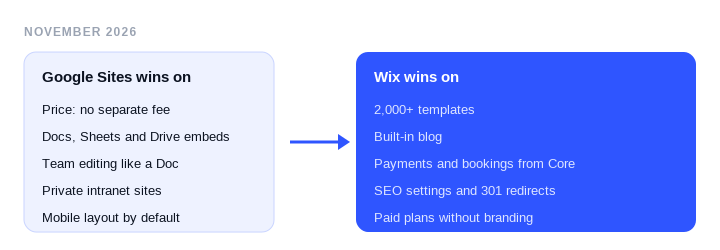
TL;DR
Pick Google Sites if:
- The site is for a team, a class, a project, or an event, and most of its content already lives in Docs, Sheets, Slides, or Drive.
- You want to pay nothing. Google Sites has no price of its own: it works with a personal Google account and is listed in Google Workspace plans.
- You want people in your organization to edit the site the way they edit a shared Doc.
Pick Wix if:
- The site is your public face: a business, a portfolio, a restaurant, a practice.
- You need a blog, a store, online payments, or appointment booking.
- You care about SEO settings such as meta tags, redirects, and structured data.
- You want to choose from thousands of templates and move elements freely.
Google Sites vs Wix at a glance
Wix showed prices in US dollars, billed yearly and before tax.
| Google Sites | Wix | |
|---|---|---|
| Price | No separate fee; listed in Google Workspace plans | Light $17/mo, Core $29/mo, Business $39/mo, Business Elite $159/mo, billed yearly |
| Free plan | Yes, with a personal Google account | Yes, with Wix branding and no own domain |
| Custom domain | Up to 5 per site; address must include a subdomain like www | Paid plans; free domain voucher for the first year (new domain only) |
| Templates and design | A small set of templates and themes on an automatic grid | 2,000+ templates, drag-and-drop editor, AI site creation |
| Blog | No blog, posts, or RSS feed | Built-in Wix Blog |
| Ecommerce and bookings | None built in; embed third-party code | Payments, ecommerce, scheduling and services from Core ($29) |
| SEO settings | Custom page paths, Google Analytics ID, search opt-out | Per-page meta tags, canonical tags, robots.txt editor, bulk 301 redirects, structured data |
| Collaboration | Share with editors like a Google Doc | 2, 5, 10, or 100 site collaborators by plan |
| Workspace integration | Insert Docs, Sheets, Slides, Forms, Calendar, Maps, Drive files | Sells Google Workspace business email on your domain |
| Ads and branding | No ad scripts seen; “Google Sites” and “Report abuse” footer links | Free plan shows Wix branding; paid plans remove it |
Price and free plan
Winner: Google Sites.
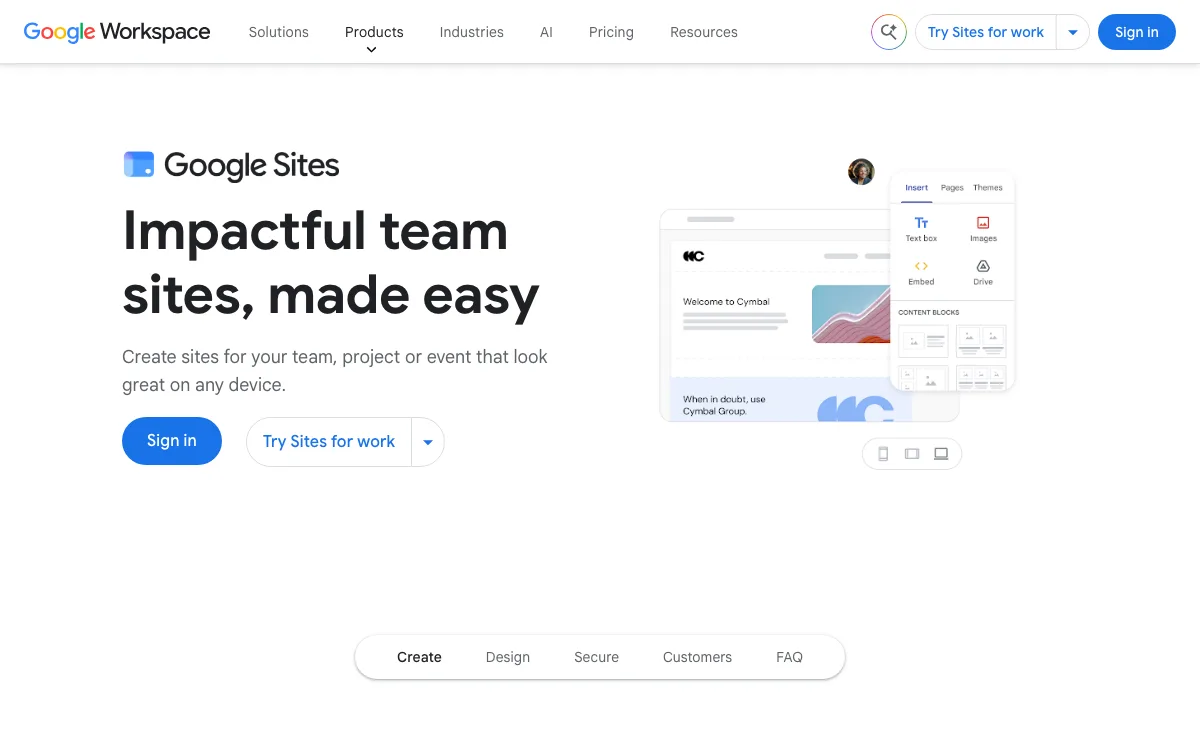
Google Sites has no price list. Anyone with a personal Google account can create and publish a site from Google’s help center instructions, and “Sites website builder” is checked on Google Workspace’s plan comparison, so organizations that pay for Workspace already have it.
Wix is free to start with no credit card. The free plan keeps Wix branding and cannot use your own domain. Billed yearly, the Premium plans are:
- Light, $17 a month: 2 GB storage, 2 site collaborators, light marketing suite.
- Core, $29 a month: 50 GB storage, 5 collaborators, payments, basic ecommerce, scheduling and services.
- Business, $39 a month: 100 GB storage, 10 collaborators, standard ecommerce.
- Business Elite, $159 a month: unlimited storage, 100 collaborators, advanced ecommerce and developer platform.
Every Premium plan includes a free domain for one year and Wix offers a 14-day money-back guarantee. What it means: a Google Sites page on your own domain costs only the domain. The cheapest Wix site on your own domain costs $204 a year.
Custom domain
Winner: Wix, for a simpler setup.
Google Sites does support your own domain, with conditions from its help center:
- You can connect up to five custom domains to one site, under Settings, Custom domains.
- The address must include a subdomain, such as www. A bare domain like example.com is not accepted.
- Only the site owner can connect a domain, and work or school accounts need their administrator.
- The domain stops working if you transfer ownership of the site or move it into a shared drive.
- Fonts that come from Docs and Slides do not work on a custom domain, and embedded Google Groups do not render.
- Buying a new domain from inside Sites routes you to a Google Workspace subscription, with Business Standard as the default plan.
The step-by-step setup, including the CNAME record, is in the guide to connecting a custom domain to Google Sites.
On Wix, connecting a domain is part of every Premium plan, and most plans include a one-year domain voucher. The voucher only covers a new domain bought from Wix; it cannot renew a domain you already own.
Templates and design freedom
Winner: Wix.

Google Sites is deliberately simple. You pick a template, a theme, and a font style, then add blocks that snap into an automatic grid. That grid is why every Google Site looks fine on a phone without any work, and also why most Google Sites look alike. You can embed HTML, CSS, or JavaScript in a block, but you cannot change the page’s own code or head. Editing requires a computer; phones and tablets can only view.
Wix lists 2,000+ templates by industry, a drag-and-drop editor where you can customize every detail, and AI tools that create a site from a prompt. More freedom, and more ways to make a mess.
Blog and SEO
Winner: Wix.
Google Sites has no blog. Its help center documents pages, subpages, a table of contents, headers and footers, and announcement banners, but no posts, categories, or RSS feed. For SEO, it documents custom page paths, adding a Google Analytics property ID, and opting a site out of search engines. It does not document per-page meta descriptions or head code.
Wix has a built-in blog, with AI help for planning and writing posts. Its SEO feature list is long: custom title tags, meta descriptions and Open Graph tags, editable canonical tags, a robots.txt editor, automatic sitemaps, structured data on product, event, and blog pages, and a URL Redirect Manager that imports up to 500 301 redirects from a CSV file. If people are going to find the site through Google search, Wix gives you the controls to work on it.
Ecommerce and bookings
Winner: Wix, clearly.
Google Sites has no store, payments, or booking system. You can embed code from a third-party tool, but checkout and scheduling happen somewhere else.
Wix adds payments, basic ecommerce, and scheduling and services from the Core plan ($29 a month billed yearly). Business and Business Elite step up to standard and advanced ecommerce. Light ($17) does not accept payments, so a shop or a booking business starts at Core. For more options in this space, see the best website builders for small business.
Collaboration and Workspace integration
Winner: Google Sites.
This is what Google Sites is built for. You invite editors from the Share button, exactly like a Google Doc, and you can follow a collaborator around the site while you both edit. Editors without a Google account can view a draft but cannot edit it. You can insert Docs, Sheets, Slides, Forms, and Charts, plus YouTube videos, Google Calendar, Maps, and Drive files, and visitors can search inside the embedded Drive files. Sharing settings let you keep the site private to your organization, which makes it a natural intranet.
Wix counts collaborators by plan: 2 on Light, 5 on Core, 10 on Business, and 100 on Business Elite. Its link to Google is mostly on the email side: Wix sells Google Workspace business email under your domain, and you can add Google Maps to a page.
Ads and branding
Winner: a tie, with conditions.
Wix’s free plan shows Wix branding, and its plans page says a Premium plan is what removes it. A public Google Site checked in November 2026 loaded no ad scripts, but its footer showed “Google Sites” and “Report abuse” links, along with a Google cookie notice. Neither free option is fully unbranded; a paid Wix plan is.
Who should pick which
- A team handbook, onboarding hub, or project page: Google Sites. It is free and editing feels like Docs.
- A class site, club page, or event page: Google Sites, unless it needs payments or sign-up bookings.
- A small business website that should rank in Google: Wix, for the SEO settings and the blog.
- A shop, salon, studio, or consultant taking bookings: Wix Core or above.
- A portfolio or personal brand site: Wix, for the templates, or one of the options below.
- A free public site on your own domain: Google Sites, if a www address and simple design are fine.
Comparing Wix with other paid builders too? See Wix vs Squarespace.
If neither fits
A common middle case: Google Sites looks too plain for a public site, but Wix feels heavy and expensive for a few pages and a blog.
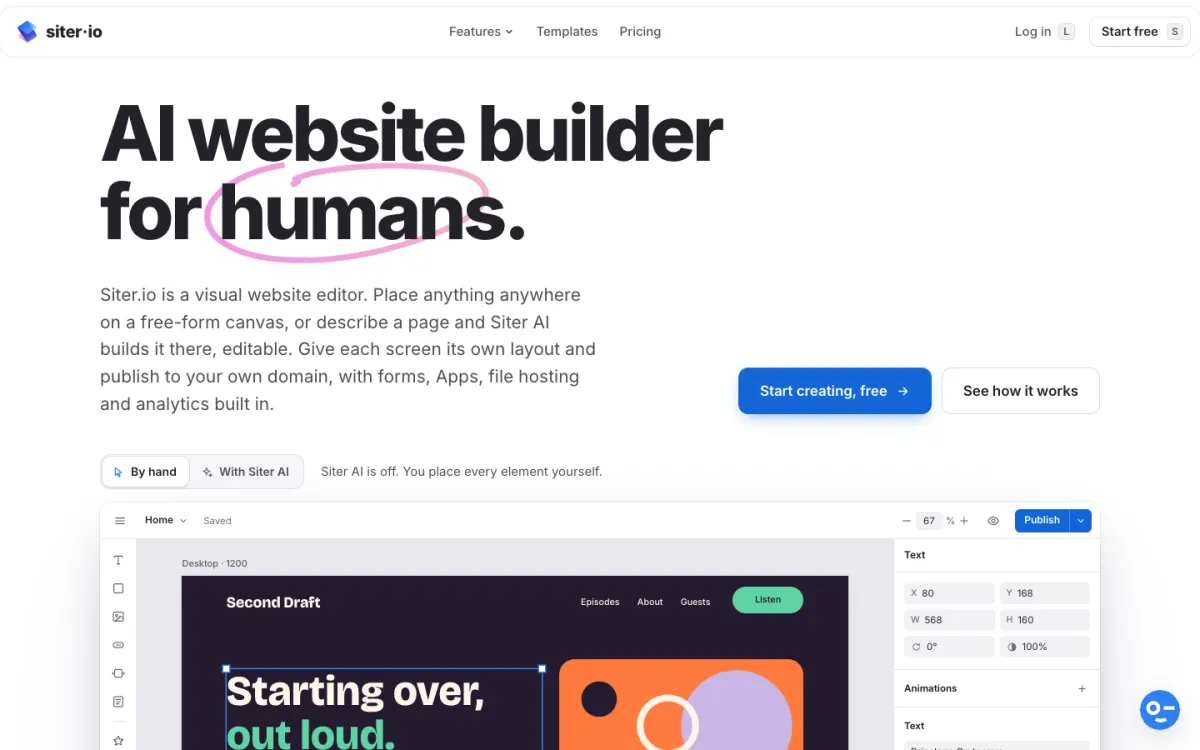
Siter.io is the main pick here. It is a visual website editor with a free-form canvas: you place any element anywhere, and give each screen (desktop, tablet, phone) its own layout. A CMS and blog come on every plan, with a page for each post, categories, scheduled posts, and an RSS feed. Your own domain with automatic HTTPS is included on every plan at no extra cost, along with forms, hosting, and analytics. There are 143 templates in 17 categories, and a Figma plugin imports frames on every plan.
Pricing: Solo is $7 a month billed yearly, or $8 month to month, for 1 website, 10 pages, 3 forms, and 2 editor seats. Plus is $12 a month billed yearly ($14 monthly) for 3 websites and 50 pages. Pro is $24 a month billed yearly ($28 monthly) for 5 websites, unlimited pages, and HTML download.
Limits: there is no free plan, only a 3-day trial that needs a card, and no online store. Solo caps you at 10 pages.
Static.app is the second pick, if you already have HTML. If a designer, a template, or an AI tool already gave you the files, upload them as a ZIP and the site goes live as written, on a free subdomain or your own domain with SSL. Starter is $60 a year ($5 a month) or $6 billed monthly, for 2 websites, 500 MB of storage, custom domains, forms, analytics, and unlimited traffic. Medium is $120 a year or $12 monthly for 7 websites, and Large is $180 a year or $18 monthly for 30 websites. A 7-day trial needs no card. There is no visual builder, so it is not the right tool if you are starting from nothing.
For the full lists, see the Google Sites alternatives and Wix alternatives guides.
FAQ
Is Wix or Google Sites better?
Wix is better for a public business website: it has 2,000+ templates, a blog, SEO settings, payments, and bookings. Google Sites is better for internal team sites, class pages, and project hubs, because it is free and works directly with Docs, Sheets, Slides, and Drive.
Is Google Sites really free?
Yes, there is no separate fee. You can build and publish a site with a personal Google account, and Sites is included in Google Workspace plans. Your only optional cost is a domain, which you can buy from any registrar.
Can I use my own domain on Google Sites?
Yes, up to five custom domains per site, connected under Settings, Custom domains. The address must include a subdomain such as www, only the site owner can connect it, and work or school accounts need their administrator.
Does Google Sites have a blog?
No. Google Sites has pages, subpages, and announcement banners, but no posts, categories, or RSS feed. Wix has a built-in blog, and Siter.io includes a CMS and blog on every plan.
Can you sell products or take bookings on Google Sites?
Not with built-in tools. You can embed code from a third-party checkout or scheduling service. Wix includes payments, ecommerce, and scheduling from its Core plan at $29 a month billed yearly.
Build your Bootstrap theme
Design a custom Bootstrap 5 theme visually with a live preview, then export clean Sass or CSS.
Open the Builder