Google Sites Alternatives in 2026: 9 Better Options
The best Google Sites alternatives in 2026 are Siter.io for a better-looking site with a blog, Static.app for publishing HTML you already have, and Carrd for a cheap one-page site. This guide is for people who outgrew Google Sites for a public website that needs its own design, a blog, or proper SEO settings. We checked every price and limit on the vendors’ own pages in November 2026.
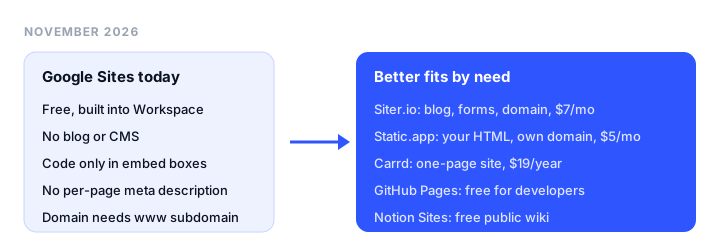
TL;DR
- Best for a better-designed site with a blog: Siter.io. Free-form design, a CMS and blog, forms, and your own domain on every plan, from $7 a month billed yearly.
- Best for HTML you already have: Static.app. Upload a ZIP and go live on your own domain with SSL and forms, from $5 a month billed yearly.
- Best free or cheapest option: Carrd. Three one-page sites free, or your own domain for $19 a year.
- Best for small business tools: Wix. A free plan, and paid plans from $17 a month billed yearly.
- Best for developers: GitHub Pages. Free hosting for public repositories.
- Best for a public wiki or docs: Notion Sites. Free publishing on a notion.site address.
What Google Sites does well
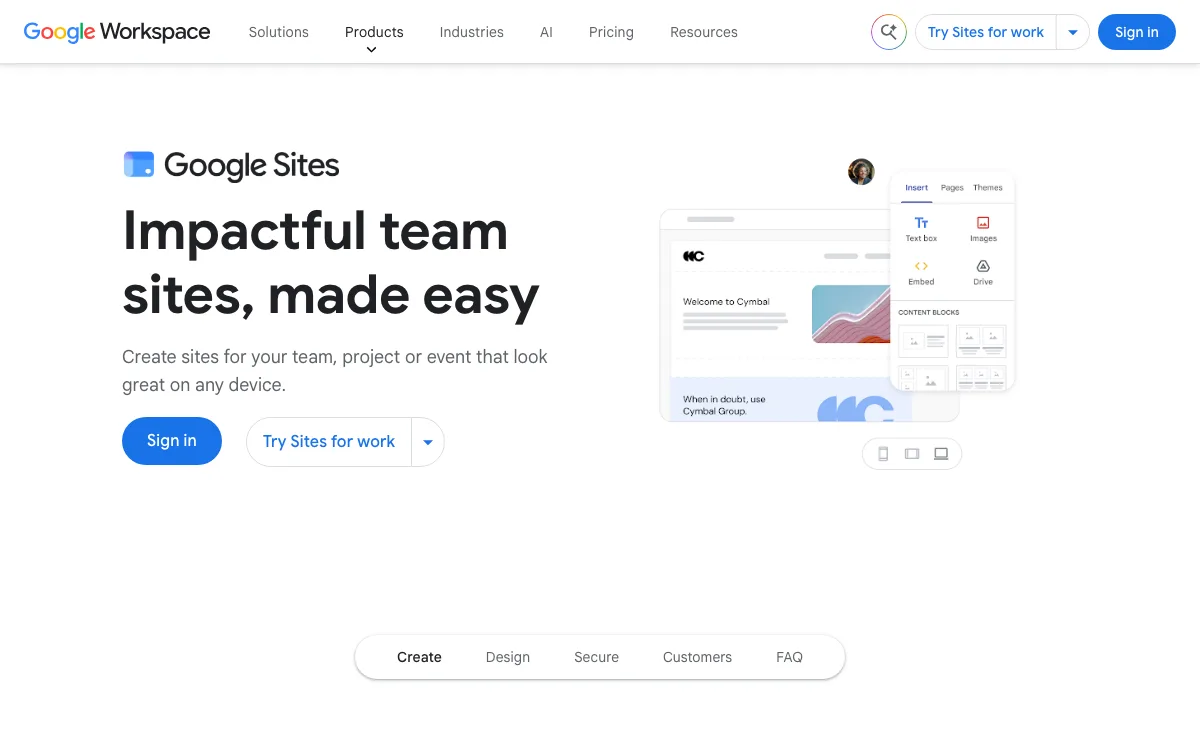
Google Sites is hard to beat for what it was built for:
- It is free with a Google account and part of every Google Workspace plan. Sites is listed as an included app on all Workspace plans.
- It sits inside Workspace. You insert Google Docs, Sheets, Slides, Forms, Charts, Drive files, YouTube videos, Calendar, and Maps from the Insert panel, and visitors can search inside the Drive files embedded on a site.
- Permissions work like Docs. You choose who can edit and who can view, and you can restrict access with sharing settings. People outside your company can still view a site you share with them.
- It is quick for intranets and class sites. Team handbooks, onboarding pages, project hubs, and class pages are where Google Sites shines, because the content already lives in Drive.
If your site is internal to a Workspace organization, stay on Google Sites. None of the tools below gives a team private, Drive-connected sites for free.
Why people look for a Google Sites alternative
Problems start when the site is public and has to look like a brand or rank in search. Here is what Google’s Sites help center documents in November 2026:
- Limited design. You work with themes and a grid that arranges blocks for you. Fonts that are licensed to Google from Docs and Slides do not work once you connect a custom domain; visitors see fallback fonts instead.
- Custom code only in embed boxes. You can add HTML, CSS, or JavaScript through Insert, Embed, Embed code. The help center documents no site-wide head code, and the only built-in tracking setting is a Google Analytics property ID.
- Thin SEO controls. You can set custom page paths and ask search engines not to index a site (Google says this is a request, not a guarantee). The help center documents no per-page title or meta description field.
- No blog or CMS. Google documents pages, subpages up to 5 levels deep, and announcement banners, but no posts, categories, or RSS feed.
- Forms mean Google Forms. You collect submissions by embedding a Google Form.
- Custom domains come with conditions. You can connect up to 5 domains to a site, but the address must include a subdomain like www, only the site owner can connect it, the site must be shared publicly, embedded Google Groups stop rendering, and work or school accounts need their admin. Buying a domain from inside Sites routes you to a Workspace subscription.
Google Sites alternatives at a glance
Rows are grouped by need. Prices are the cheapest plan with your own domain, billed yearly unless noted. Squarespace and Framer showed prices in euros from our network, so we print them in EUR.
| Tool | Need | Free plan | Own domain from | Blog or CMS | Key limit |
|---|---|---|---|---|---|
| Siter.io | Designed site | No, 3-day trial (card required) | $7/mo ($8 monthly) | Yes, every plan | No ecommerce |
| Carrd | Designed site | Yes, 3 sites with branding | $19/year | No | One page per site |
| Wix | Designed site | Yes, Wix branding, no own domain | $17/mo | Yes | Free plan has no own domain |
| Squarespace | Designed site | No, 14-day trial, no card | €12/mo (EUR) | Yes | 2% store fee on Basic |
| Framer | Designed site | Yes, Framer domain | €10/mo per site (EUR) | Yes, 2 collections on Basic | Editors €20/mo each |
| Static.app | Your own HTML | No, 7-day trial, no card | $5/mo ($6 monthly) | No, you bring the HTML | No visual builder |
| GitHub Pages | Your own HTML | Yes, public repos | Free | Jekyll | Needs Git; no commercial transaction sites |
| Netlify | Your own HTML | Yes, 300 credits a month | Free | No | Sites pause when credits run out |
| Notion | Wiki or intranet | Yes, 1 notion.site domain | Plus $10/seat + $8/mo domain add-on | Databases | Domain is a paid add-on |
The best Google Sites alternatives, reviewed
1. Siter.io: best for a better-designed site with a blog
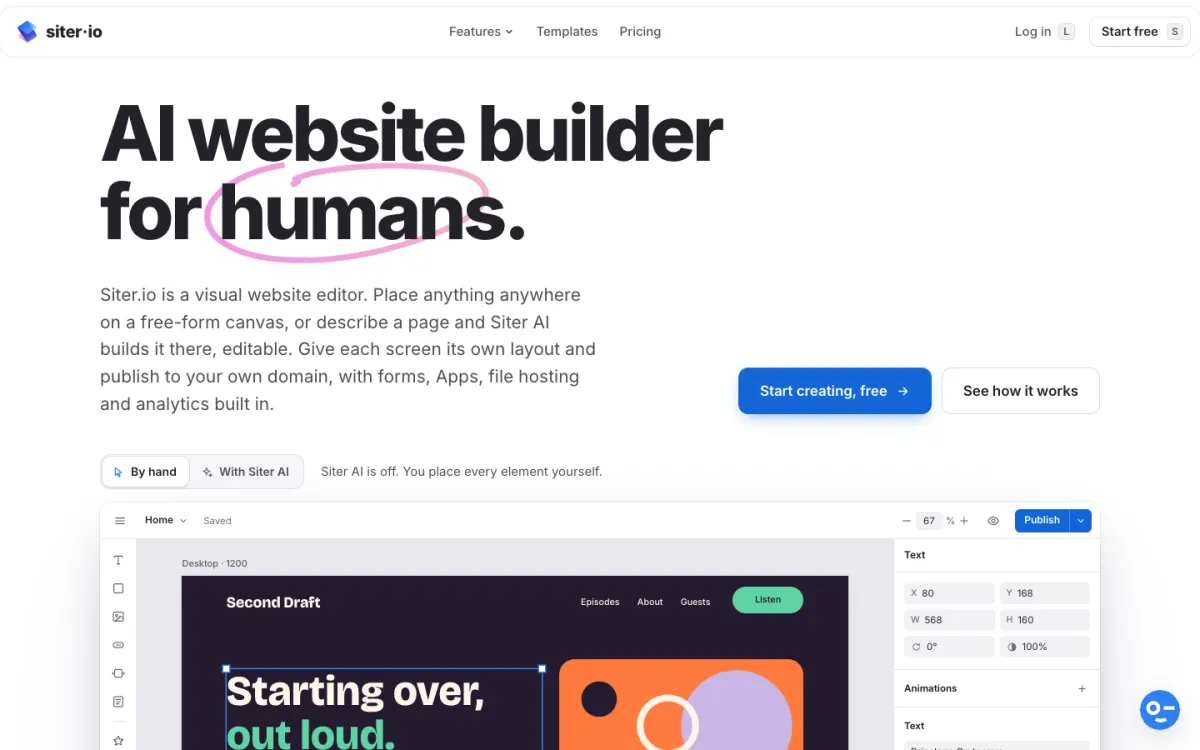
What it is. Siter.io is a visual website builder with a free-form canvas. You place and size elements yourself, with a separate layout for desktop, tablet, and phone, or have Siter AI draft a page you then edit.
Why it beats Google Sites. It fixes most of the reasons people leave. A CMS and blog come on every plan, with a page for each post, categories, scheduling, and an RSS feed. Forms are designed on the canvas and send entries to your inbox. Each page gets its own title, description, and slug, and you can add head code to the whole site or one page. Your own domain with automatic HTTPS is included on every plan at no extra cost,. There is also a Figma plugin, custom font upload, and cookieless analytics.
Pricing. Solo is $7 a month billed yearly or $8 month to month: 1 website, 10 pages, 3 forms, 2 editor seats. Plus is $12 a month yearly ($14 monthly) for 3 websites and 50 pages. Pro is $24 a month yearly ($28 monthly) for 5 websites, unlimited pages and forms, and HTML download.
Limitations. There is no free plan, only a 3-day trial that needs a card. There is no online store. Solo caps you at 10 pages and 3 forms, and HTML download is on Pro only, one page at a time.
Good for: designers, freelancers, and small businesses who want a site that looks custom, with a blog and contact forms, for a low monthly price.
2. Static.app: best for HTML you already have
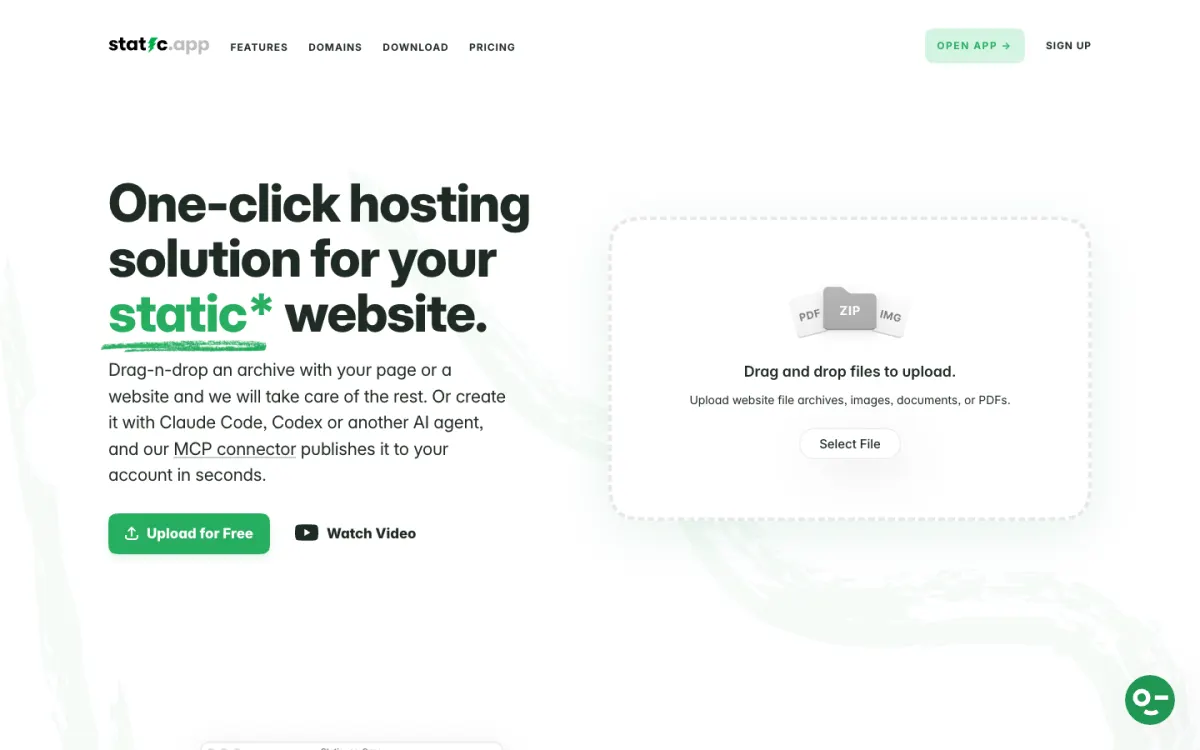
What it is. Static.app is hosting for static websites. You drag in a ZIP or a few HTML files and the site goes live with SSL, on a free subdomain or your own domain.
Why it beats Google Sites. If a designer, a template, or an AI tool like ChatGPT or Claude already gave you the HTML, Static.app publishes it exactly as written. That means full control of the head, meta tags, scripts, and fonts, none of which Google Sites lets you touch. Paid plans include forms (add a static-form attribute to your form), cookie-free analytics, and unlimited traffic.
Pricing. A free trial lasts 7 days with no card: 1 website, 50 MB, free subdomain only. Starter is $6 a month, or $60 a year ($5 a month), for 2 websites, 500 MB of storage, and custom domains. Medium is $12 a month or $120 a year for 7 websites; Large is $18 a month or $180 a year for 30 websites.
Limitations. It is hosting, not a builder: you need the HTML first. Starter storage is 500 MB, and it hosts static sites only, with no databases or server-side code.
Good for: people who have a finished HTML site or template and want it fast and simple on their own domain. Our guide on how to host a website for free covers the free routes too.
3. Carrd: best free or cheapest option
What it is. Carrd builds simple, responsive one-page sites: personal profiles, landing pages, and link-in-bio pages.
Why it beats Google Sites. For a single public page it looks more polished and costs almost nothing. Pro Standard adds custom domains with SSL, forms, embeds for your own code and widgets, meta tags, and cookie-free analytics.
Pricing. Free covers 3 sites with “Made with Carrd” branding. Pro Lite is $9 a year (no custom domain), Pro Standard $19 a year (10 sites, custom domains), Pro Plus $49 a year (25 sites, redirects, password protection, site downloads). Pro has a 7-day free trial with no card.
Limitations. Each site is one page, so it does not replace a multi-page intranet or a blog.
Good for: a personal page, a club or event page, or a landing page.
4. Wix: best for small business tools
What it is. Wix is a drag-and-drop and AI website builder with more than 2,000 templates and business features built in.
Why it beats Google Sites. Far more design freedom, a blog, and business tools Google Sites does not have: payments, ecommerce, and scheduling on Core and above.
Pricing. Free with Wix branding. Light $17 a month, Core $29, Business $39, Business Elite $159, billed yearly. Paid plans include a domain voucher for the first year and a 14-day money-back guarantee.
Limitations. The free plan cannot use your own domain or remove Wix branding. Light has 2 GB of storage and no payments.
Good for: small businesses that want to sell or take bookings. See our Wix alternatives.
5. Squarespace: best for polished templates

What it is. Squarespace is an all-in-one builder known for its templates, with blogging, selling, scheduling, and invoicing.
Why it beats Google Sites. Templates that hold together when anyone edits them, a real blog, and selling on every plan.
Pricing. From our network the price sheet showed EUR: Basic €12 a month, Core €18, Plus €32, Advanced €69, billed yearly. There is no free plan; every site starts with a 14-day free trial, no card required, and annual plans include a custom domain free for a year.
Limitations. Basic charges a 2% fee on online store transactions and includes 2 contributors. Layout freedom is lower than a canvas builder.
Good for: creatives and service businesses who want a good-looking site with little effort. Compare it in our Squarespace alternatives.
6. Framer: best for motion and design
What it is. Framer is a design-first website builder with a CMS, animation, and AI agents that run on credits.
Why it beats Google Sites. Far stronger design and motion, plus a CMS for a blog or case studies.
Pricing. Shown in EUR from our network: Free on a Framer domain with 1 GB bandwidth; Basic €10 a month per site billed yearly (custom domain, 30 pages, 2 CMS collections, 50 GB bandwidth); Pro €30 a month (150 pages, 10 collections). Additional editors are €20 a month each.
Limitations. Pricing is per site, extra editors cost more, and AI use is metered in credits.
Good for: designers and startups building a marketing site with motion.
7. GitHub Pages: best free host for developers
What it is. GitHub Pages publishes a static site straight from a GitHub repository, with Jekyll built in.
Why it beats Google Sites. It is free, you control every line of HTML, and custom domains with HTTPS are supported.
Pricing. Free for public repositories on GitHub Free; Pages from private repositories needs a paid GitHub plan.
Limitations. Sites are capped at 1 GB, with a soft bandwidth limit of 100 GB a month. GitHub does not allow Pages for sites mainly built for commercial transactions or SaaS. You need Git; see our GitHub Pages alternatives if that is a blocker.
Good for: developers, open-source projects, and students.
8. Netlify: best for sites with a build step
What it is. Netlify deploys static and full-stack sites from Git, the CLI, or a dropped folder.
Why it beats Google Sites. A free plan that includes your own domain, deploy previews, and room to grow into functions and a database.
Pricing. Free with 300 credits a month. Personal is $9 a month (1,000 credits), Pro $20 a month (from 3,000 credits, unlimited members). Bandwidth costs 20 credits per GB and each production deploy 15 credits.
Limitations. When an account runs out of credits, its sites pause until the next billing cycle, and one project going over pauses all projects on the account.
Good for: developers and teams with a build pipeline.
9. Notion: best for a public wiki or docs
What it is. Notion Sites publishes any Notion page as a website, so a team wiki can double as a public site.
Why it beats Google Sites. If your team already writes in Notion, publishing is one click, databases power lists and directories, and the site updates as you edit.
Pricing. Free plans can publish sites on one notion.site domain with search indexing. Paid plans (Plus is $10 per member a month billed yearly, $12 monthly) add up to 5 notion.site domains, customization, and Google Analytics. Your own domain is a separate add-on: $10 a month, or $8 a month billed yearly, per domain.
Limitations. Design is limited to Notion’s page layout, and a custom domain costs extra on top of seats.
Good for: public docs, help centers, and team wikis.
Which Google Sites alternative should you choose?
You want a nicer designed site with no code:
- A multi-page site with a blog and forms on your own domain: Siter.io.
- One page, as cheap as possible: Carrd.
- You sell products or take bookings: Wix or Squarespace.
- Motion and design are the point: Framer.
You want a simple, fast site or have your own HTML:
- You have HTML from a designer, a template, or an AI tool: Static.app.
- You use Git and want it free: GitHub Pages.
- You need builds, previews, or functions: Netlify.
You need a team wiki or intranet:
- Internal, in Google Workspace: stay on Google Sites.
- Public docs your team writes in Notion: Notion Sites.
For more builders compared by business need, see our best website builders for small business.
FAQ
What is better than Google Sites?
For a public website, Siter.io is better if you want design control, a blog, forms, and SEO settings on your own domain, from $7 a month billed yearly. Static.app is better if you already have HTML. For internal team sites in Google Workspace, Google Sites is still the better tool.
Is there a free Google Sites alternative?
Yes. Carrd is free for 3 one-page sites with branding, Wix has a free plan on a Wix address, Notion publishes free on a notion.site domain, and GitHub Pages is free for public repositories. GitHub Pages and Netlify’s free plan (300 credits a month) also let you use your own domain at no cost.
Can you use a custom domain with Google Sites?
Yes, up to 5 domains per site, set up under Settings, Custom domains. The address must include a subdomain such as www, only the site owner can connect it, the site must be public, and work or school accounts need their admin to do it.
Does Google Sites have a blog?
No. Google Sites has pages, subpages, and announcement banners, but no posts, categories, or RSS feed. If you need a blog, Siter.io, Wix, Squarespace, and Framer all include one.
Can I move my Google Sites site to another platform?
There is no direct import into any of these tools, so plan a rebuild. Google Takeout can download your site content, which helps you copy text and images into the new builder before you point your domain at it.
Build your Bootstrap theme
Design a custom Bootstrap 5 theme visually with a live preview, then export clean Sass or CSS.
Open the Builder