Framer vs Squarespace in 2026: Which Builder to Choose
Framer vs Squarespace comes down to who is building the site: Framer is a design tool that publishes, with control over every breakpoint, animation, and component, priced per site, while Squarespace is a website system with polished templates, a blog, and selling on every plan. If you are a designer who wants full control, pick Framer; if you want a site that runs itself, or a store, pick Squarespace. Every price and limit below was checked on the vendors’ own pages in November 2026.

TL;DR
Pick Framer if:
- You are a designer and want the page to look exactly like your mockup, with your own breakpoints, components, and animation.
- You want to start free. Framer’s free plan publishes a site on a Framer domain, though Framer pitches it for non-commercial use.
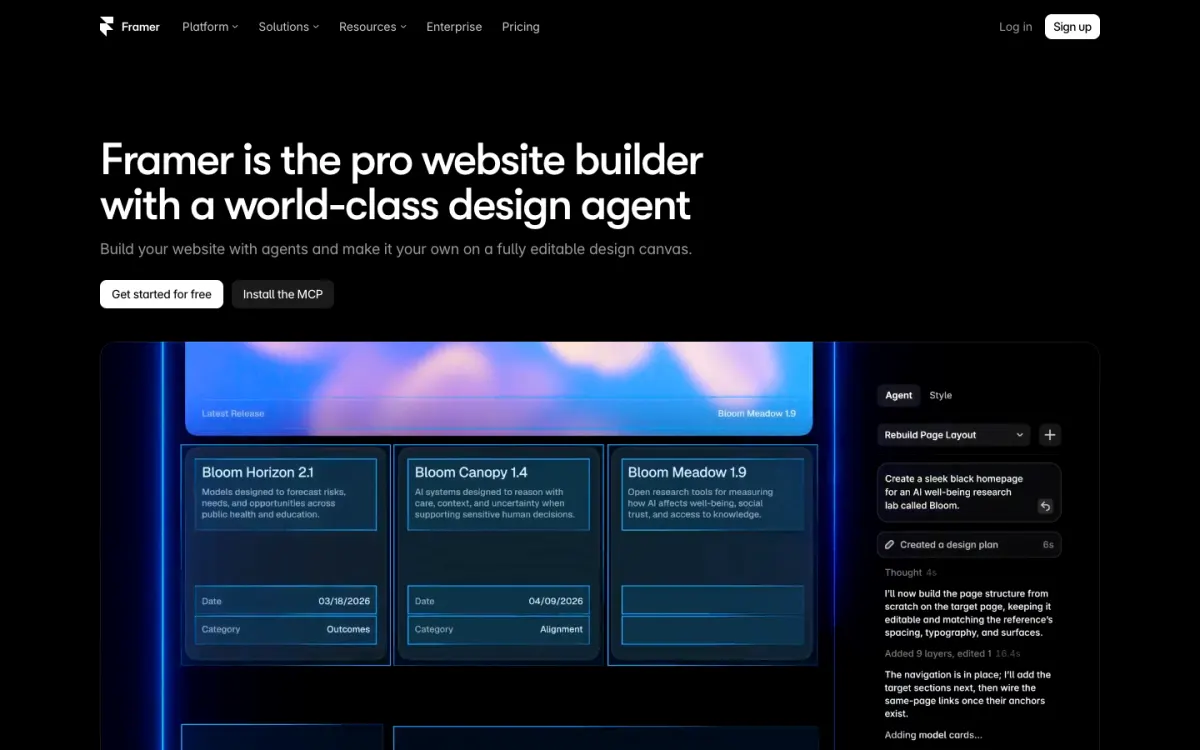
- You build marketing sites that change often and want staging, branching, and AI agents that edit the canvas.
Pick Squarespace if:
- You sell, or will. Every Squarespace plan can sell, and invoicing and point of sale are built in.
- You want a blog with categories, tags, scheduling, and multiple authors on the cheapest plan.
- You want a site that looks good with little effort and stays tidy when a client or employee edits it.
- You want support you can reach any time: Squarespace advertises 24/7 Customer Care.
Framer vs Squarespace at a glance
Both vendors showed prices in EUR from our location, so we print them in EUR, as shown, and do not convert them. US prices may differ.
| Framer | Squarespace | |
|---|---|---|
| Price per site, billed yearly | Basic EUR 10/mo, Pro EUR 30/mo | Basic EUR 12/mo, Core EUR 18/mo, Plus EUR 32/mo, Advanced EUR 69/mo |
| Price per site, billed monthly | Basic EUR 15/mo, Pro EUR 45/mo | Basic EUR 17/mo, Core EUR 24/mo, Plus EUR 42/mo, Advanced EUR 79/mo |
| Free plan | Yes, on a Framer domain, 1 GB bandwidth; pitched for non-commercial use | No, 14-day free trial with no card |
| Design control | Canvas with editable breakpoints, components, animation | Fluid Engine grid inside templates, desktop and mobile layouts |
| CMS | 2 collections and 1,000 items on Basic, 10 and 2,500 on Pro | Blog with categories, tags, RSS, and scheduling on every plan |
| E-commerce | No native store; integrations and custom work | Selling on every plan, 2% fee on Basic, 0% from Core |
| SEO | Metadata, sitemaps, robots.txt; redirects on Pro | Built-in SEO tools, sitemaps, robots.txt, SEO Scanner |
| AI features | Agents: 500 credits free, 1,000 on Basic, 3,000 on Pro | Blueprint AI: 10 credits once on Basic, 20 to 120 a month above |
| Learning curve | Steeper, closer to a design tool | Gentle, template-led |
| Custom domain | Paid plans; complimentary domain on yearly | Every plan; free domain for the first year on annual plans |
| Export | None listed on the pricing page | One WordPress-format .xml file, with much left out |
Pricing
Winner: Framer, for one simple site. Squarespace if you need a team or a store.
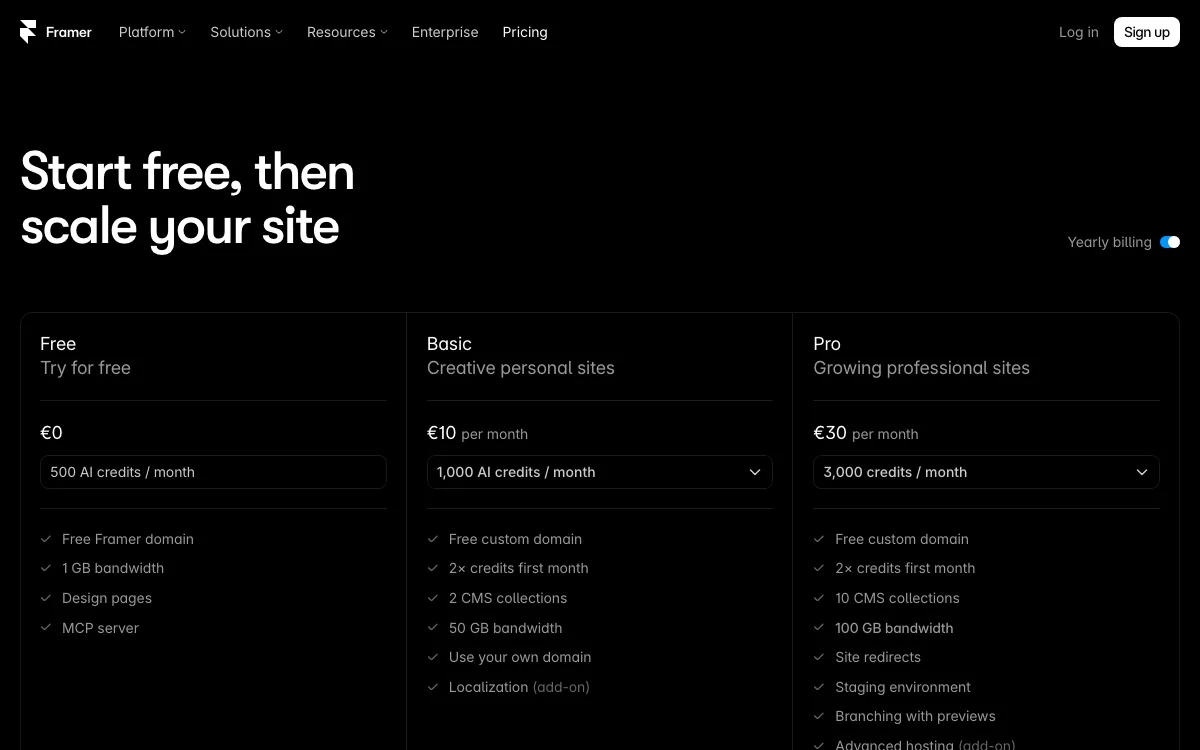
Framer prices each site separately. Billed yearly, Basic is EUR 10 a month and Pro EUR 30; billed monthly they are EUR 15 and EUR 45. Basic gives you 30 pages, 2 CMS collections, 1,000 CMS items, 50 GB bandwidth, and 1,000 AI credits a month. Pro raises that to 150 pages, 10 collections, 2,500 items, 100 GB, and 3,000 credits, and adds site redirects, staging, and branching. The workspace owner is free, but each additional editor costs EUR 20 a month on yearly billing (EUR 30 monthly), and content editors cost EUR 10. The free plan publishes on a Framer domain with 1 GB bandwidth, and Framer describes it as “ideal for non-commercial use”.
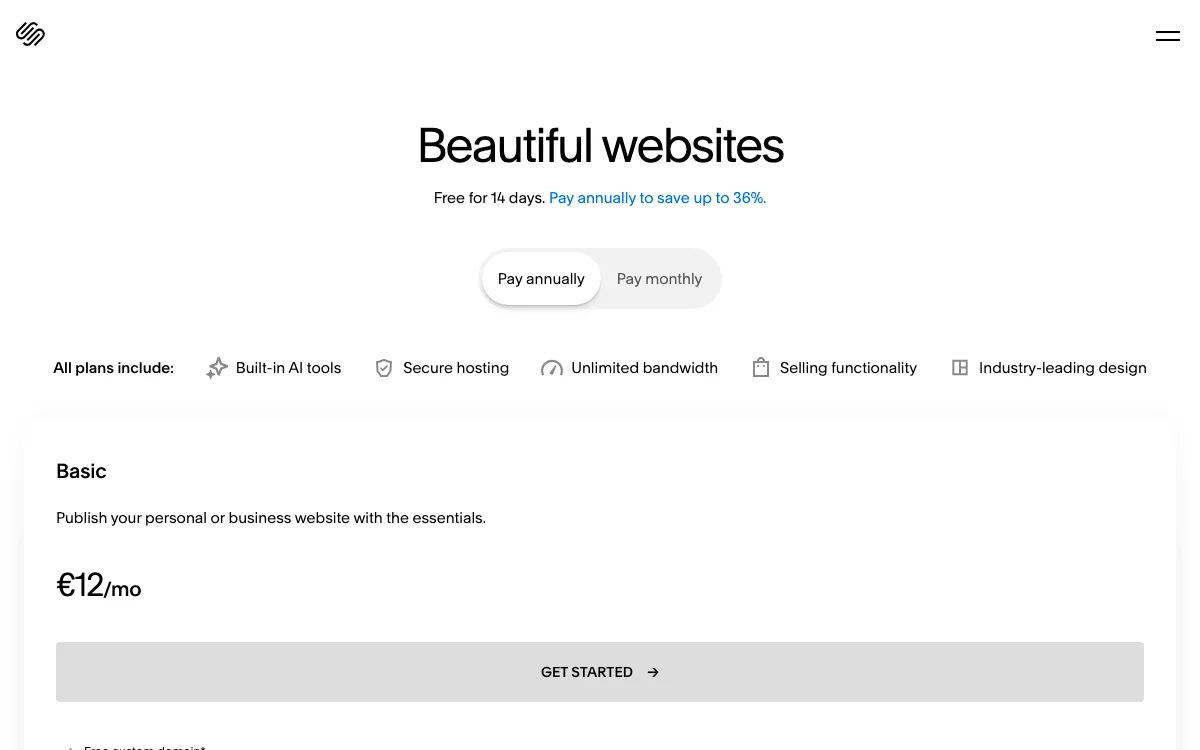
Squarespace billed yearly is EUR 12 (Basic), EUR 18 (Core), EUR 32 (Plus), and EUR 69 (Advanced) a month. Billed monthly, the same plans are EUR 17, EUR 24, EUR 42, and EUR 79. Every plan includes unlimited bandwidth, hosting, built-in AI tools, and selling. Basic allows 2 contributors and charges a 2% transaction fee on store sales; Core and above have unlimited contributors and no store fee. There is no free plan, only a 14-day trial with no card.
What it means. One designer with one portfolio pays EUR 120 a year on Framer Basic against EUR 144 on Squarespace Basic, and Framer lets you build for free until launch. Add a second editor and Framer Basic becomes EUR 30 a month, more than Squarespace Core with unlimited contributors. If you build several client sites, both bill per site, so five sites cost five plans on either platform.
Design freedom and responsive control
Winner: Framer.
Framer works like a design tool: you draw on a canvas, build components with variants and shared styles, and set layout per breakpoint (Framer’s own comparison shows Desktop at 1200 and Tablet at 810, plus phone). Framer describes the difference itself: “explicit breakpoint and layout controls” on Framer against “responsive behavior within the Squarespace system”. Animation and interaction depth are what most designers choose Framer for.
Squarespace uses Fluid Engine, a drag-and-drop grid inside its templates. You can drag, drop, resize, and rearrange content on desktop and mobile, and there are mobile-specific block settings. What you do not get is a tablet layout or custom breakpoints: you design for two screen sizes. Custom CSS is available for deeper changes.
The trade-off is real. Framer lets you build anything, including a layout that breaks on a phone if you skip a breakpoint. Squarespace limits what you can do, which is exactly why a Squarespace site stays consistent when a non-designer edits it. At least one recent Trustpilot review (October 2026) complains that Framer’s responsive controls are confusing, so expect a learning period.
Templates
Winner: Squarespace, for templates that work as a whole site.
Squarespace templates are free with any plan and come wired for the rest of the platform: online store, portfolio, memberships, blog, scheduling, courses, and services are all template types you can filter by. Blueprint AI can also generate a starting site with curated content and styling. Because the template controls spacing and type, the result looks professional with little design work.

Framer’s template marketplace is a community marketplace with a mix of free and paid templates; the ones we saw ranged from free to $129. You get more distinctive, design-led options, especially for portfolios, agencies, and SaaS, but quality varies by creator and many of the best are paid.
CMS and blogging
Winner: Squarespace for a blog. Framer if you need custom content types.
Squarespace’s blog is part of every plan and goes further than most builders: categories and tags, scheduled posts with a Needs Review status, multiple authors with their own bylines, an automatic RSS feed, and AI drafting. If the site grows by adding posts, Squarespace is less work.
Framer’s CMS is a flexible database for any content type: blog posts, case studies, team pages, changelogs. Collections can link to each other, you can import CSV files, and the AI agent can create a collection and its fields from a prompt. The catch is limits by plan: 2 collections and 1,000 items on Basic, 10 collections and 2,500 items on Pro, with paid add-ons up to 40 collections and 40,000 items. A blog plus a project archive already uses both Basic collections.
E-commerce
Winner: Squarespace, clearly.
Every Squarespace plan can sell. The platform covers physical and digital products, services, subscriptions, gift cards, and donations (members-only areas are a separate subscription), with inventory, variants, discounts, automated taxes, product reviews, and point of sale in the Squarespace app (US only for POS). Basic charges a 2% transaction fee on store sales; Core and above charge none. Card rates shown to us started at 2.0% + EUR 0.25 on Basic and Core, falling to 1.5% + EUR 0.25 on Advanced.
Framer has no built-in store. Its own comparison page says commerce on Framer is “handled with integrations and custom work”, while Squarespace offers a “commerce, invoicing, and scheduling ecosystem”. You can link out to a checkout or embed a third-party cart, but if selling is part of the plan, Squarespace saves you an extra tool and an extra bill. If selling is the whole business, compare dedicated platforms too; our guide to the best website builders for small business covers them.
SEO and performance
Winner: Framer, on the Pro plan.
Both cover the basics: page titles and descriptions, automatic sitemap.xml and robots.txt, clean URLs, SSL, and mobile-friendly pages. Neither gives you a reliable ranking edge.
Framer adds more technical control: dynamic metadata for CMS pages, hosting static files such as llms.txt (50 on Pro), and an AI agent that scans a page and proposes fixes to metadata, headings, alt text, and internal links. On hosting, Pro serves your site from 300+ CDN locations against 20 on Basic. The catch: site redirects are a Pro feature, which matters when you move an existing site and need old URLs to keep their rankings.
Squarespace lists built-in SEO tools, an SEO Scanner with AI recommendations, and AI-written titles and alt text. Bandwidth is unlimited on all plans, while Framer meters it (50 GB on Basic, 100 GB on Pro, then $40 per 100 GB). For a simple site, Squarespace is the easier setup; for a marketing site you tune often, Framer Pro gives you more.
AI tools
Winner: Framer, with a warning about credits.
Framer AI is an agent that builds and edits pages, sections, copy, and visuals directly on the canvas, and you can take over by hand at any point. It also helps with CMS setup, SEO fixes, and AI translation through the localization add-on (EUR 20 per locale, up to 20). Framer meters it in credits shared across your workspace: 500 a month on Free, 1,000 on Basic, 3,000 on Pro, with larger credit tiers at higher prices.
AI credits are a recurring complaint in recent Framer reviews. One Trustpilot reviewer wrote that “the most basic changes (remove an image, and add a table for example) will cost you hundreds of credits” (Oct 6, 2026).
Squarespace has Blueprint AI, which turns a description of your business into a multi-page site, plus an AI assistant, image generation, AI blog posts, and composers for product, service, and discount listings. It is a capable first-draft tool, but credits are tight on the entry plan: 10 AI credits once on Basic, then 20, 40, and 120 a month on Core, Plus, and Advanced. If AI is your main reason to choose, see our list of the best AI website builders.
Ease of use
Winner: Squarespace.
Squarespace asks fewer questions. Pick a template or let Blueprint AI build one, swap in your text and photos, and publish. The template keeps spacing and type consistent, which also makes it safe to hand the site to a client.
Framer is easy for anyone who already works in Figma and hard for anyone who does not. Stacks, breakpoints, and components are powerful, but a beginner can spend an afternoon fixing a phone layout.
Support
Winner: Squarespace.
Squarespace advertises 24/7 support from its Customer Care team, plus a Help Center, forum, and webinars. Its Trustpilot rating was 3.5 from 6,560 reviews when we checked on November 18, 2026. Complaints exist there too: recent low-star reviews mention trouble reaching a real person.
Framer’s contact page offers chat with “a product expert” for customers on paid plans, a billing chat, and an emergency option for when a site is down. Free-plan users get the help center and articles, not the support chat. Framer’s Trustpilot rating was 1.6 from 154 reviews on the same day, with recurring complaints about billing, AI credits, and support that is hard to reach.
A third option: Siter.io for designers running several client sites
If you are a designer who likes Framer’s canvas but not paying per site, Siter.io is worth a look. It is a browser-based builder with a free-form canvas where elements stay where you put them, and a separate layout for each breakpoint (Desktop 1200, Tablet 640, and Mobile 375 by default, plus custom widths). A Figma plugin on every plan imports frames into a page, one way.

Pricing is per plan, not per site. Solo is $7 a month billed yearly ($8 monthly) for 1 website with 2 editor seats and 10 pages. Plus is $12 a month billed yearly ($14 monthly) for 3 websites, 4 seats, and 50 pages. Pro is $24 a month billed yearly ($28 monthly) for 5 websites, 6 seats, unlimited pages, and a per-page HTML download. Custom domain, SSL, forms, and cookieless analytics come with every plan, and you can hand a finished site over to a client’s account.
Siter.io added a CMS in November 2026, with five collection types (Blog, Projects, Team, Events, Testimonials), scheduled posts, CSV import and export, and an RSS feed. It is simpler than Framer’s: no references between collections.
The limits matter, so here they are plainly:
- No e-commerce. If you need a store, Squarespace is the better choice.
- No multi-language support.
- No free plan for new accounts, only a 3-day trial that needs a card.
- Less animation depth than Framer, and no template marketplace on Framer’s scale.
- Page caps on Solo (10) and Plus (50).
Good for: designers and small studios who run several brochure, portfolio, or landing-page sites for clients and want them on one bill. For more options in this space, see our Squarespace alternatives and Webflow alternatives guides.
Which should you choose?
- A designer’s portfolio or a startup marketing site with motion: Framer. Nothing here matches its canvas and animation.
- A photographer, writer, or creative who wants a polished site fast: Squarespace. Templates and the blog do most of the work.
- A shop, or a service business that invoices or sells in person: Squarespace. Selling, invoicing, and POS are built in.
- A free site to test an idea: Framer, whose free plan publishes on a Framer domain.
- A team with several editors: Squarespace Core, with unlimited contributors, unless you need Framer’s design control enough to pay EUR 20 per editor.
- A designer running several small client sites without a store: Siter.io, priced per plan with seats included.
If you are also weighing Wix, our Wix vs Squarespace comparison covers that pairing. Once the site is live, set up uptime monitoring so you know when it goes down.
FAQ
Is Framer better than Squarespace?
Framer is better for designers who want full control over layout, breakpoints, and animation. Squarespace is better for people who want a polished site quickly, a blog, or a store.
Is Framer cheaper than Squarespace?
For one site, slightly. Framer Basic was EUR 10 a month billed yearly against EUR 12 for Squarespace Basic (EUR, as shown from our location), and Framer has a free plan. Framer charges EUR 20 a month for each extra editor, though, so a team is often cheaper on Squarespace Core.
Can you sell products on Framer?
Not natively. Framer has no built-in store, and its own comparison says commerce is handled with integrations and custom work. Squarespace sells on every plan, with a 2% transaction fee on Basic and none from Core.
Is Framer or Squarespace better for designers?
Framer, for most designers. It works like a design tool, with components, breakpoints, and animation, and it imports designs from Figma. Squarespace suits designers who want to deliver template-based sites that clients can safely edit themselves.
Does Squarespace have a free plan?
No. Squarespace offers a 14-day free trial with no credit card, and publishing after that needs a paid plan. Framer’s free plan publishes a site on a Framer domain, which Framer pitches for non-commercial use.
Can I export my site from Framer or Squarespace?
Not in a way that lets you rebuild elsewhere. Framer’s pricing page lists no site export. Squarespace exports one WordPress-format .xml file with layout pages and one blog, but leaves out store, portfolio, and index pages, style settings, and custom CSS.
Build your Bootstrap theme
Design a custom Bootstrap 5 theme visually with a live preview, then export clean Sass or CSS.
Open the Builder