9 Best Squarespace Alternatives in 2026 (Free and Cheaper)
Squarespace makes it hard to build an ugly website. Its templates handle spacing, type, and responsive layout, every plan includes a blog and can sell, and hosting and support are part of the subscription. People look for an alternative for equally consistent reasons. There is no free plan. The cheapest plan blocks custom code and takes 2% of store sales. You get two layouts, desktop and mobile, and little room to design outside the template. And when you leave, most of the site stays behind.
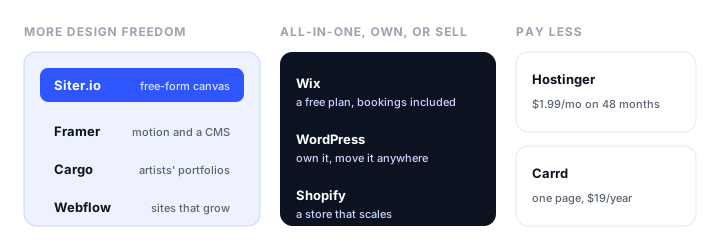
This guide compares nine Squarespace alternatives in November 2026, grouped by why you are leaving. For each one it covers what it does better than Squarespace, what you give up, and what it costs. Prices are from each vendor’s own pricing page, in US dollars and billed yearly unless we say otherwise; several vendors, Squarespace included, show prices in your local currency.
The short version:
- Best overall Squarespace alternative: Wix, with a free plan, more layout freedom, and bookings included from Core.
- Best for designing the page yourself: Siter.io, a free-form canvas with tablet and phone layouts and a Figma import, from $7 a month.
- Best for owning your site: WordPress, and the only platform Squarespace’s export is made for.
- Best for designers who need a CMS: Framer.
- Best for selling online: Shopify.
- Best for a site that will grow: Webflow.
- Best for artists’ portfolios: Cargo.
- Best for a single page: Carrd, from $19 a year with your own domain.
- Cheapest over several years: Hostinger, on a 48-month term.
Why people leave Squarespace
There is no free plan. Every site starts on a 14-day trial with no card, and publishing after that means paying. The cheapest plan is Basic at $19 a month billed yearly, or $25 month to month.
Basic is limited in ways you notice later. It has no code injection, no JavaScript or iframes in code blocks, and no third-party integrations, it allows 2 contributors, and it takes a 2% transaction fee on store sales. All of that needs Core, $29 a month billed yearly ($39 monthly).
Two layouts and a template. The Fluid Engine editor places content on a grid inside a template. It gives you exactly two layouts, desktop and mobile, with no tablet layout and no custom breakpoints, and site-wide animation is a handful of presets. There is no Figma import, so a design you already approved is rebuilt by hand.
Most of the site can’t leave. Squarespace exports one XML file aimed at WordPress. Custom CSS and code, style settings, portfolio, index, cover, album, and store pages, and product blocks are all left out, and Squarespace says you can’t import that export into another Squarespace site.
Add-ons on top. Scheduling and Email Campaigns are paid add-ons, and AI credits are metered by plan: 10 once on Basic, then 20, 40, and 120 a month on Core, Plus, and Advanced.
If your site is a blog you publish to, a store, memberships, or courses, and you want a template that survives anyone editing it, Squarespace is still one of the best builders there is, with 24/7 support included. If one of the points above is why you are reading, one of these will fit better.
Squarespace alternatives at a glance
| Builder | Best for | Cheapest plan with your domain | Free plan | Blog or CMS | Can you export the site? |
|---|---|---|---|---|---|
| Wix | Most people leaving Squarespace | Light, about $17/mo | Yes, with Wix ads | Yes | No |
| Siter.io | Designing the page yourself | Solo, $7/mo | Yes, 3 pages | No | HTML, one page at a time, on Pro |
| WordPress | Owning your site | $4/mo on WordPress.com | Yes, with ads | Yes, the strongest | Yes, to any WordPress host |
| Framer | Designers who need a CMS | Basic, $10/mo per site | Yes, framer.website | Yes | No |
| Shopify | Selling online | Basic, $29/mo | 3-day trial | Yes | Product and customer data |
| Webflow | Sites that grow | Basic, $15/mo | Yes, 2 pages | From Premium, $25/mo | Code, on paid workspaces |
| Cargo | Artists’ portfolios | $14/mo | Not documented | Not listed | Not listed |
| Carrd | A single page | Pro Standard, $19/year | Yes, 3 one-page sites | No | Download Sites on Pro Plus |
| Hostinger | Lowest long-term cost | $1.99/mo on 48 months | 14-day trial | Yes | Not listed |
| Squarespace, for comparison | Basic, $19/mo ($25 monthly) | No, 14-day trial | Yes, every plan | One WordPress-format file |
The best Squarespace alternatives, reviewed
1. Wix: best overall Squarespace alternative

What it is. Wix is the other big all-in-one builder: a drag-and-drop editor, an AI website builder, and business tools such as bookings, a store, and payments in the same subscription. Wix Studio is a separate, more advanced editor for designers and agencies.
Why it beats Squarespace. You can start for free and upgrade when the site pays for itself. The Wix Editor lets you place elements anywhere rather than inside a template’s grid, and Wix Studio adds editable desktop, tablet, and mobile breakpoints plus a Figma import. Scheduling and payments come together on Core, where Squarespace sells Scheduling as an add-on.
What you give up. Freedom cuts both ways: a Wix page is easier to clutter, and it holds together less well when someone else edits it. Invoicing and point of sale aren’t part of Wix’s plan list, and Wix has no export at all, so a Wix site can’t leave Wix either.
Pricing. Free with Wix ads on a wixsite.com address. Light about $17/mo billed yearly, Core about $29 (payments, basic ecommerce, scheduling), Business about $39, Business Elite about $159. Our Wix vs Squarespace comparison goes through the two side by side.
Best for. Service businesses that take appointments, and anyone who wants a free start and more freedom on the page.
2. Siter.io: best for designing the page yourself
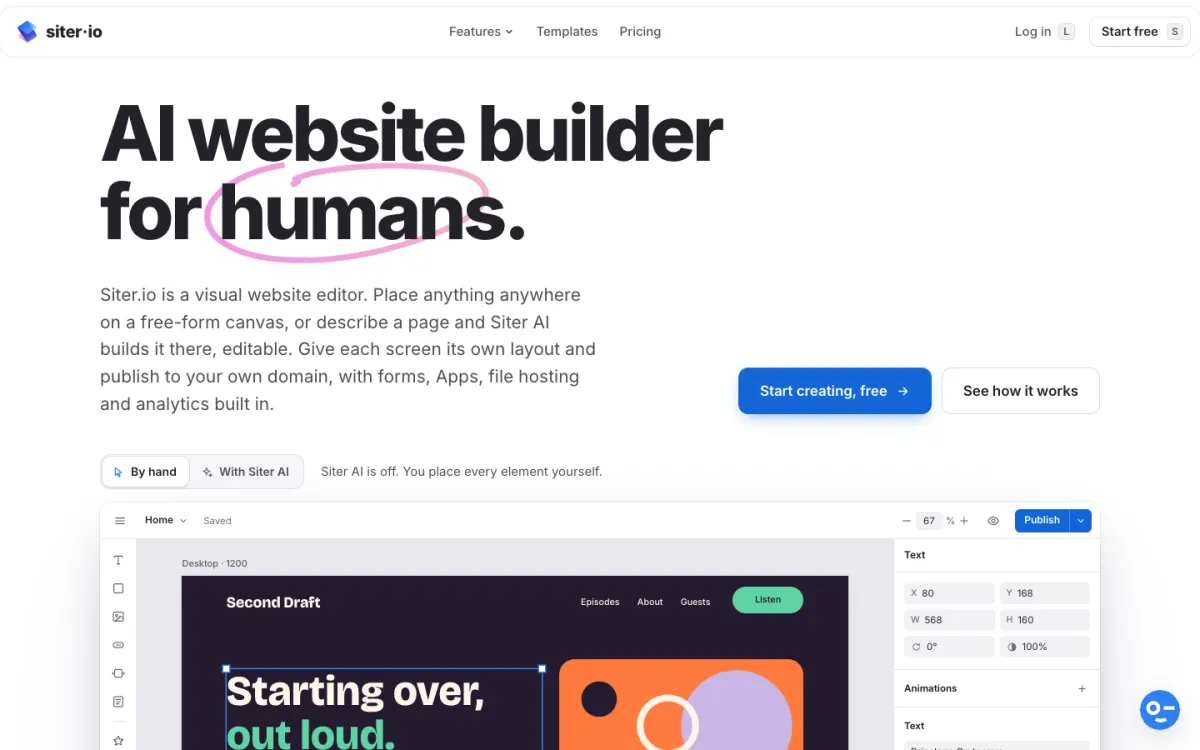
What it is. Siter.io is a visual website builder with a free-form canvas: you place everything by hand on separate desktop, tablet, and phone layouts, send designs from Figma with a plugin, or have Siter AI draft a page that stays fully editable.
Why it beats Squarespace. Where Squarespace gives you a template and two layouts, Siter.io gives you a blank canvas and a layout for every screen size, so a designed portfolio or landing page looks the way you drew it. The Figma import works on every plan, free included, so an approved design is a starting point rather than a reference. It costs less: your own domain is $7 a month billed yearly, the Free plan publishes with a small badge, and forms, cookieless analytics, and Zapier are built in. On the Pro plan you can download a page as HTML with its images, CSS, and JavaScript.
What you give up. Siter.io has no blog or CMS, no store, and no payments, so it is not a replacement for a content or commerce site. The HTML download is one page at a time, not a full-site export, editor seats are counted per website (2 on Solo), and the Free plan publishes 3 pages and 1 form.
Pricing. Free publishes 1 website on a getsiter.com address with 3 pages and 1 form. Solo $7/mo billed yearly ($8 monthly) adds your own domain and 10 pages. Plus $12/mo (3 websites, 50 pages), Pro $24/mo (5 websites, unlimited pages, HTML download).
Best for. Designers, freelancers, and small studios whose site is a set of designed pages. Siter’s own Squarespace comparison goes through the two in detail.
3. WordPress: best for owning your site
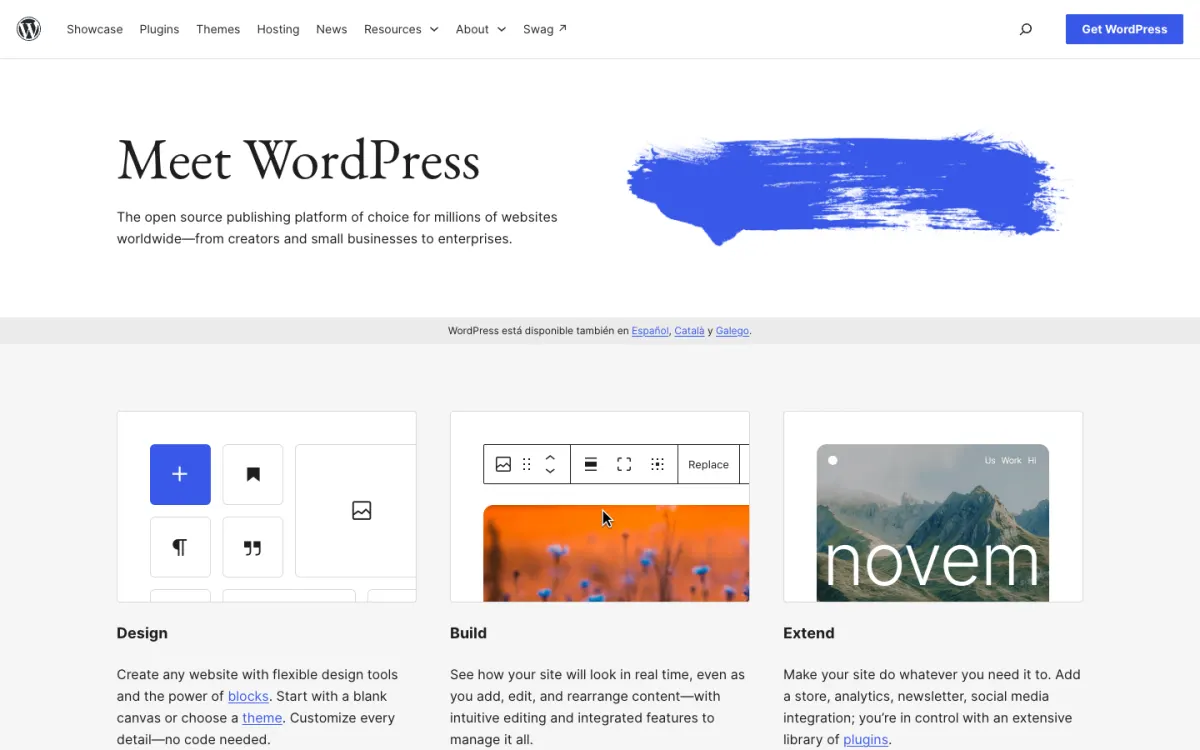
What it is. WordPress is free, open-source software you can host anywhere, or use hosted on WordPress.com.
Why it beats Squarespace. It is the one place your Squarespace content can go with an importer: Squarespace’s export file is made for WordPress, so standard pages and one blog with its posts and comments come across, even if the design doesn’t. After that, the site is yours, and it moves between hosts with its content, design, and plugins. It has the strongest blogging tools here, tens of thousands of plugins, and WooCommerce for a store.
What you give up. WordPress is a system to look after, with updates, plugins, and backups, and nobody is on call for you the way Squarespace’s support is. Design depends on your theme. On WordPress.com, payment fees fall as plans rise, from 8% on Personal to 0% on Commerce.
Pricing. WordPress.org is free; you pay a host and a domain. WordPress.com: Free with ads, Personal $4/mo billed yearly, Premium $8, Business $25, Commerce $45.
Best for. Writers and content-heavy sites, and anyone who never wants to be locked into a builder again.
4. Framer: best for designers who need a CMS
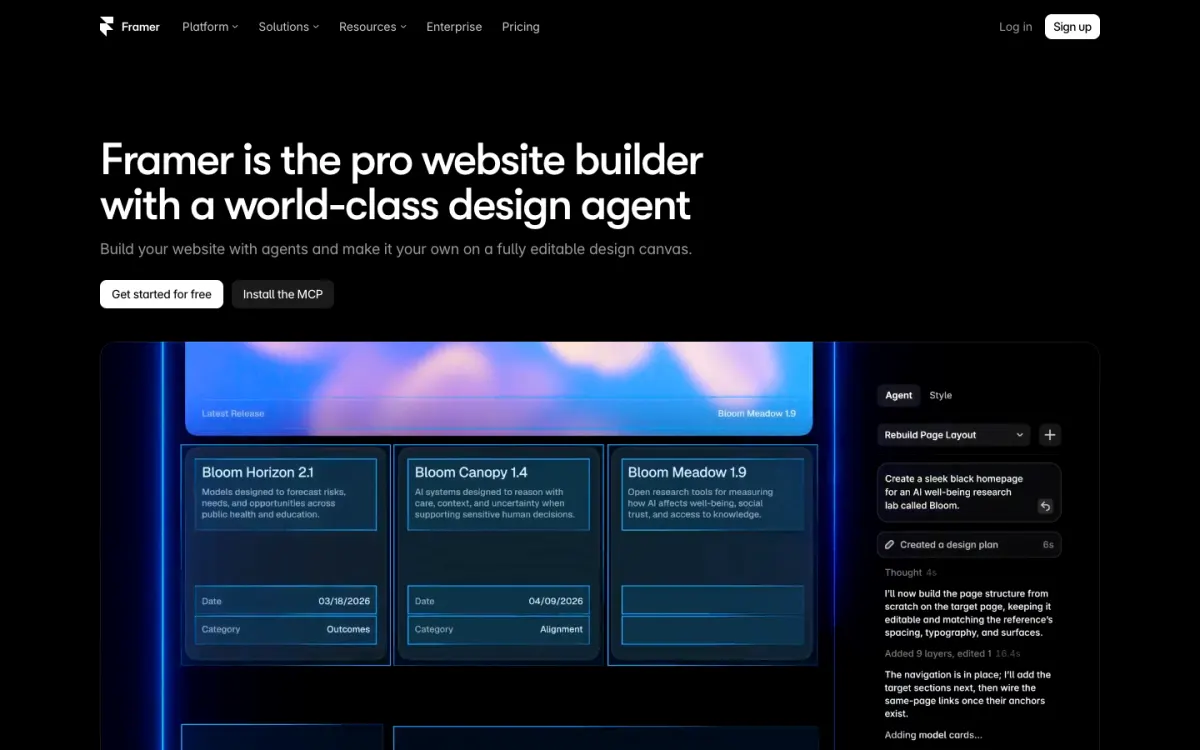
What it is. Framer is a design-first website builder that works like a design tool, with a CMS, motion built in, and an AI agent that builds and edits pages on the canvas.
Why it beats Squarespace. Framer keeps what designers like about Squarespace, a CMS for a blog or case studies and polished results, and removes the template limits: you design on a canvas with breakpoints, scroll effects, and page transitions that Squarespace’s presets can’t match. The cheapest plan with your domain is $10 a month per site.
What you give up. No store, no bookings, and no export for self-hosting. Framer prices per site, editor seats are billed on top, and AI credits are metered. The CMS is small on Basic: 2 collections and 1,000 items.
Pricing. Free on a framer.website address with a Framer banner. Basic $10/mo per site billed yearly, Pro $30/mo.
Best for. Designers, startups, and studios that want motion and a CMS.
5. Shopify: best for selling online
What it is. Shopify is the leading ecommerce platform, with products, inventory, shipping, tax, checkout, and point of sale, plus thousands of apps.
Why it beats Squarespace. If your Squarespace store has outgrown Squarespace Commerce, Shopify’s checkout, payment options, and app ecosystem go much further, and it scales from a first product to a large catalog without moving again.
What you give up. Shopify is a store first, and its themes are less polished for content than Squarespace’s templates. Using a payment provider other than Shopify Payments adds a fee (2% on Basic).
Pricing. Basic $29/mo billed yearly ($39 monthly), Grow $89, Advanced $359. A 3-day free trial, then $1 a month for 3 months.
Best for. Businesses whose website is the shop.
6. Webflow: best for a site that will grow
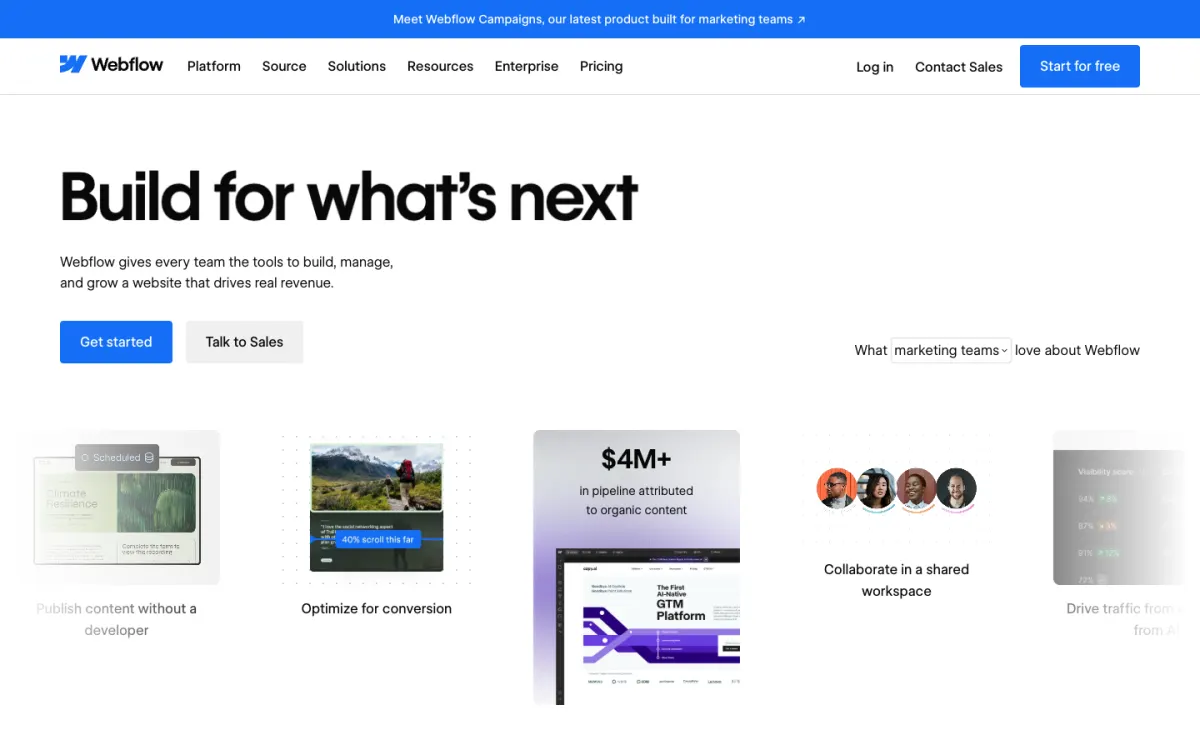
What it is. Webflow is a professional visual builder with a CMS, ecommerce plans, and Webflow AI.
Why it beats Squarespace. Webflow gives you full control of layout and breakpoints, a CMS that scales to tens of thousands of items, and code export on paid workspace plans. It is the Squarespace alternative for a marketing site that a team or agency will keep building on.
What you give up. A real learning curve, two separate kinds of plan (site and workspace), and no CMS on the cheapest plan with your domain.
Pricing. Free Starter (2 pages on webflow.io). Basic $15/mo billed yearly ($25 monthly), Premium $25/mo with the CMS, Ecommerce from $29/mo. Our Webflow alternatives guide covers easier options.
Best for. Growing companies with a designer or agency.
7. Cargo: best for artists’ portfolios
What it is. Cargo is a site builder for artists and designers, with templates for portfolios, presentations, and shops for creative work.
Why it beats Squarespace. Many photographers and artists use Squarespace for a portfolio; Cargo is built for exactly that, with more expressive layouts and type. One flat subscription publishes unlimited sites on cargo.site addresses with one custom domain included, and the commerce add-on charges no per-transaction fee.
What you give up. No free tier is documented, there is no Figma import, and each custom domain beyond the first is an extra $2 a month.
Pricing. $14/mo billed yearly or $19 monthly. Extra domains $2/mo each. Commerce add-on $5.50/mo.
Best for. Artists, photographers, and designers who want an expressive portfolio and maybe a small shop.
8. Carrd: best for a single page

What it is. Carrd builds simple, responsive one-page sites: link-in-bio pages, landing pages, and personal profiles.
Why it beats Squarespace. If your Squarespace site is really one page, you are paying $19 a month for a platform you don’t use. Carrd costs $19 a year with your own domain and forms, and you can publish in minutes.
What you give up. It is one page by design, with no blog and no store. Custom domains start on Pro Standard, not the cheapest Pro Lite tier.
Pricing. Free for 3 one-page sites with a Carrd footer. Pro Lite $9/year (no custom domain), Pro Standard $19/year (10 sites, custom domains, forms), Pro Plus $49/year (advanced forms, site downloads, and more).
Best for. One-page sites, link-in-bio pages, and simple landing pages.
9. Hostinger Website Builder: cheapest over several years
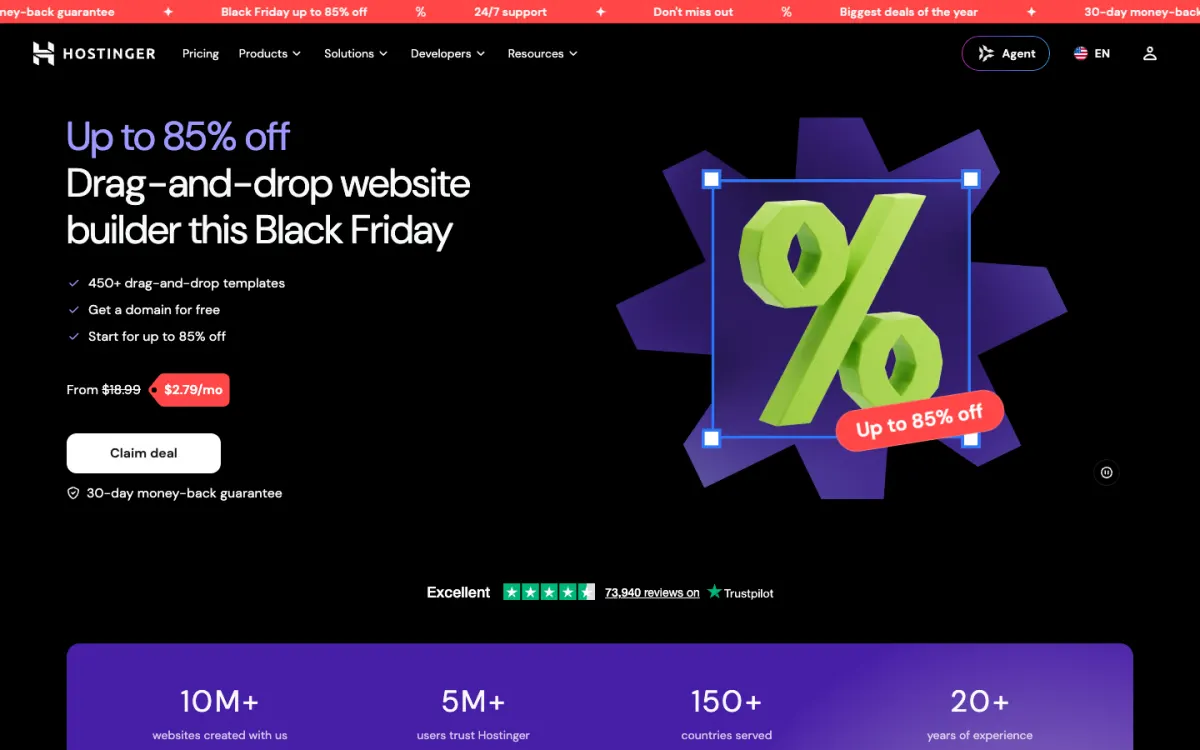
What it is. Hostinger’s website builder combines a drag-and-drop editor with an AI Builder, an AI SEO assistant, and email marketing.
Why it beats Squarespace. On a long term it costs a fraction of Squarespace: Premium is $1.99 a month on a 48-month term, with a free domain for the first year.
What you give up. The low price needs four years paid up front, and it renews at $10.99 a month. The templates and editor are simpler than Squarespace’s, and there is no free plan, only a 14-day trial.
Pricing. Premium $1.99/mo on 48 months (renews at $10.99), Unlimited $2.79 (renews at $16.99), Cloud Startup $7.99 (renews at $25.99).
Best for. Owners who know they will keep the site for years and want the lowest total cost.
Is there a free alternative to Squarespace?
Squarespace has no free plan, but several alternatives do, each on its own address and with a badge, ads, or limits:
- Wix publishes a full site free, with Wix ads and 500 MB of storage.
- Siter.io publishes 1 website with 3 pages and 1 form, with a small badge.
- WordPress.com is free with ads, and WordPress.org software is free if you pay for hosting.
- Framer publishes free on a framer.website address with a Framer banner.
- Carrd publishes 3 one-page sites free.
- Webflow publishes 2 pages free on webflow.io.
None of the free plans lets you use your own domain. For that, Carrd ($19 a year) and Siter.io ($7 a month) are the cheapest options here. If you build the site yourself as plain HTML, a static host is cheaper still: Static.app publishes a ZIP or folder on its own address or your domain, and our guide to static website hosting compares the options.
How to move off Squarespace
- Export what you can. In Squarespace’s settings, export the site to get the WordPress-format XML file. It includes standard and gallery pages, one blog with its posts and comments, and text and image blocks, but not your design, custom CSS, drafts, video blocks, or store, portfolio, index, album, cover, and calendar pages.
- Save the rest by hand. Download your images, since Squarespace warns they might not migrate with the self-hosted WordPress importer and links to them can break once you cancel. Save product data and form submissions, and copy the text of pages the export leaves out.
- List every URL. Record each page address, so you can keep the same paths or set up redirects on the new site.
- Rebuild on the new platform using its free plan or trial. On WordPress, import the XML file; anywhere else, rebuild the pages and copy the content across.
- Move your domain. If it is registered through Squarespace, point it at the new site or transfer it to another registrar, and connect it once the new site is ready.
- Set up redirects from any changed addresses, then cancel Squarespace once the new site is live.
How to choose a Squarespace alternative
- You want an all-in-one like Squarespace, with a free start and more freedom: Wix.
- You want to design the page yourself, on every screen size, from Figma or from scratch: Siter.io.
- You never want to be locked in again, or your site is mostly writing: WordPress.
- You are a designer and need a CMS with great motion: Framer.
- Your Squarespace store has outgrown Squarespace: Shopify.
- Your site will grow with a team or agency: Webflow.
- You are an artist or photographer: Cargo.
- Your site is one page: Carrd.
- You want the lowest price and will commit for years: Hostinger.
For a wider view by business type, see our guide to the best website builders for small business, and if you are also weighing Wix, our Wix alternatives guide.
FAQ
What is the best alternative to Squarespace?
Wix is the best Squarespace alternative for most people, because it is an all-in-one builder with a free plan, more freedom on the page, and bookings and payments included from Core. If you want to design the page yourself on every screen size, Siter.io is a cheaper option from $7 a month, and WordPress is best if you want to own your site outright.
Is Squarespace free?
No. Squarespace has a 14-day free trial with no credit card, and publishing after that needs a paid plan from $19 a month billed yearly, or $25 month to month. Wix, Siter.io, WordPress.com, Framer, Carrd, and Webflow all have free plans that publish on their own address.
How much does Squarespace cost?
Squarespace costs $19 a month for Basic, $29 for Core, $49 for Plus, and $99 for Advanced, billed yearly. Month to month, the same plans cost $25, $39, $65, and $139. Squarespace shows prices in your local currency, so the figure you see may differ.
What is cheaper than Squarespace?
Carrd is the cheapest for a single page, at $19 a year with your own domain. Siter.io costs $7 a month billed yearly for a site on your own domain, Framer $10 a month per site, and Hostinger $1.99 a month if you pay for 48 months up front. Wix’s cheapest plan with your domain is about $17 a month.
Is Wix better than Squarespace?
Wix is better if you want a free plan, freedom to place elements anywhere, and bookings and payments in one plan. Squarespace is better if you want templates that stay tidy when anyone edits them, a blog and portfolio on every plan, and invoicing and point of sale included.
Can I move my Squarespace site to WordPress?
Yes. Squarespace exports an XML file made for WordPress, which brings across standard and gallery pages and one blog with its posts and comments. The design, custom CSS, and store, portfolio, index, and album pages are not included, and images may need downloading and uploading by hand, so plan to rebuild those parts in your WordPress theme.
What is the best Squarespace alternative for photographers?
Cargo is built for artists’ and photographers’ portfolios, with expressive layouts and one flat price. Siter.io suits photographers who want to design every page themselves, and Framer suits those who want a CMS for projects. WordPress and Wix both have strong portfolio themes too.
Build your Bootstrap theme
Design a custom Bootstrap 5 theme visually with a live preview, then export clean Sass or CSS.
Open the Builder