Framer Pricing in 2026: Plans, AI Credits and Real Costs
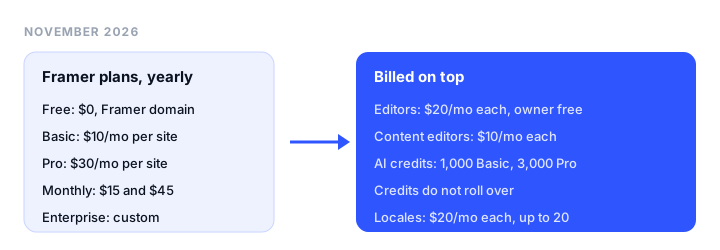
Framer pricing in 2026 starts at $0 for a site on a Framer domain, then $10 a month per site for Basic and $30 for Pro, billed yearly ($15 and $45 billed monthly). Extra editors, AI credits, and add-ons such as locales are billed on top, so what you actually pay depends on how many sites, people, and AI prompts you have. This guide is for freelancers, startups, and agencies sizing a Framer bill; every price and limit below was checked on Framer’s own pricing page and help center in November 2026.
TL;DR
- What most people pay: $10 a month for one site on Basic, billed yearly ($120 a year). Solo designers with a portfolio rarely need more.
- Startups and marketing teams: Pro at $30 a month per site, plus $20 a month for each editor after the free workspace owner.
- Is Framer free? Yes, to build and to publish on a Framer domain with a “Made in Framer” banner. Framer calls the free plan “ideal for non-commercial use”, and a custom domain needs a paid plan.
- AI credits: 1,000 a month on Basic and 3,000 on Pro. More credits raise the plan price ($10 per 1,000 a month, billed yearly), and unused credits do not roll over.
- The catch: pricing is per site and seats are per workspace, so five client sites mean five plans plus your team’s seats.
- Cheaper for several sites: Siter.io prices per plan, with 5 sites and 6 editor seats for $24 a month billed yearly.
How Framer pricing works
Framer’s bill has four parts.
1. A Site plan for each published site. Free, Basic, and Pro are bought per project. Two sites on Basic means two Basic subscriptions.
2. Editor seats for the workspace. The workspace owner is free and viewers (who can comment) are free. Every additional editor who designs or publishes costs $20 a month, and a content editor who only updates the CMS, localization, and on-page text costs $10 a month. Basic and Pro both cap a workspace at 10 seats. Framer’s billing help article adds a detail most pricing pages skip: added editors are billed monthly even when your site plan is yearly. On monthly billing, the pricing page lists editors at $30 and content editors at $15.
3. AI credits. Each paid plan includes a monthly credit allowance for Framer’s Agents and other AI features. You can raise the allowance with a bigger credit tier, which raises the plan price. More on this below.
4. Add-ons. Translation locales are available on Basic and Pro at $20 per locale a month billed yearly ($25 monthly), up to 20 locales. Pro also lets you buy more capacity when you outgrow the plan; Basic limits are listed as “Fixed”, so on Basic the answer to “more pages” is an upgrade to Pro.
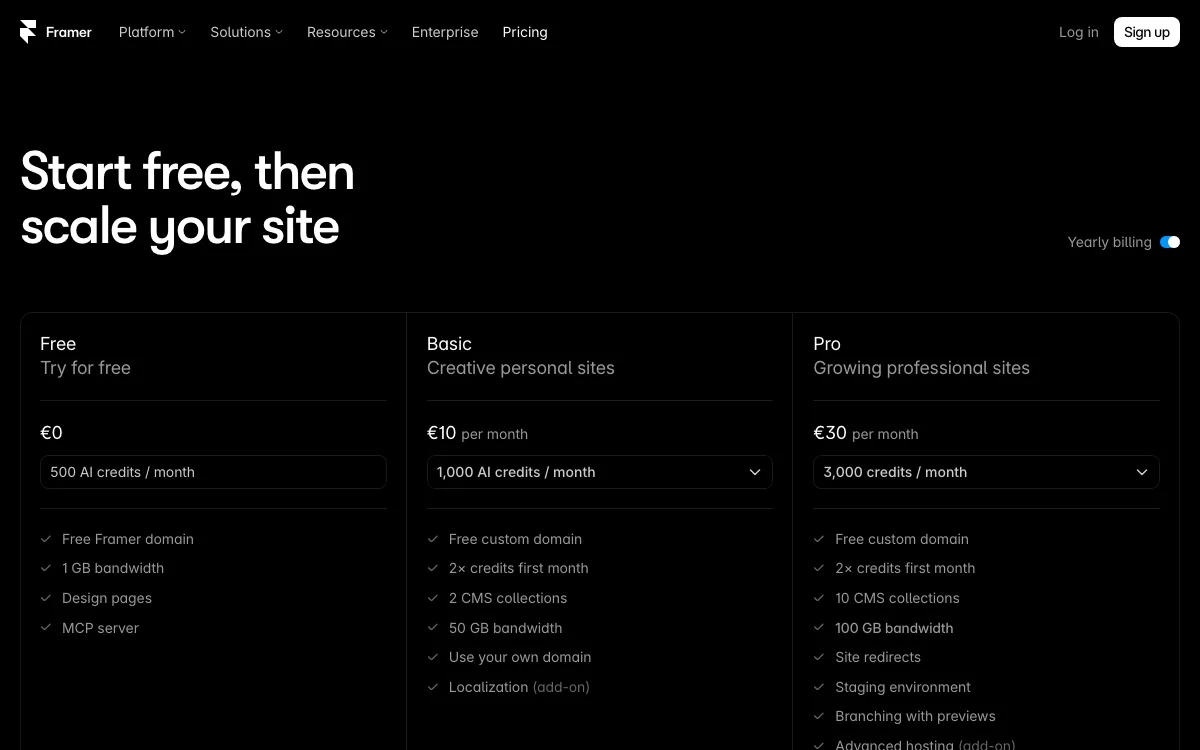
Framer showed us prices in euros from our network (EUR 10, EUR 30, and so on). The US version of the same page and Framer’s help center list the same numbers in dollars, so we print USD below. Sales tax is added at checkout based on your location.
Framer plans and prices compared
| Free | Basic | Pro | |
|---|---|---|---|
| Price per site, billed yearly | $0 | $10/mo ($120/yr) | $30/mo ($360/yr) |
| Price per site, billed monthly | $0 | $15/mo | $45/mo |
| AI credits | 500 to try (see below) | 1,000/mo | 3,000/mo |
| Domain | Framer domain, “Made in Framer” banner | Custom domain; complimentary domain on yearly | Custom domain; complimentary domain on yearly |
| Pages | 1,000 | 30 | 150, then $20 per 100 (max 700) |
| CMS collections | 10 | 2 | 10, then $40 per 10 (max 40) |
| CMS items | Not stated | 1,000 | 2,500, then $20 per 10,000 (max 40,000) |
| Bandwidth | 1 GB | 50 GB | 100 GB, then $40 per 100 GB (max 2 TB) |
| Hosting locations | Not stated | 20 | 300+ |
| Analytics history | Not stated | 30 days | 90 days |
| Redirects, staging, branching | No | No | Yes |
| Extra editors | Up to 3 editors while the workspace has no subscription | $20/mo each ($30 monthly) | $20/mo each ($30 monthly) |
| Locales add-on | One free locale to try | $20 per locale, up to 20 | $20 per locale, up to 20 |
Add-on capacity prices are the yearly-billing rates; billed monthly, extra pages are $30 per 100, collections $50 per 10, and CMS items $30 per 10,000. Pro can also add Convert (A/B testing and funnels) at $50 per 500,000 events and Advanced hosting (rewrites, firewall rules, custom headers) at $200 a month, billed yearly. Enterprise is custom-priced with unlimited seats.
Note that the free plan lists more pages and collections than Basic (1,000 pages and 10 collections against 30 and 2). Free is for designing and testing; Basic is a small, fixed box for a live site.
Framer AI credits explained
Credits pay for Framer’s AI. Here is what Framer’s pricing page and its help article on AI credits say.
How many you get. Basic includes 1,000 credits a month and Pro 3,000. Both plans show “2x credits first month” on the pricing page. Credits are pooled at the workspace level and they stack: Framer’s own example is that two projects on Basic give a workspace 2,000 credits a month, shared by every editor.
What the free plan gets. The free plan card says “500 AI credits / month”, but the FAQ and the help article are narrower: workspaces with no active subscription get 500 credits to try Agents. Once you pay for any site, you are on the paid allowance.
What uses credits. Agent chat, Workshop chat, and AI translations through Localization consume credits. Small editor helpers, such as automatic layer renaming and tracking ID suggestions, do not, and they keep working after you run out. Framer says the cost of a prompt depends on its complexity and the amount of work, and its model guide adds that the model you pick, reasoning level, Fast Mode, and the amount of context all change usage.
Do credits roll over? No. Plan credits renew on each plan’s billing renewal date and unused credits do not carry over. If you buy the AI Credits add-on and still run out, you can buy a one-time top-up, but top-ups need an active add-on and expire at the end of the calendar month. Cancel the add-on and its extra credits are removed immediately.
What happens at the limit. Admins get a warning at 80%. At 100%, credit-using features pause, prompts already running finish, and you cannot start new ones until credits reset or you buy more.
What more credits cost. On the pricing page, choosing a bigger credit tier raises the plan price at a flat rate of $10 per 1,000 credits a month on yearly billing ($15 on monthly):
| Credits a month | Basic, billed yearly | Pro, billed yearly |
|---|---|---|
| 1,000 | $10 | Not offered |
| 2,000 | $20 | Not offered |
| 3,000 | $30 | $30 |
| 5,000 | $50 | $50 |
| 10,000 | $100 | $100 |
| 15,000 | $150 | Not offered |
| 20,000 to 100,000 | Not offered | $200 to $1,000 |
Notice the overlap: Basic with 3,000 credits costs the same as Pro, which includes 3,000 credits plus more pages, collections, bandwidth, redirects, and staging. If you need that many credits, take Pro.
Credits are the most common theme in recent Framer complaints we reviewed: users report that small edits can use a large share of the allowance. Budget for the agent as a helper, not as your builder.
What Framer costs: three worked examples
All totals use the prices above, billed yearly unless noted, before sales tax.
1. A designer’s portfolio
One site, one person, a project archive in the CMS.
- Plan: Basic, $10 a month. 30 pages and 2 CMS collections (for example, projects and a journal) are enough for most portfolios.
- Seats: none; the owner is free.
- Total: $120 a year billed yearly, or $180 a year billed monthly ($15 x 12).
You can design for free and pay only at launch. Past 30 pages, the next step is Pro at $360 a year. For other options, see our portfolio website builders roundup.
2. A startup site with a CMS and 2 editors
A marketing site with a blog, a changelog, and customer stories, edited by a founder and a marketer.
- Plan: Pro, $30 a month. You need it for more than 2 collections, plus site redirects (important if you are moving from another platform) and staging.
- Seats: the founder is the free owner; the marketer is one additional editor at $20 a month. If the marketer only edits CMS content, a $10 content editor seat works.
- Total: $360 + $240 = $600 a year. With a content editor instead: $480. Billed monthly: $540 + $360 = $900 a year.
- Add one language: +$240 a year per locale.
- AI: the team shares 3,000 credits a month.
If “2 editors” means two hires besides the founder, add another $240, for $840 a year.
3. An agency with 5 client sites
Three people (one owner, two designers) running five small client sites.
- Plans: 5 x Basic = $600 a year, with a pooled 5,000 credits a month. If clients need more than 2 collections or 30 pages, 5 x Pro = $1,800.
- Seats: 2 editors x $20 x 12 = $480 a year.
- Total: $1,080 a year on Basic, $2,280 on Pro.
Two ways agencies cut this. Framer’s Expert program gives Pro Experts free editor access to client projects. And you can transfer a finished project to the client: the site stays online, your subscription is canceled (with the unused part credited to you), and the client picks and pays for their own plan.
Framer pricing gotchas
- Per site, not per account. Each published site is its own subscription. A second site never comes bundled, and seats do not come with plans.
- Seats are billed monthly. Even on a yearly site plan, extra editors are charged each month.
- The free plan is for trying, not running a business. Framer’s pricing FAQ says the free plan “is ideal for non-commercial use”, and a custom domain needs Basic or Pro.
- Basic is fixed. No extra pages, collections, or bandwidth add-ons. Bandwidth can run over for one month with an email warning; ongoing overages can lead to an automatic upgrade or overage fees, per Framer’s bandwidth guide.
- Export is unclear, by Framer’s own account. Framer’s help article on HTML export says it “does not offer HTML export for self-hosting” because sites depend on Framer’s hosting services. A separate help article on data portability (written for the EU Data Act) says every site is published as standard HTML, CSS, and JavaScript that you can download, and that CMS content can be exported to CSV or JSON through plugins. The pricing page lists no export feature. Plan as if leaving Framer means rebuilding.
- Refund windows are short. 7 days from the initial purchase worldwide, 14 days in the EU and Turkey. Downgrades turn unused time into account credit, which is not refundable.
- Support depends on the plan. Paid plans get in-app support with a first response within 24 hours, and the contact form within 72 hours, per Framer’s support article. Recent user complaints we reviewed often mention trouble reaching a person.
Is Framer worth it?
For a designer who wants a site to look and move exactly like the mockup, yes. Framer’s canvas, components, breakpoints, and animation are hard to match, and its built-in CMS and AI translation through localization are mature. One portfolio at $120 a year is fair value, and the free plan lets you build everything before paying.
It gets expensive when you multiply sites, editors, and AI use. For a feature-by-feature look at one rival, see our Framer vs Squarespace comparison.
Cheaper alternatives to Framer
Siter.io: several sites on one plan
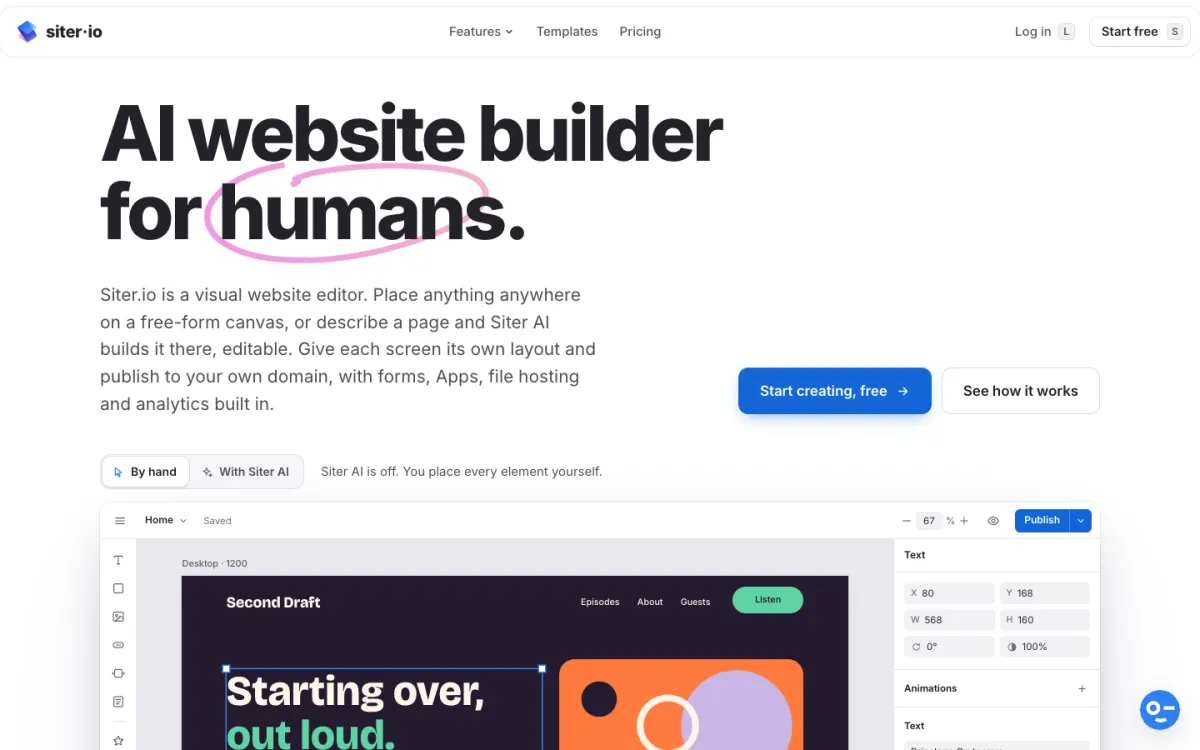
Siter.io is a browser-based builder with a free-form canvas and its own layout per breakpoint, plus a Figma plugin on every plan. It prices per plan, not per site: Solo is $7 a month billed yearly ($8 monthly) for 1 site, 2 editor seats, and 10 pages; Plus is $12 a month billed yearly ($14 monthly) for 3 sites, 4 seats, and 50 pages; Pro is $24 a month billed yearly ($28 monthly) for 5 sites, 6 seats, unlimited pages, and HTML download. A CMS and blog come with every plan, and AI credits are included (600, 800, and 2,000 a month).
For the agency example above, Siter Pro covers 5 sites and 6 seats for $288 a year. Siter keeps its own breakdown of Framer’s pricing too.
Where Framer wins: animation depth and polish, a richer CMS, built-in localization (Siter has no multi-language support), and a free plan (Siter has a 3-day trial that needs a card). Siter has no e-commerce yet.
Good for: designers and small studios running several brochure or portfolio sites on one bill.
Carrd: one-page sites for a few dollars a year
Carrd builds one-page sites. Pro Standard is $19 a year for 10 sites with custom domains, forms, and embeds; Pro Plus is $49 a year for 25 sites, and Pro Lite is $9 a year for 3 sites without custom domains. There is no CMS and no multi-page site, so it replaces Framer only for a landing page or link-in-bio.
Good for: a landing page, a waitlist, or a personal card.
Static.app: hosting for sites you already have as files
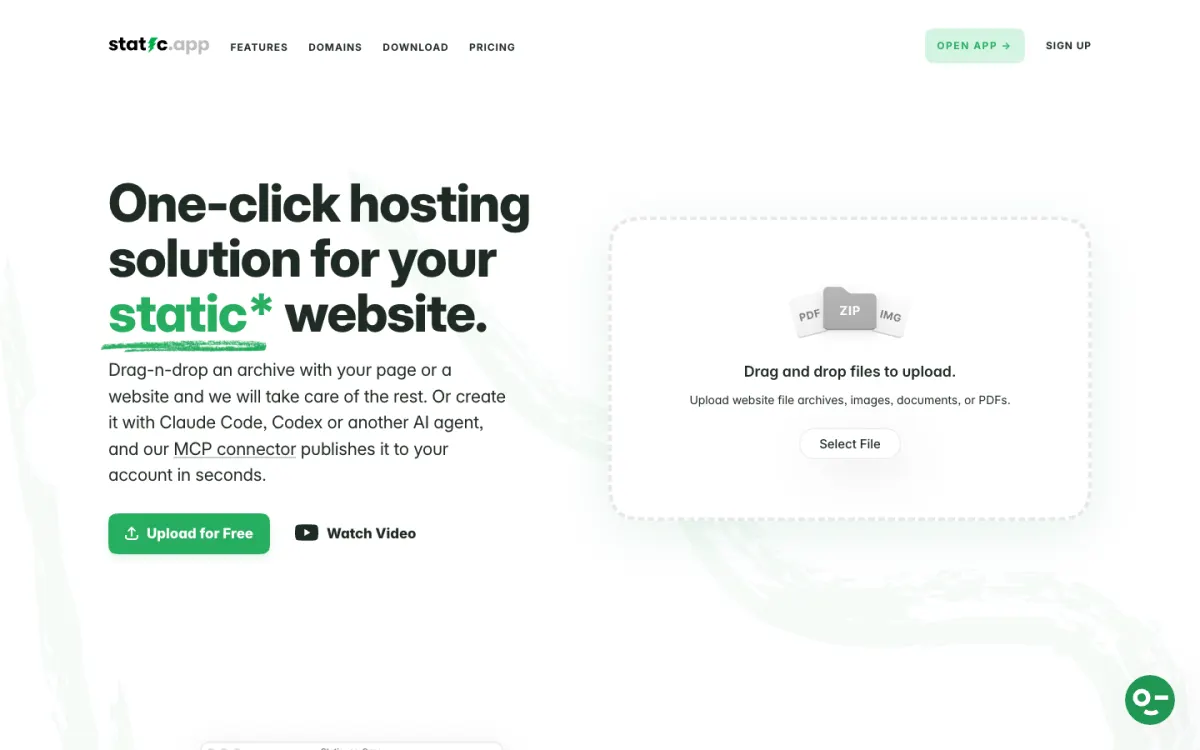
If you build with code or an AI coding tool, you do not need a site builder subscription at all. Static.app hosts HTML sites: Starter is $5 a month billed yearly ($60 a year) for 2 websites with custom domains and forms, and Medium is $10 a month billed yearly for 7 websites. Our guide to free AI website builders covers tools that produce those files.
Good for: developers and AI-assisted builders who want cheap hosting and an easy exit.
For a wider list, see our Webflow alternatives and best website builders for designers roundups.
FAQ
How much does Framer cost per month?
Basic costs $10 a month and Pro $30 a month per site, billed yearly. Billed monthly, they are $15 and $45. Each additional editor adds $20 a month, and content editors $10.
Is Framer free?
Yes. The free plan lets you design and publish on a Framer domain with a “Made in Framer” banner, 1 GB bandwidth, and 500 AI credits to try. Framer describes it as ideal for non-commercial use, and connecting your own domain needs a paid plan.
Do Framer AI credits roll over?
No. Plan credits renew on your billing renewal date and unused credits expire. One-time top-ups expire at the end of the calendar month in which you buy them.
Is Framer pricing per site or per account?
Per site. Each published project needs its own Site plan, while editor seats are billed per workspace. Five client sites on Basic cost $600 a year before seats.
Is Framer Basic or Pro better?
Basic suits a personal site that fits in 30 pages and 2 CMS collections. Pro is for teams that need more content types, redirects, staging, or room to grow with add-ons. If you need 3,000 AI credits, Pro costs the same as Basic at that tier.
Can I export my Framer site?
Framer’s help center is inconsistent: one article says it does not offer HTML export for self-hosting, and another says sites can be downloaded as HTML, CSS, and JavaScript. CMS content can be exported to CSV or JSON through plugins. Expect to rebuild if you move.
Build your Bootstrap theme
Design a custom Bootstrap 5 theme visually with a live preview, then export clean Sass or CSS.
Open the Builder