UptimeRobot Alternatives: 7 Best Tools and How to Switch
UptimeRobot is a popular, budget-friendly uptime monitor, but it isn’t the right fit for everyone. Two changes pushed a lot of people to look elsewhere: since December 2024 the free plan is restricted to personal, non-commercial use, and its checks are still fixed at 5-minute intervals unless you reach the Enterprise tier. This is a focused look at the strongest UptimeRobot alternatives and, specifically, what to do if you are migrating off it. If you want the wider field (including open-source self-hosted options), see our full comparison of the best website monitoring tools; this article assumes you have already decided UptimeRobot is the thing you are replacing.
TL;DR
- Pulsetic is the best overall UptimeRobot replacement: 30-second checks (Team plan), multi-channel alerts (phone, SMS, email, Slack), and branded status pages on every tier including free.
- Better Stack is ideal for DevOps teams needing integrated logging, on-call scheduling, and incident management.
- Pingdom suits established businesses that prioritize vendor maturity and RUM/transaction monitoring.
- StatusCake is the budget all-rounder (uptime, SSL, domain, server); Site24x7 is for full-stack (servers, apps, network) monitoring.
- Uptime excels at SLA reporting; Hyperping is a simple, genuinely free option for small projects.
What UptimeRobot actually lacks (and what to move)
Before you pick a replacement, it helps to be precise about what you are leaving behind, because UptimeRobot does the basics well and you do not want to pay for things you already had. Three gaps drive most migrations:
- The 5-minute free interval. The free plan checks every 5 minutes and stays there. Faster checks (down to 30 seconds) require the Enterprise tier, not Solo or Team. A 5-minute interval means your site can be down for almost 5 minutes before the first failed check even registers, then add alert delivery and your own response time on top.
- The commercial-use restriction. Since December 1, 2024, the free plan is for personal, non-commercial use only. If you monitor a client site, a SaaS product, or anything revenue-generating, you are technically out of terms on the free tier and need a paid plan.
- Awkward upgrade economics. Slack, webhooks, and PagerDuty are gated behind the paid Team plan; SMS and voice are paid credits on top; and the cheapest Solo tier caps you at roughly 10 monitors, fewer than the free tier’s 50. So the moment you need real alerting, the value of that big free monitor count evaporates.
What to actually move when you migrate:
- Your monitor list (URLs, names, expected keywords). Export it, then bulk-import or script it in (see the migration section below).
- Your alert contacts and channels. This is the upgrade moment: add the phone/SMS/Slack routing UptimeRobot made you pay extra for.
- Your status page, if you had the single free branded one. Most alternatives below give you better status pages, several on their own free tiers.
- Your check interval. Do not recreate 5-minute checks on the new tool out of habit. If you are paying anyway, drop to 60 or 30 seconds on the monitors that matter.
If a feature is not on that list (RUM, synthetic transaction flows, infrastructure metrics), you never had it in UptimeRobot, so treat it as a possible upgrade rather than a like-for-like migration.
The short answer: the best UptimeRobot replacement
Pulsetic is the most complete drop-in replacement for most teams leaving UptimeRobot. It keeps the things UptimeRobot got right (cheap, simple uptime monitoring with broad check types) and fixes the things that pushed you out: branded status pages on every tier including free, flat per-plan pricing instead of paid-credit add-ons, and 30-second checks on the $19 Team plan rather than gated behind an Enterprise contract. Its free tier stays usable for commercial work, which UptimeRobot’s no longer does.
The stakes are real. According to ITIC’s 2024 Hourly Cost of Downtime survey, 97% of large enterprises say a single hour of downtime costs over $100,000, and 41% put the figure between $1 million and $5 million per hour. A 5-minute check interval gambles with revenue during those intervals, a gap worth understanding when you weigh the true cost of website downtime. The whole point of switching is to shrink the window between “it broke” and “you found out.”
How we evaluated these monitoring services
We weighed each tool against the requirements that actually matter when you are replacing UptimeRobot specifically, not a generic feature count:
- Fastest check interval, and which tier you need to reach it. Faster detection is the main reason to switch, so we note both the floor and the price of getting there. There are plenty of reasons websites go down that you want to catch within seconds, not minutes.
- Alert channels and routing. An alert that arrives only via email, or three minutes late, fails when your site goes down at 2 AM. We looked for phone, SMS, Slack, and on-call escalation, and whether they are included or billed as extra credits (UptimeRobot’s sore spot).
- Status page quality. UptimeRobot’s status page is bare-bones. We checked for branded, customizable pages and which tier unlocks them.
- Free-tier and commercial-use terms. Since UptimeRobot’s free tier is now personal-use only, we noted which alternatives keep a free tier that is usable for real work.
- Migration friction. Bulk import or API access so moving your monitors is an afternoon, not a week.
We did not run a controlled 90-day lab benchmark, and you should be skeptical of any roundup that claims a precise MTTD figure to the second; check intervals, network paths, and the vendors’ own probe locations vary too much for that to be reproducible. Instead, the picks below are grounded in each vendor’s documented check intervals, alert channels, and pricing (verified against their current pricing pages), plus the published behavior of their free tiers. Where a number comes from a third-party listing rather than the vendor, we say so.
Side-by-side comparison: UptimeRobot vs. top alternatives
The table below lines up UptimeRobot against the seven alternatives across the dimensions that decide a switch: fastest check interval (and whether it is free or paid), alert channels, status pages, starting price, and the buyer each one fits.
| Tool | Fastest check | Alert channels | Status pages | Starting price | Best for |
|---|---|---|---|---|---|
| UptimeRobot | 5-min free, 30s on Enterprise | Email free; SMS/voice paid credits; Slack/webhook on Team | 1 free, branded, basic | Free (personal use); $7/mo annual (Solo) | Cheap personal uptime with broad check types |
| Pulsetic | 5-min free, 60s Solo, 30s Team | Phone, SMS, email, Slack, Teams, Discord, Telegram, webhooks | Yes, every tier incl. free | Free; $9/mo (Solo) | All-around UptimeRobot replacement |
| Better Stack | 3-min free, 30s paid | Phone, SMS, email, Slack, Teams + on-call | Yes, 1 free | Free; ~$29/mo annual (Responder seat) | DevOps/SRE wanting uptime + on-call + logs |
| Pingdom | 1-min | SMS, email, integrations (no native voice) | Yes, ~1 per org | ~$10/mo annual (Synthetic) | Established teams wanting RUM + transactions |
| StatusCake | 5-min free, 30s on Business | SMS, voice, email, Slack, PagerDuty, webhook | Paid tiers only | Free; ~$16.66/mo annual (Superior) | Budget all-in-one uptime, SSL, domain, server |
| Site24x7 | 1-min free, 30s paid | Email, SMS, voice, Slack, Teams, PagerDuty + more | Yes, 1 free (StatusIQ) | Free; ~$9/mo annual (Web Uptime) | Full-stack: uptime through APM/infra |
| Uptime | 10-min Starter, 30s higher tiers | Phone, SMS, email + integrations | Yes (extra pages add-on) | $20/mo (Starter) | SLA reporting + synthetic/API/RUM breadth |
| Hyperping | 5-min free, 30s on Business | Email free; Slack/SMS/phone on paid | Yes, incl. free | Free; ~$24/mo (Essentials) | Simple monitoring, small projects |
Prices are billed-annual monthly equivalents unless noted. The single most useful row to read against UptimeRobot is “fastest check”: three of these (Pulsetic, Better Stack, Site24x7) give you a free tier and a clear, affordable path to sub-minute checks, where UptimeRobot makes you jump to Enterprise.
UptimeRobot vs. each alternative, in one line
- UptimeRobot vs. Pulsetic: same simplicity and price band, but Pulsetic adds branded status pages on free, flat pricing instead of paid credits, and 30s checks at $19 instead of Enterprise.
- UptimeRobot vs. Better Stack: Better Stack bundles on-call scheduling, incident timelines, and log correlation UptimeRobot has no answer for; you pay per responder seat for it.
- UptimeRobot vs. Pingdom: Pingdom adds real-user and transaction monitoring and a 15-year track record, at a higher price and with no free tier.
- UptimeRobot vs. StatusCake: StatusCake matches the free monitor experience and adds SSL, domain, page-speed, and Linux server checks in one tool, but gates status pages and 30s checks to paid.
- UptimeRobot vs. Site24x7: Site24x7 trades simple uptime for full-stack observability (servers, APM, network, cloud) at a similar entry price but a much busier product.
- UptimeRobot vs. Uptime: Uptime is the upgrade when SLA reports and synthetic/API/RUM breadth matter more than cheap, simple checks.
- UptimeRobot vs. Hyperping: Hyperping keeps a genuinely free, commercial-OK tier (20 monitors), but free alerting is email-only, like UptimeRobot’s.
In-depth reviews: 7 UptimeRobot alternatives worth your attention
Pulsetic: the complete monitoring solution
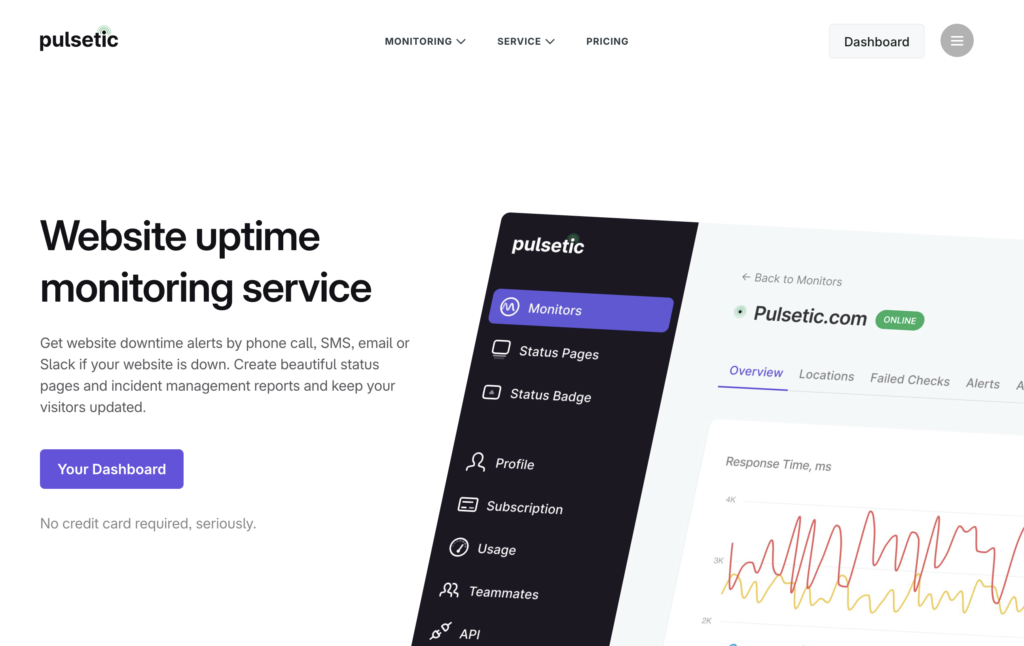
Pulsetic addresses the exact frustrations that drive users away from UptimeRobot. On the Team plan it monitors endpoints every 30 seconds (60 seconds on Solo, 5 minutes free), detecting issues before they escalate. When downtime occurs, alerts reach you through phone calls that actually wake you up, SMS that does not get buried, and Slack notifications that fit your existing workflow, and on Pulsetic those channels are part of the plan rather than the paid credits UptimeRobot bolts on.
The status page is the standout. Unlike UptimeRobot’s bare-bones page, Pulsetic creates branded, professional status pages, with custom domains, logos, colors, subscriber notifications, and incident timelines, available on every tier including free. For agencies juggling client sites, that alone is often the reason to switch.
Setting up monitoring takes minutes:
# Pulsetic API example - create a new monitor
curl -X POST https://api.pulsetic.com/api/public/monitors \
  -H "Authorization: Bearer YOUR_API_KEY" \
  -H "Content-Type: application/json" \
  -d '{
    "name": "Production API",
    "url": "https://api.yoursite.com/health",
    "interval": 30,
    "alert_channels": ["sms", "slack", "phone"]
  }'
The free tier does not require a credit card and stays usable for commercial work, so you can run a real client site on it while you evaluate, something UptimeRobot’s personal-use-only free tier no longer allows. Advanced features include custom HTTP headers for authenticated endpoints, keyword monitoring to verify page content, and up to 15 global checkpoints to catch region-specific failures. The catch: Pulsetic is deliberately focused on uptime and status pages, so it has no RUM, page-speed/Core Web Vitals tracking, or multi-step synthetic transactions, and there is no native PagerDuty or Opsgenie integration (webhooks and Datadog are the workaround). If you need those, pair it with another tool or look further down this list.
Better Stack: DevOps-focused monitoring
Better Stack (formerly Better Uptime) combines uptime monitoring with log management, on-call scheduling, and incident response. It appeals to DevOps teams who want unified observability without juggling separate services. Check intervals reach 30 seconds on paid plans (3 minutes on the free tier), and the alerting integrates with on-call rotations natively, which is the piece UptimeRobot simply does not have.
The incident workflow is the draw. When an alert triggers, Better Stack can build incident timelines, page the right on-call engineer, and surface the application logs and traces from around the incident window, turning a “site is down” alert into a root-cause starting point.
// Better Stack webhook integration example
const betterStackWebhook = async (event) => {
  const payload = {
    monitor_id: event.monitorId,
    status: event.status,
    response_time: event.responseTime,
    timestamp: new Date().toISOString()
  };
  await fetch('https://uptime.betterstack.com/api/v2/heartbeats/YOUR_HEARTBEAT_ID', {
    method: 'POST',
    headers: { 'Content-Type': 'application/json' },
    body: JSON.stringify(payload)
  });
};
There is a genuinely useful free tier (10 monitors plus 10 heartbeats, a status page, Slack and email alerts), but uptime/incident features are priced per Responder seat from about $29/month billed annually, which includes unlimited phone and SMS alerts. The per-seat-plus-telemetry-add-on model makes the monthly bill harder to estimate than Pulsetic’s flat tiers. Teams who would otherwise pay separately for monitoring, logging, and on-call get the most value here; pure standalone uptime users will likely find better value in a focused tool.
Pingdom: the enterprise standard
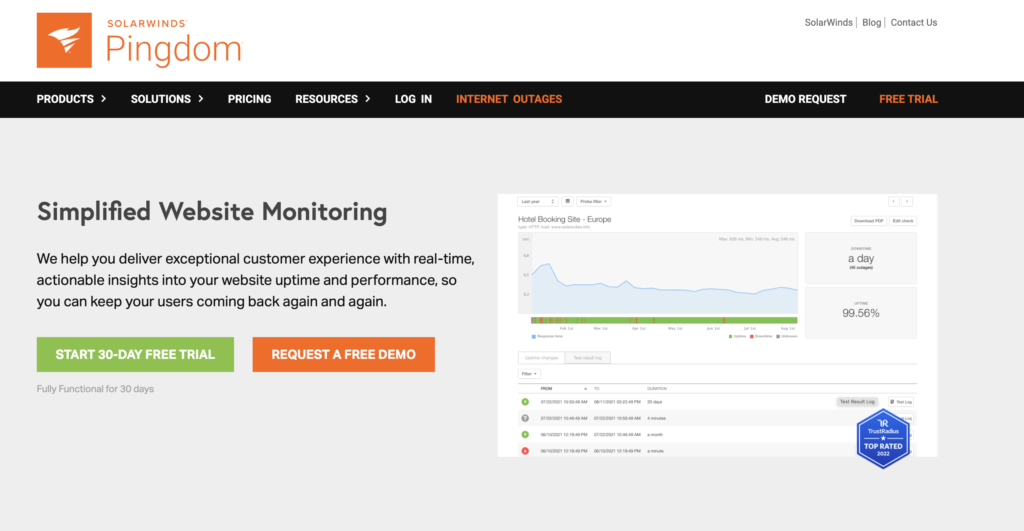
Pingdom, now a SolarWinds product, has monitored websites since 2007, and that maturity shows. One-minute check intervals feel slow next to newer tools, but the 100+ location probe network and detection reliability are solid, and the brand carries weight in compliance-driven procurement.
Real user monitoring (RUM) is what sets Pingdom apart from UptimeRobot’s category entirely: it tracks actual visitor experience rather than synthetic checks alone. The transaction monitoring scripts multi-step flows (login, checkout, API sequences), catching broken funnels even when the homepage is up.
# Pingdom API - retrieve monitor status
import requests
api_key = "your-pingdom-api-key"
headers = {
    "Authorization": f"Bearer {api_key}"
}
response = requests.get(
    "https://api.pingdom.com/api/3.1/checks",
    headers=headers
)
for check in response.json()["checks"]:
    print(f"{check['name']}: {check['status']} - {check['lastresponsetime']}ms")
There is no free tier, only a 30-day trial, and Synthetic and RUM are billed as separate product lines; third-party listings put Synthetic Starter around $15/mo (~$10/mo annual). Native mobile apps were discontinued in 2021 and there is no native voice alerting, so on-call leans on SMS, email, and integrations. You are paying for breadth and an established vendor, not cheap simple checks; if you only need “is it up?”, Pingdom is overkill.
StatusCake: budget-friendly with solid features
StatusCake delivers capable monitoring at budget prices. The free tier includes 10 monitors at 5-minute intervals (matching UptimeRobot’s free interval), but paid plans unlock 30-second checks (on Business), page-speed monitoring, and SSL/domain-expiry monitoring. Coverage is broad: HTTP, TCP, DNS, SMTP, SSH, PING, and PUSH heartbeats, plus Linux server checks, all in one tool.
Alert integrations cover the essentials and then some: SMS, voice calls, email, Slack, PagerDuty, Opsgenie, and webhooks. The notable gap versus dedicated status-page tools is that public status pages are gated to paid tiers, and customization is limited lower down.
# StatusCake Terraform provider example
resource "statuscake_uptime_check" "production_site" {
  name           = "Production Website"
  check_interval = 60
  confirmation   = 2
  monitored_resource {
    address = "https://yoursite.com"
  }
  contact_groups = [statuscake_contact_group.devops.id]
}
Confirmation servers help cut false-positive noise, and the SSL/domain-expiry monitoring is genuinely useful for agencies where one silent cert expiry takes a client fully offline. The pricing jump is steep, though: you go from Free (10 monitors) straight to roughly €16.66/mo annual (Superior) with no cheap middle tier. For teams that want SSL, domain, page-speed, and server checks in one budget tool, StatusCake punches above its price.
Site24x7: full-stack monitoring platform
Site24x7, a ManageEngine/Zoho product, expands far beyond website monitoring into servers, applications, networks, cloud infrastructure, and even cloud cost. If your monitoring strategy needs unified visibility across the whole stack, this is the broadest single platform here, with 130+ global locations and 30-second checks available.
Starting around $9/month annual for basic website monitoring (Web Uptime), pricing scales as you add servers, applications, or advanced features, and the credit/à-la-carte model makes the true bill hard to predict. The Free Forever plan covers 5 monitors at 1-minute checks with one status page. The breadth can overwhelm teams who just want uptime, but organizations standardizing on one observability platform appreciate the coverage.
# Site24x7 REST API - add website monitor
curl -X POST "https://www.site24x7.com/api/monitors" \
  -H "Authorization: Zoho-oauthtoken YOUR_TOKEN" \
  -H "Content-Type: application/json" \
  -d '{
    "display_name": "Main Website",
    "type": "URL",
    "website": "https://yoursite.com",
    "check_frequency": "1",
    "timeout": 30,
    "notification_profile_id": "YOUR_PROFILE_ID"
  }'
The alerting integrates with dozens of incident management platforms (PagerDuty, Opsgenie, ServiceNow, Jira, Slack, Teams), and ML-based anomaly detection flags unusual patterns before they become outages. Cloud monitoring spans AWS, Azure, and Google Cloud natively, which is the kind of consolidation that justifies the busier UI for teams running hybrid infrastructure.
Uptime: SLA reporting excellence
Uptime focuses heavily on reporting and SLA documentation. If your business operates under service level agreements requiring detailed uptime reports, it generates that documentation automatically, accounting for planned maintenance windows in the calculated percentages. Synthetic transactions, API monitoring, and RUM cover the standard use cases competently.
Professional status pages include subscriber management and maintenance windows (extra pages are a paid add-on). The platform handles complex scenarios like multi-location checks with configurable consensus algorithms, requiring failures from multiple regions before alerting, which cuts false positives.
Website monitoring starts at $20/month (Starter), but note that entry tier is capped at a slow 10-minute check interval with few locations and one user, so faster 30-second checks and scale require pricier tiers, and add-ons (RUM, extra status pages, extra probe locations) stack on top. The value is in reporting, not monitoring innovation; teams without strict SLA requirements will find comparable checks for less elsewhere.
Hyperping: simple and free
Hyperping offers a genuinely free plan with up to 20 monitors and no credit card required, and unlike UptimeRobot’s free tier it is fine for commercial use. The catch is the same as UptimeRobot’s: free checks run every 5 minutes and free-tier alerting is email-only. Paid plans add Slack, SMS, and phone calls, and 30-second checks on Business. For personal projects, staging environments, or teams testing the monitoring concept, Hyperping removes cost barriers entirely.
The free plan also includes a status page, so even hobby projects can communicate during incidents, and Hyperping covers HTTP, DNS, ping, port, and keyword checks. When you outgrow free, the Essentials tier (around $24/month) unlocks faster checks and the full notification set. It is the most generous truly-free hosted option now that Freshping has shut down (Freshworks discontinued it on March 6, 2026).
Which UptimeRobot alternative should you choose?
For most teams leaving UptimeRobot, Pulsetic is the clearest like-for-like upgrade. It keeps the simplicity and price band you came for, fixes the status page and the paid-credit alerting, gives you 30-second checks at $19 instead of an Enterprise contract, and keeps a free tier you can legitimately use for client work. Start here unless you have a specific reason not to.
Choose Better Stack if your team already uses its logging or needs integrated on-call scheduling and incident management; the per-seat pricing makes sense when you would otherwise pay separately for several tools.
Pingdom fits established businesses that need RUM and transaction monitoring and value an enterprise vendor over feature-for-dollar value.
StatusCake serves budget-conscious teams who want SSL, domain, page-speed, and server checks in one tool and can live with status pages and 30-second checks being paid-only.
Site24x7 makes sense only when you need full-stack monitoring beyond websites; paying for server, APM, and network capabilities you will not use wastes money.
Reach for Uptime when SLA reporting specifically drives your requirements, and Hyperping when a truly free, commercial-OK tier matters more than advanced capability.
FAQ
Why do people switch from UptimeRobot?
Three reasons dominate. First, the free plan checks every 5 minutes and stays there (30-second checks require the Enterprise tier), which is too slow for production systems. Second, since December 1, 2024 the free plan is for personal, non-commercial use only, so client and business sites need a paid plan. Third, the upgrade economics are awkward: Slack, webhooks, and PagerDuty are gated to the paid Team plan, SMS and voice are billed as extra credits, and the cheapest Solo tier caps you at fewer monitors than the free tier. Many users also report the status page looks unprofessional next to dedicated tools.
Are there free UptimeRobot alternatives?
Yes. Pulsetic, Better Stack, StatusCake, Site24x7, and Hyperping all offer free tiers. Pulsetic’s free plan includes 10 monitors at 5-minute checks plus branded status pages and stays usable for commercial work (30-second checks need the $19/mo Team plan). Better Stack’s free tier covers 10 monitors plus 10 heartbeats. StatusCake matches UptimeRobot’s free interval with 10 monitors at 5 minutes. Hyperping covers 20 monitors at no cost with no credit card. By contrast, UptimeRobot’s own free tier (50 monitors, 5-minute checks) is now restricted to personal, non-commercial use. Freshworks discontinued Freshping on March 6, 2026, so it is no longer an option.
How is this different from a general “best monitoring tools” list?
This article is scoped to replacing UptimeRobot specifically: what it lacks, what to migrate, and which alternatives fix each gap at a similar price and complexity. If you have not yet settled on UptimeRobot as your baseline, or you want open-source self-hosted options (Uptime Kuma, Gatus, Prometheus) and the full field of 12 tools with detailed pricing, read our broader best website monitoring tools guide instead.
What monitoring interval do I actually need?
Your interval sets your detection blind spot. A 5-minute check means your site can be down for nearly 5 minutes before the first failed check even registers; add alert delivery and your response time and total downtime per incident easily exceeds 10 to 15 minutes. For hobby and low-stakes sites, 5 minutes is fine. For business sites where downtime costs money, aim for 1 minute. For revenue-critical production (e-commerce, SaaS), 30-second checks meaningfully shrink the window. Since you are likely paying after leaving UptimeRobot’s free tier anyway, drop the monitors that matter to 60 or 30 seconds rather than recreating 5-minute checks out of habit.
How do I migrate monitors from UptimeRobot?
Export your monitor list from UptimeRobot’s settings (or pull it via its API), then use the new platform’s bulk import or API to recreate them. The migration is also the moment to upgrade the interval and add the phone/SMS/Slack routing you previously paid extra for. Pulsetic’s API allows a scripted migration:
# Example migration script
monitors = uptimerobot_export()  # Your export logic (UptimeRobot API or CSV)
for monitor in monitors:
    pulsetic.create_monitor(
        name=monitor["name"],
        url=monitor["url"],
        interval=30  # Upgrade from 5-min checks
    )
Recreate alert contacts and status pages on the new tool too; do not assume they carry over with the monitors.
Can I keep using UptimeRobot’s free plan for a client or business site?
Not within terms. Since December 1, 2024 the free plan is for personal, non-commercial use only, with open-source projects, education, and nonprofits exempted. Monitoring a client site, a SaaS product, or anything revenue-generating on the free tier violates the Terms of Service and can lead to account suspension. If you need a free tier that allows commercial use, Pulsetic, Hyperping, and Better Stack all qualify; otherwise UptimeRobot’s Solo plan starts at $7/mo annual.
Do I need status pages?
If external users depend on your service, status pages transform incident communication. Instead of fielding “is the site down?” tickets, users check the page directly, which cuts support load during outages and demonstrates transparency. This is a common upgrade reason: UptimeRobot gives you one bare-bones branded page, while Pulsetic, Better Stack, Site24x7, and Hyperping include better status pages on their free or entry tiers.
Build your Bootstrap theme
Design a custom Bootstrap 5 theme visually with a live preview, then export clean Sass or CSS.
Open the Builder