15 Personal Website Examples to Learn From in 2026
The best personal website examples are not the flashiest ones. They tell a visitor who the person is in one sentence, show the work, and make the next step obvious. Below are 15 real personal websites, grouped by type (developer, designer, writer, photographer, academic, personal brand and minimal), with what each does well and what you can borrow, followed by the sections, about-me copy and tools to build your own. Every site was loaded and every price checked in November 2026.
TL;DR
- Lead with one sentence: who you are and what you do, before anything else.
- Pick a layout by type: developers favor a one-pager or post list, photographers a full-screen image, academics a page of links.
- Borrow the about-me pattern: who you are, what you do and for whom, proof, and one thing to do next.
- Build it visually: Siter.io starts from 143 templates on a free-form canvas, from $7/month billed yearly (no free plan, 3-day trial with a card).
- Already have HTML or a template: Static.app hosts a ZIP upload with forms and analytics, from $5/month billed yearly.
- On a tight budget: Carrd has a free plan for up to three one-page sites; custom domains start at $19 a year.
How these examples were chosen
Every site here is a public, professional site of a well-known developer, designer, writer, photographer, academic or creator, and each loaded on November 25, 2026. The notes cover only what the site shows. The ideas travel across types: a developer can borrow a photographer’s restraint.
Personal website examples at a glance
| Site | Type | Layout | What to borrow |
|---|---|---|---|
| Brittany Chiang | Developer | One page, two columns | Section links that stay beside the content |
| Lee Robinson | Developer | Single column | A short and a long bio on one switch |
| Julia Evans | Developer | Blog index | Every post on the home page, by category |
| Rauno Freiberg | Designer | One sentence | A homepage that is a single statement |
| Bret Victor | Designer | Dated work list | Projects by year, newest first |
| Austin Kleon | Writer | Blog with sidebar | Latest book on top, author card in the sidebar |
| James Clear | Writer | Landing page | A free sample as the main call to action |
| Chris Burkard | Photographer | Full-screen image | Four menu items over one photo |
| Peter McKinnon | Photographer | Image grid | Work sorted by subject |
| Terence Tao | Academic | Plain HTML | Separate contact paths for each audience |
| Andrej Karpathy | Academic | Timeline | Career as a dated timeline on one page |
| Marie Forleo | Personal brand | Multi-page | A “New Here?” link for first visitors |
| Ali Abdaal | Personal brand | Multi-page | “How can I help you?” paths by goal |
| Derek Sivers | Minimal | Text page | “Me in 10 seconds” and a dated /now page |
| Paul Graham | Minimal | Link column | One line that points to the newest work |
Developer personal websites
Brittany Chiang
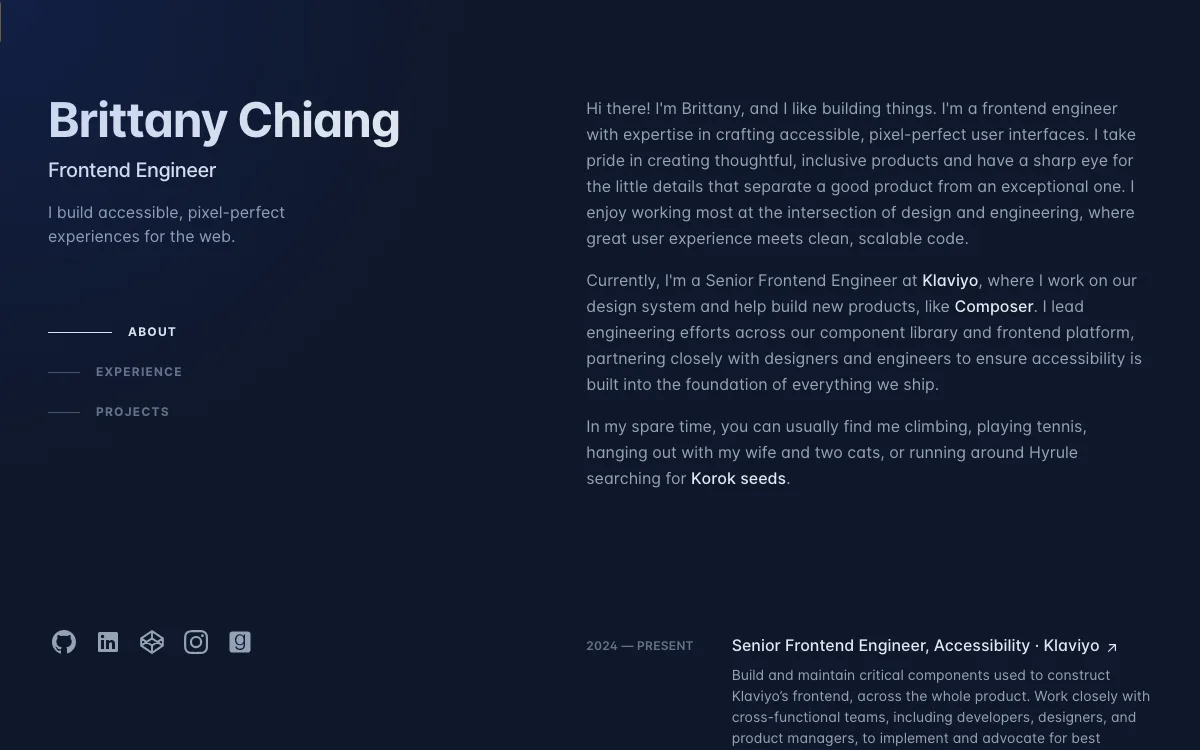
brittanychiang.com is a one-page site in two columns. The left side holds her name, the title “Frontend Engineer,” a one-line pitch and links to About, Experience and Projects; the right side holds a three-paragraph about section and a dated list of roles, each tagged with the tools used. Borrow: the structure of a résumé on one URL, with section links that work as a menu. The one page website guide covers how these anchor links work.
Lee Robinson
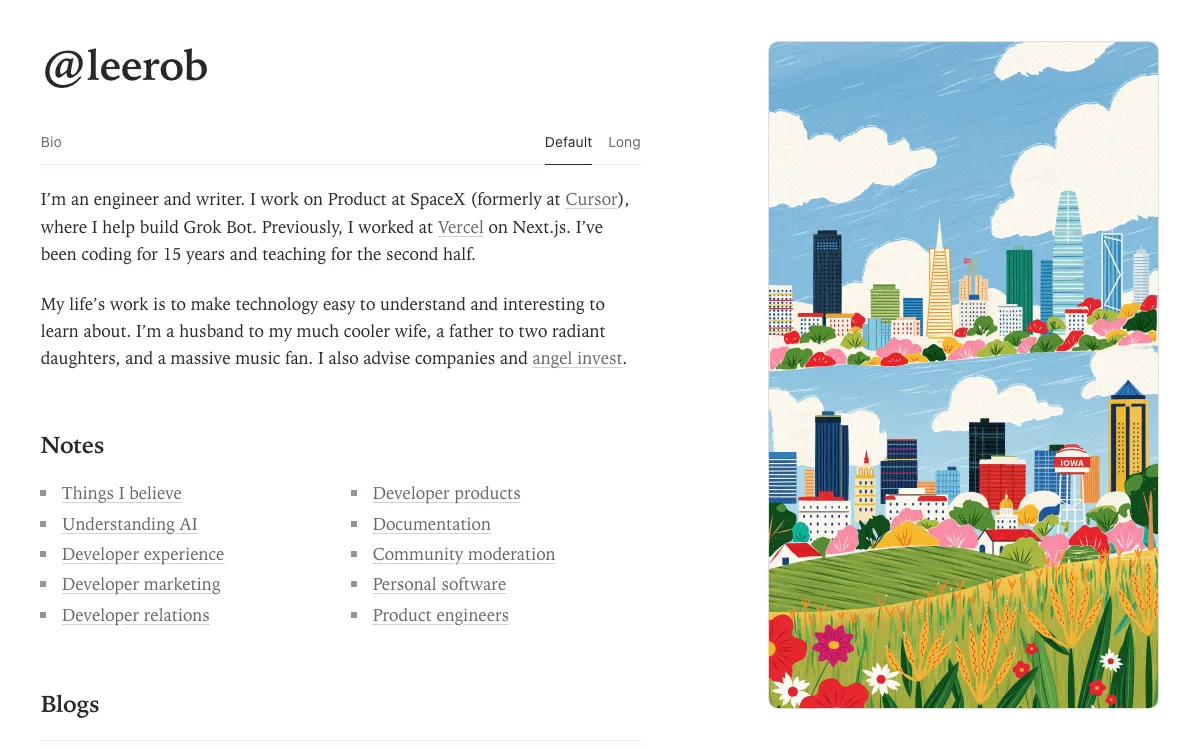
leerob.com is a single column of text under the handle “@leerob,” with an illustration beside it. The bio has a Default and Long switch, so a visitor picks how much to read; below sit topic notes and a dated list of posts. Borrow: two lengths of bio on one page, and a dated list that shows the site is alive.
Julia Evans
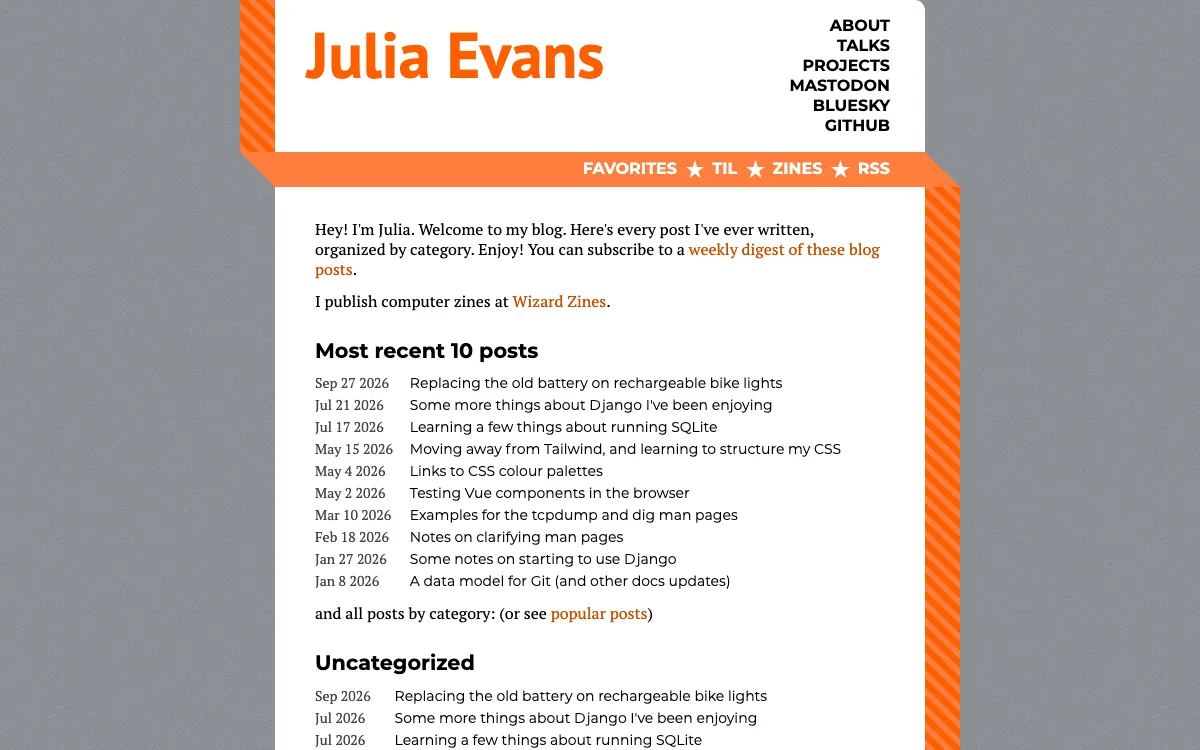
jvns.ca opens with “Hey! I’m Julia. Welcome to my blog,” then lists the 10 most recent posts with dates and every post below them, organized by category. Borrow: if writing is your portfolio, put the archive itself on the home page and offer a weekly digest for people who want updates.
Designer personal websites
Rauno Freiberg
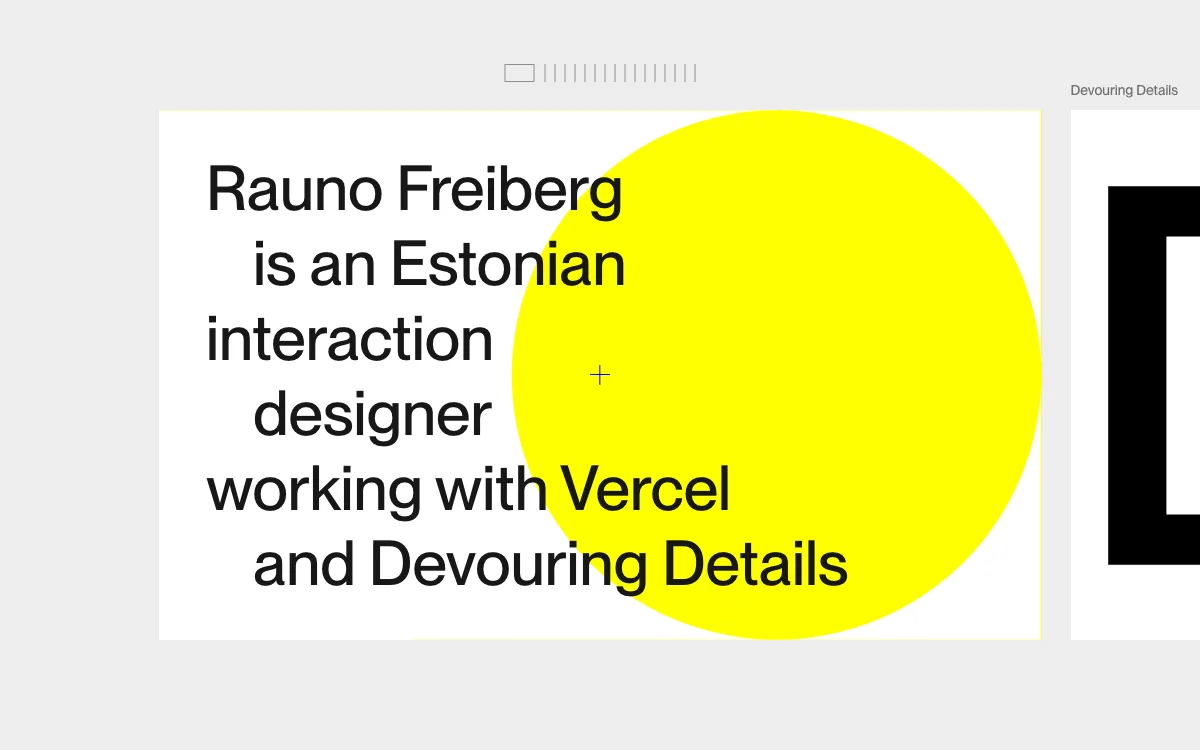
rauno.me is one large sentence: his name, that he is an Estonian interaction designer, and where he works. Links to Craft, Projects and Field Notes sit around it. Borrow: for a designer, the homepage itself is the sample; one confident sentence with careful type can say more than a grid of thumbnails.
Bret Victor
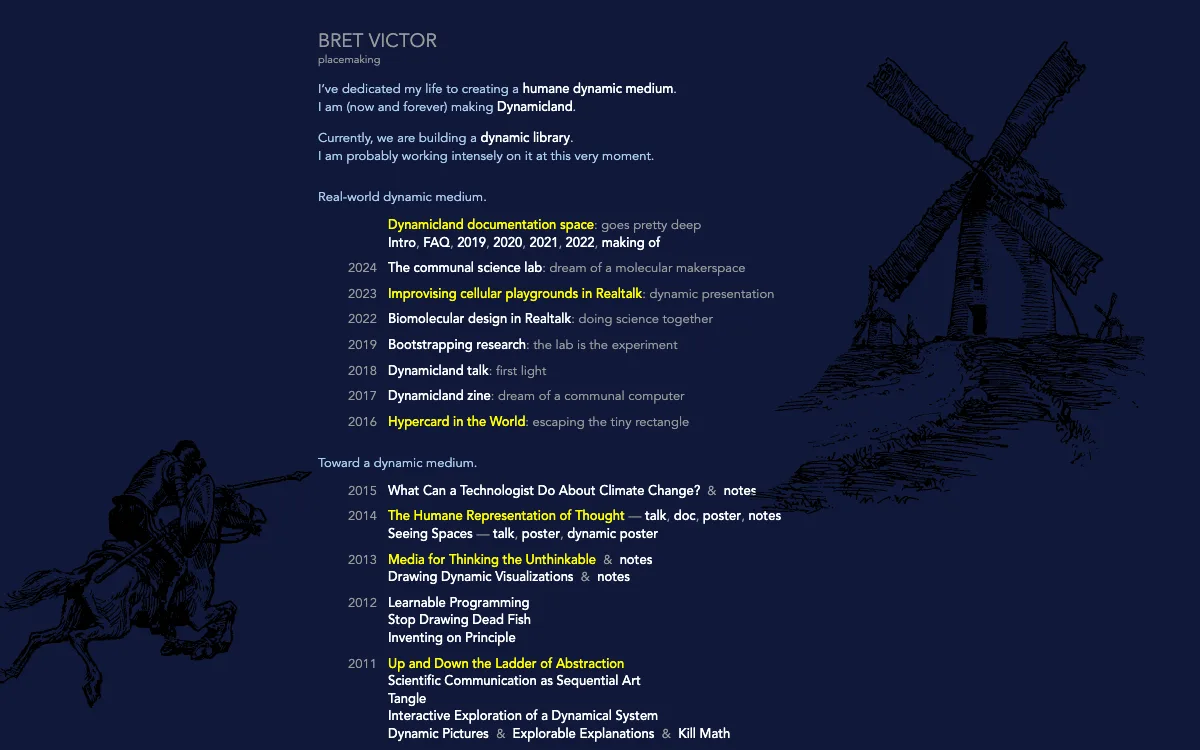
worrydream.com starts with two lines on what he has dedicated his work to and what he is building now, then lists his talks, essays and projects by year back to the 1990s, each linking to the talk, paper or notes. Borrow: a dated list is the simplest portfolio format there is, and it scales from five entries to fifty. The roundup of website builders for designers compares tools for more visual portfolios.
Writer and author websites
Austin Kleon
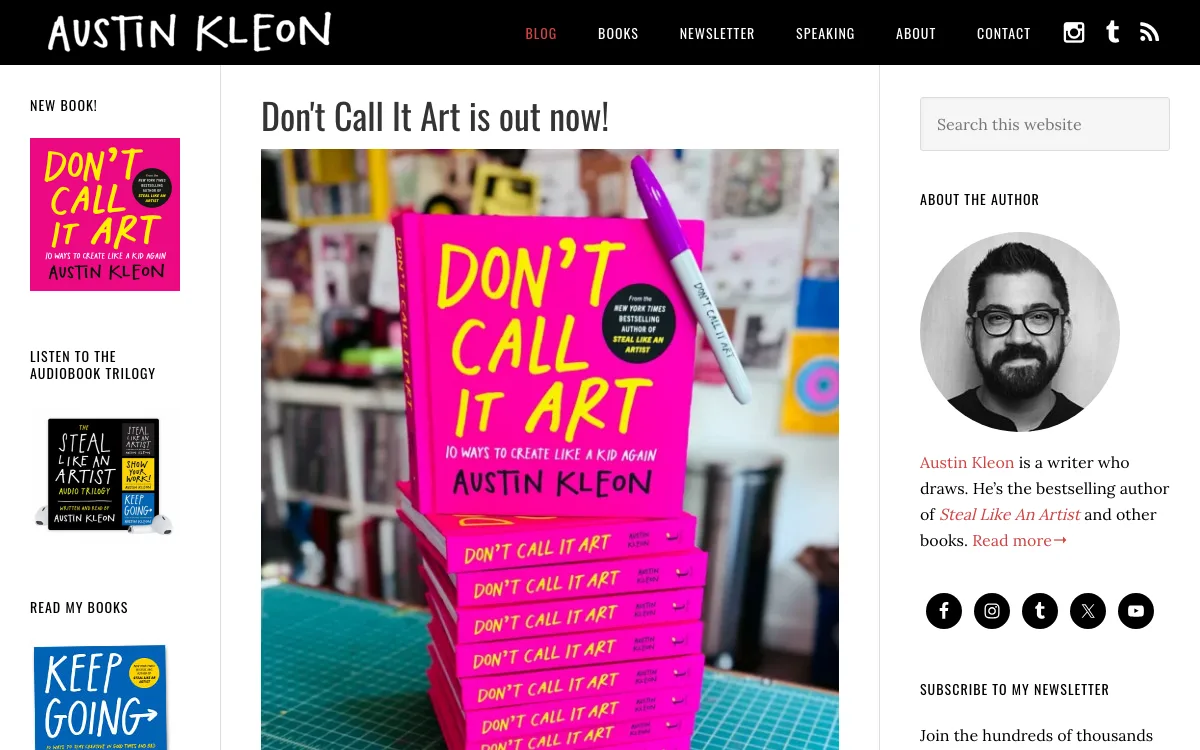
austinkleon.com is a blog first: dated posts fill the middle column, with navigation for Blog, Books, Newsletter, Speaking, About and Contact. The newest book sits on top, and the sidebar has a photo, a one-line “writer who draws” bio and newsletter signup. Borrow: an author card in the sidebar, so every post also introduces you.
James Clear
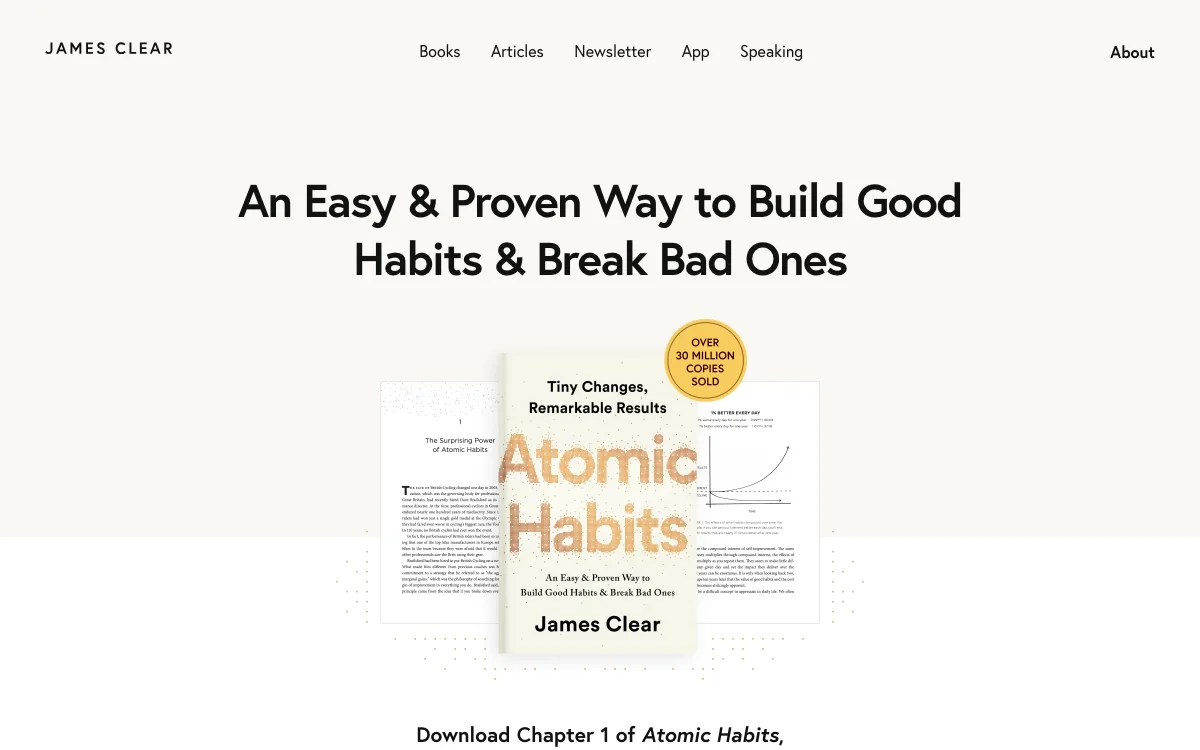
jamesclear.com works like a book landing page. The headline states the book’s promise, the main button offers a free first chapter, and a short “Hi, I’m James Clear” block gives one credential (more than 30 million copies sold). Borrow: offer something free and useful as the main action; it turns a visit into a subscriber.
Photographer websites
Chris Burkard
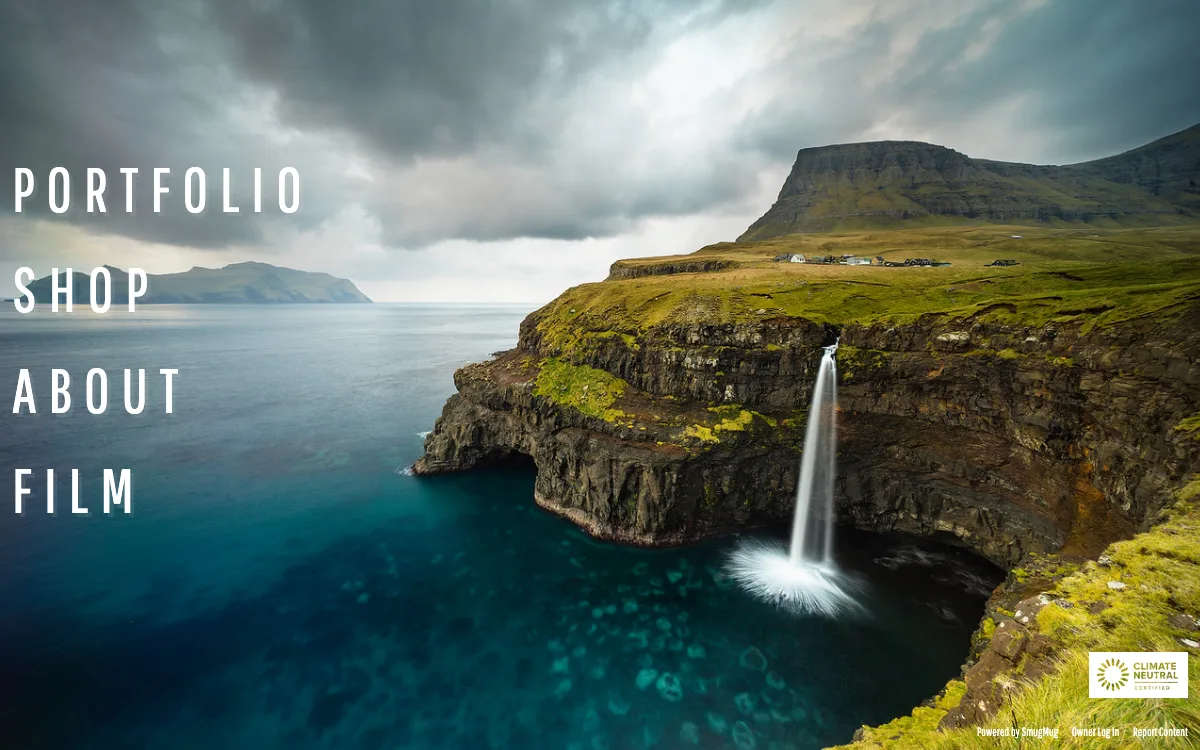
chrisburkard.com is one full-screen landscape photo with four words over it: Portfolio, Shop, About, Film. Borrow: for visual work, let the strongest image do the introduction and keep the menu to four items or fewer.
Peter McKinnon
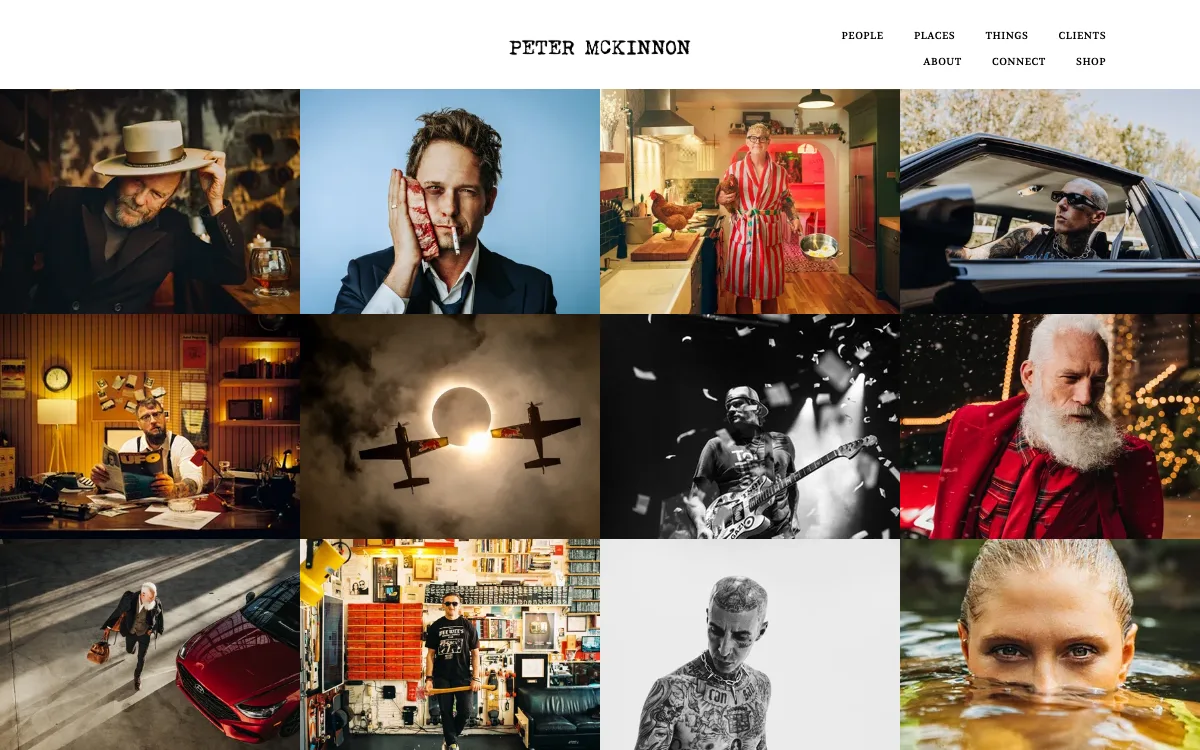
petermckinnon.com opens on an edge-to-edge grid of photos under a small wordmark. The menu sorts the work by subject (People, Places, Things) and adds Clients, About, Connect and Shop. Borrow: organize a portfolio by subject rather than by date, so a client finds the kind of work they want to hire for. The comparison of portfolio website builders covers tools made for image-heavy sites.
Academic and researcher websites
Terence Tao
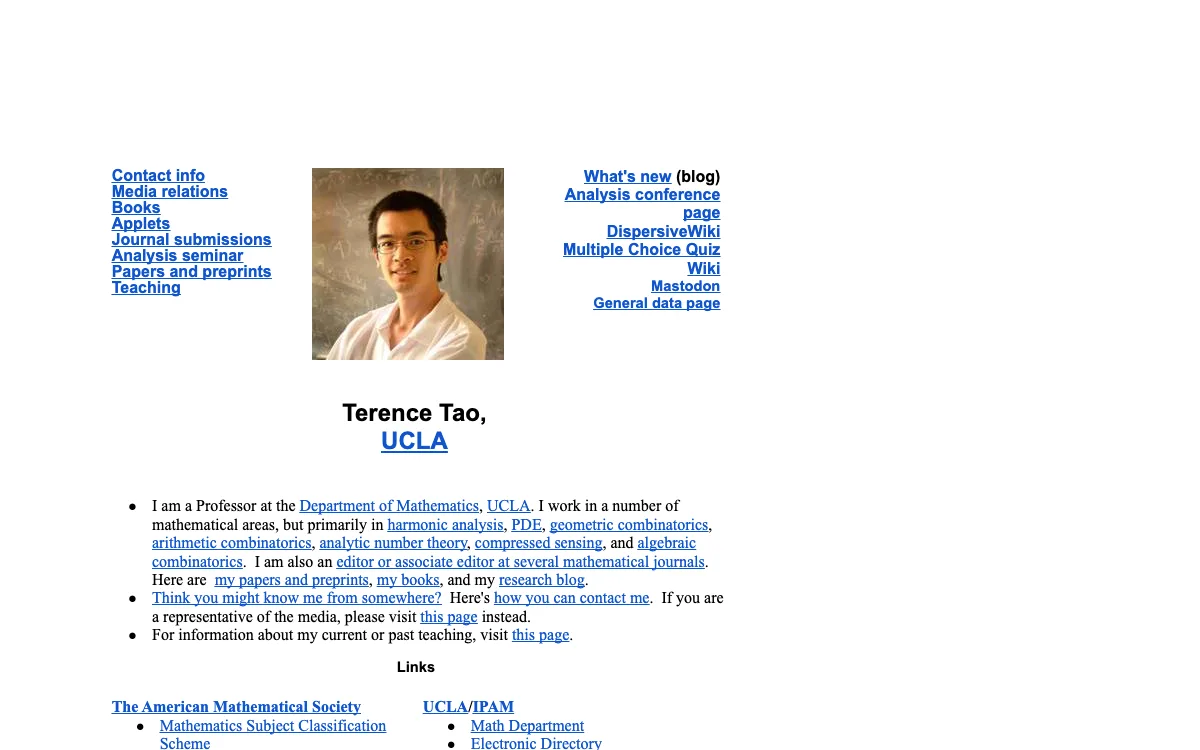
Terence Tao’s UCLA page is plain HTML: a photo, his name and university, two columns of links (papers, books, teaching, blog) and one paragraph listing his research areas. It then routes people: one link for someone who thinks they know him, a separate page for media. Borrow: separate contact paths for each audience save everyone an email.
Andrej Karpathy
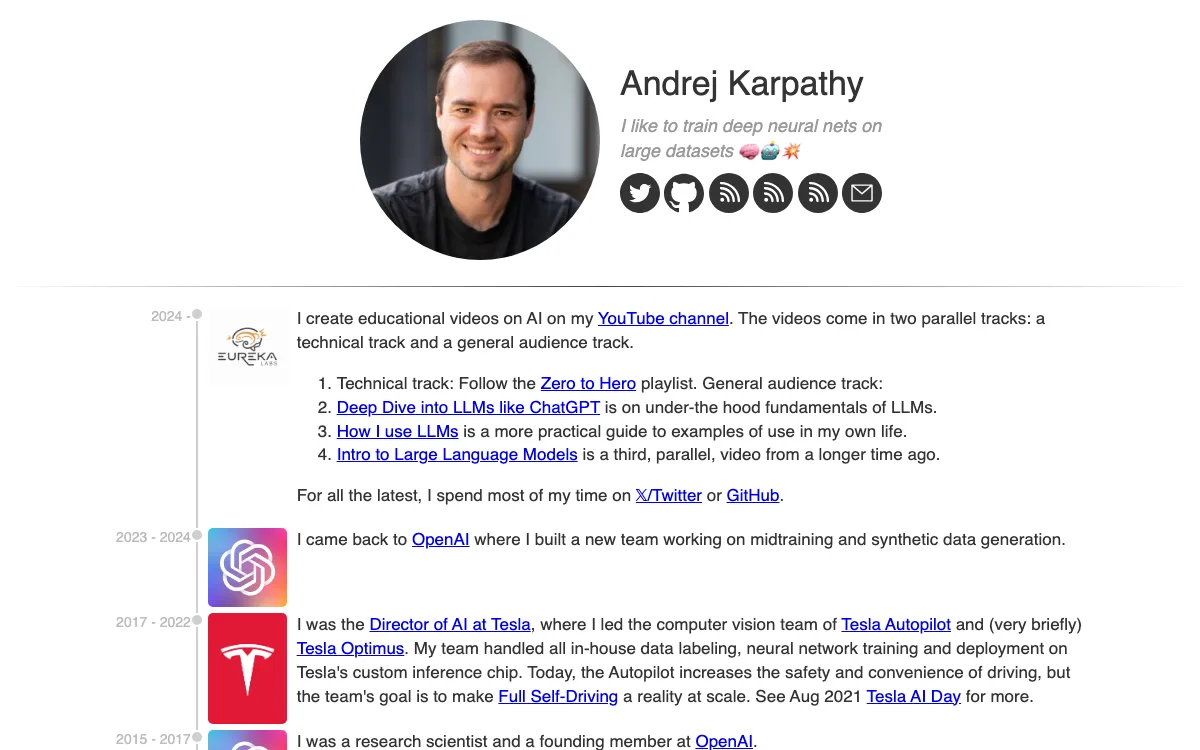
karpathy.ai has a photo, a one-line tagline and icon links, then a timeline: each period gets its years, an organization logo and two or three sentences on the work, back to his PhD. Borrow: a reverse-chronological timeline replaces a CV and keeps the newest thing first.
Consultant and personal brand websites
Marie Forleo
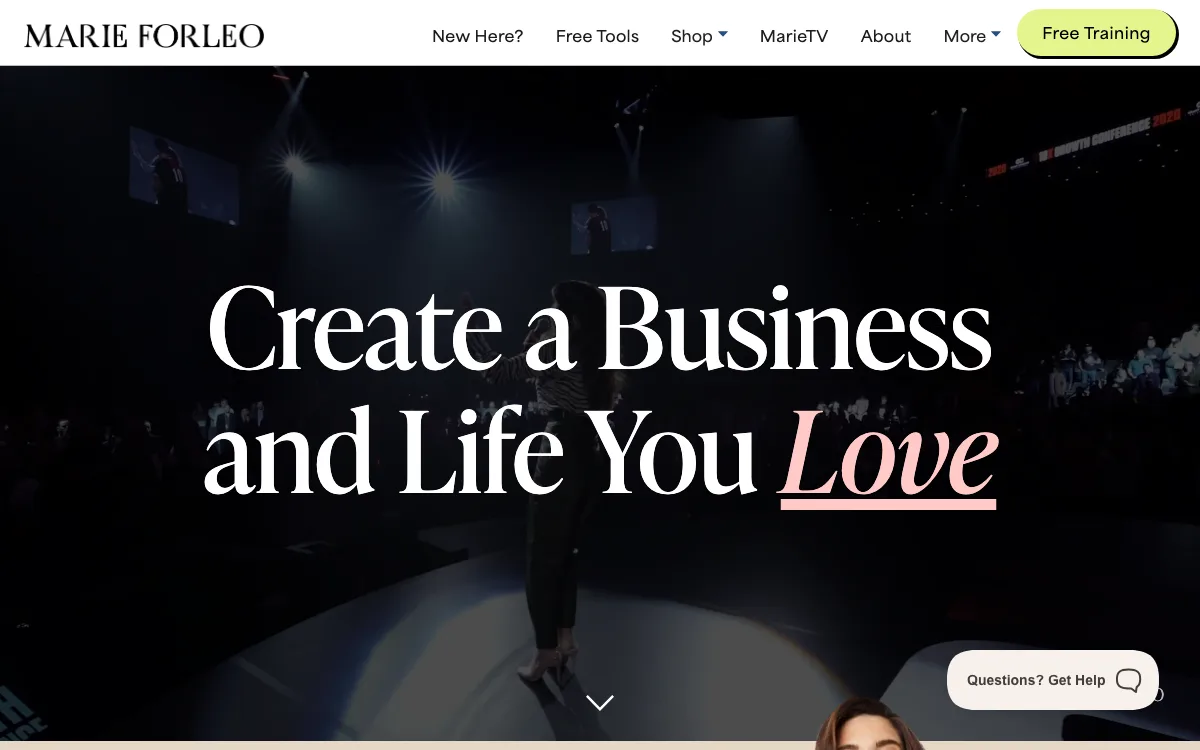
marieforleo.com puts “New Here?” first in the menu and a “Free Training” button on the right. The welcome block (“Heya! I’m Marie”) guesses how the visitor found her and offers a quick tour of the site. Borrow: a page for first-time visitors that explains where to start.
Ali Abdaal
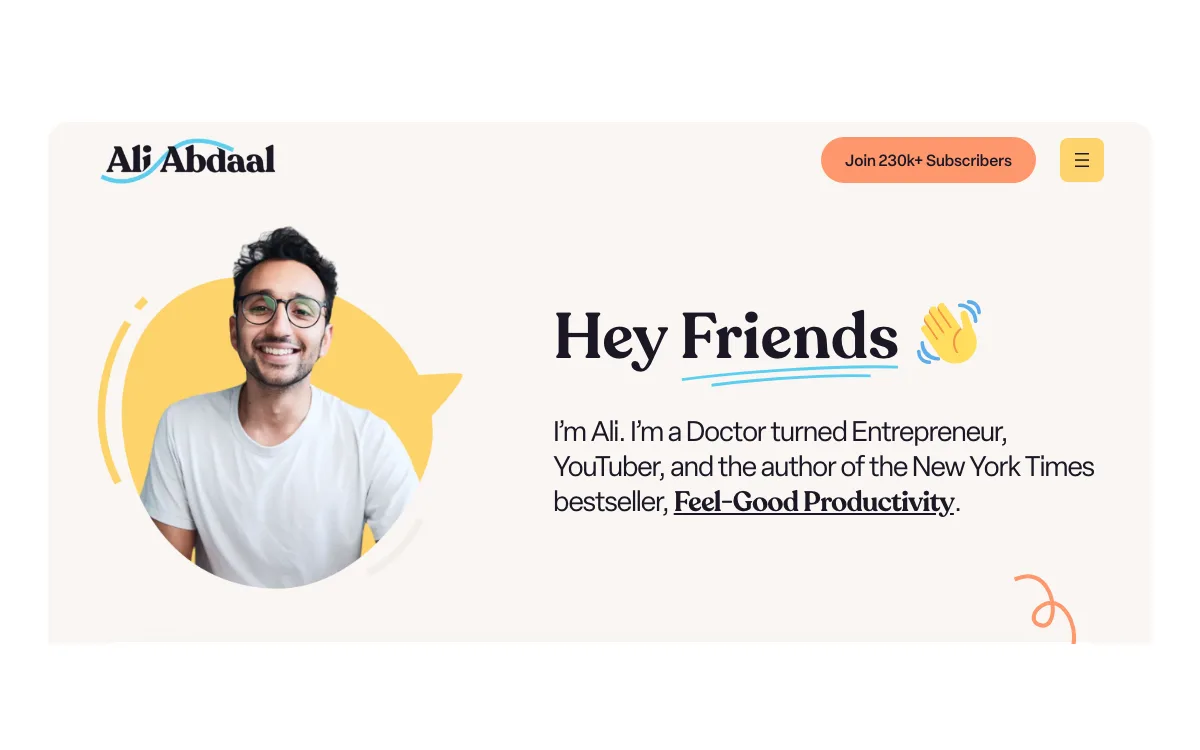
aliabdaal.com opens with “Hey Friends” and one sentence: doctor turned entrepreneur, YouTuber, author of a bestselling book. A “How Can I Help You?” section then splits visitors by goal, from growing a YouTube channel to studying better. Borrow: route visitors by what they want, not by what you sell.
Minimal personal websites
Derek Sivers
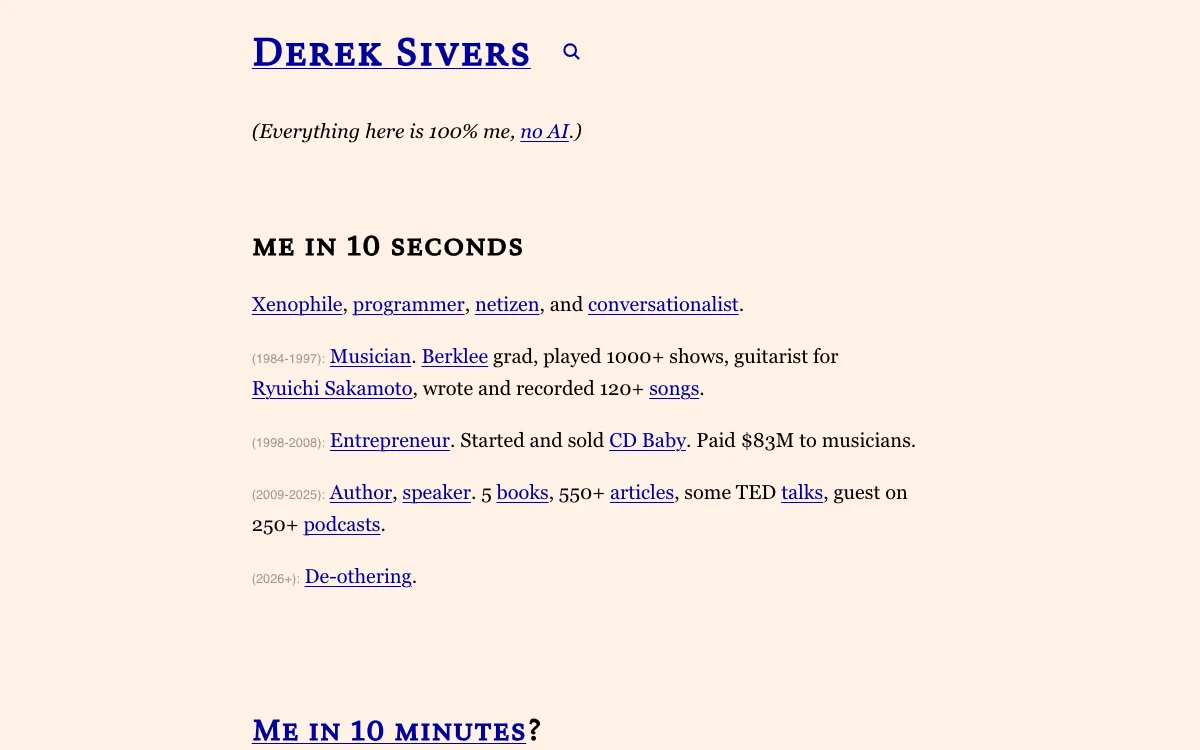
sive.rs opens with “me in 10 seconds”: one line, then four dated eras of his career in a sentence each. It links to a longer about page and to a /now page, which on November 25, 2026 said it was updated November 22, 2026. Borrow: a 10-second version of your story, and a now page that tells visitors what you are working on this month.
Paul Graham
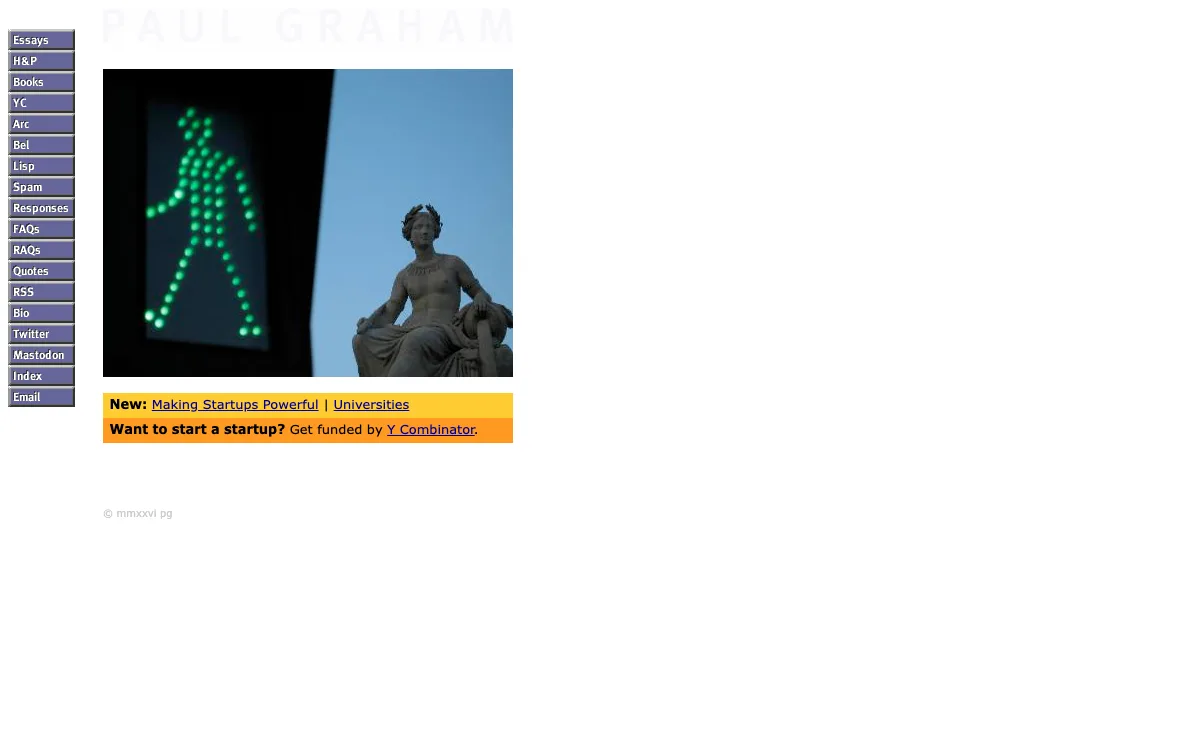
paulgraham.com is a narrow column of links (Books, Bio, RSS, Index, Email and more) beside a single photo, with one yellow box that announces the newest essays. Borrow: a design with almost nothing to maintain, and one line that points to whatever is new.
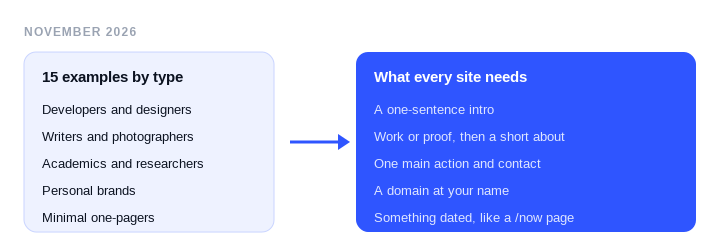
What every personal website needs
The sections to include
- A one-sentence intro. Name, what you do, and for whom.
- Work or proof. Projects, roles, writing, photos or papers. Five strong items beat twenty mixed ones.
- About. A short version on the home page, a longer one on its own page, as Lee Robinson and Derek Sivers do.
- One main action. Hire me, subscribe, download a sample, or email.
- Contact. An email link or short form, plus the two or three profiles you actually use.
- Something dated. A post list, a timeline or a /now page shows the site is current.
For a small site, all six fit on one page. Add separate pages when projects need case studies or you start publishing posts.
The about-me copy pattern
Most of the about sections above follow the same four beats: who you are, what you do and for whom, one piece of proof, and what the reader can do next. Keep it to three to five sentences on the home page and write in the first person, as most sites here do. Three examples, written for fictional people:
I’m Maya Ortiz, a product designer who helps early-stage health startups turn complicated forms into flows patients finish. Over eight years I have redesigned intake for two clinic networks and a telehealth app. I’m booking projects for March. Email me with a link to what you’re building.
I’m Daniel Reyes, a backend engineer in Austin. I build payment and billing systems in Go and Postgres, and I write about the bugs that taught me something. Right now I’m open to senior roles on small platform teams. My CV and recent talks are below.
I’m Priya Nair. I photograph restaurants and the people who run them, mostly in Chicago. My work has run on menus, cookbooks and the walls of a few dining rooms. If you’re opening somewhere new, send me a note and I’ll send back a shot list.
Each names a specific audience, gives one checkable fact, and ends with a next step.
A domain of your own
Register yourname.com (or a variant with a middle initial or your field, such as yournamedesign.com) before you build. Keep it in your own account with auto-renew on, and point it at whichever host you use, so you can switch tools without changing your address. All three builders below connect a custom domain with HTTPS; on Carrd that starts on Pro Standard.
Keeping it up to date
The common failure is a site that describes who you were two years ago.
- Date things. Dated posts, roles and projects show how current the site is.
- Add a now page. A few lines on current projects with a last-updated date, like Derek Sivers’ /now page.
- Review it twice a year. Update the title, links and photo, and swap the weakest project for a newer one.
- Keep the build simple. A site you can edit in ten minutes stays current.
How to build your personal website
Regular prices in USD, checked November 2026.
1. Siter.io: design it visually
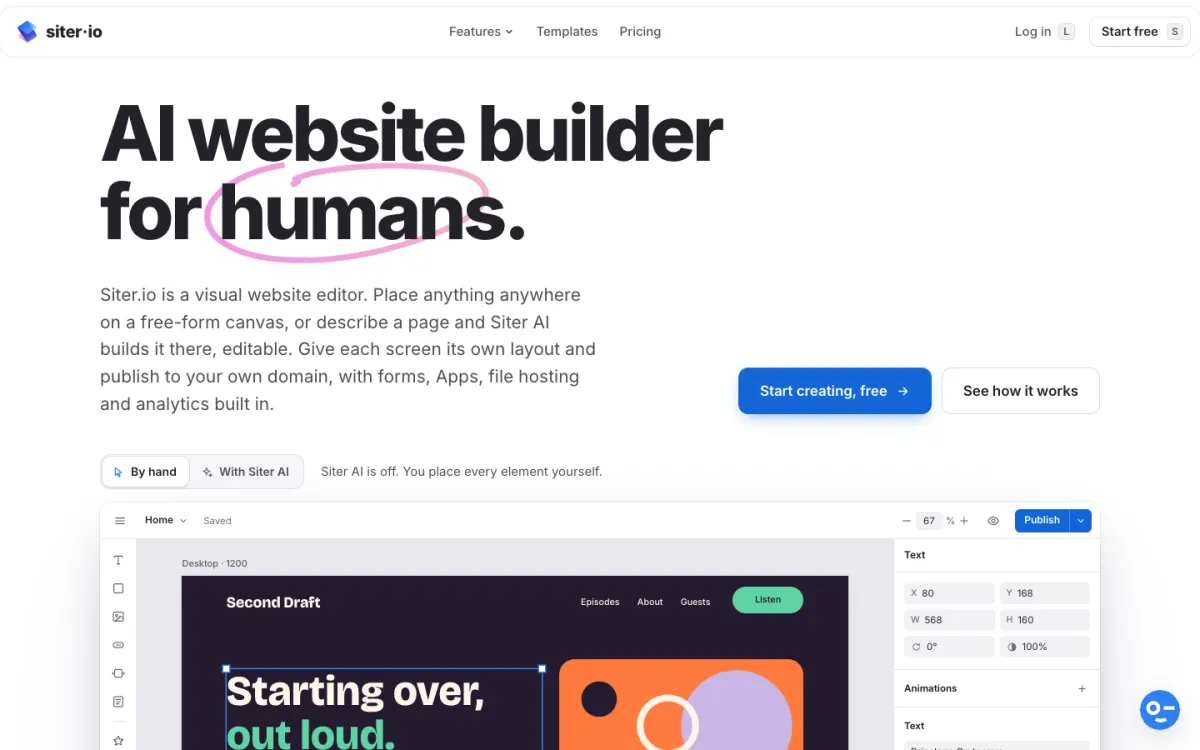
Siter.io is a visual website editor with a free-form canvas, closer to a design tool than a block builder.
- Templates. 143 templates in 17 categories, each a live site with desktop, tablet and phone layouts. Most are for businesses; for a personal site, start from the “Brand designer” template (Mira Kovac) or a blank canvas.
- A layout per screen. A layout for each breakpoint, custom widths included, “laid out by you rather than guessed by the tool.” Figma import works on every plan.
- Publishing. Hosting, HTTPS and SEO settings on every plan, a name.getsiter.com address or your own domain, and forms that send entries by email.
Pricing: there is no free plan for new accounts. Every plan starts with a 3-day trial that needs a card. Solo is $7/month billed yearly ($8 month to month) for 1 website, 10 pages and 3 forms, which covers a personal site with a few project pages. Plus is $12/month billed yearly ($14 monthly) for 3 websites and 50 pages, and Pro is $24/month billed yearly ($28 monthly) for 5 websites, unlimited pages and HTML download.
Limitations: no e-commerce yet, no real-time co-editing and no built-in multi-language, per Siter’s own FAQ.
Good for: designers, creatives and consultants who want a custom-looking site without code.
2. Static.app: host the HTML or template you already have
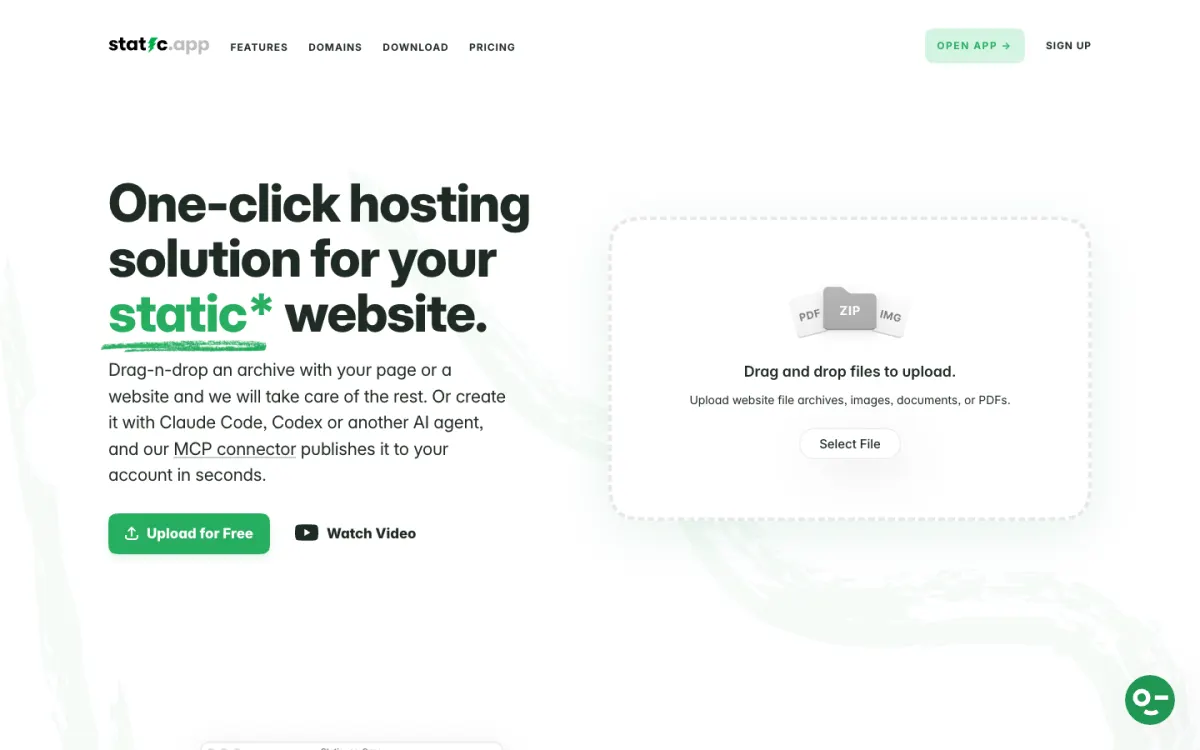
Static.app is a host, not a builder. If you coded your site, bought an HTML template, or exported it from another tool, drag and drop a ZIP and it goes live on a free subdomain with SSL. Update it by uploading over the old files or in the online file manager.
Pricing: Starter is $5/month billed yearly ($60 a year, or $6 month to month) for 2 websites, 500 MB, free and custom domains, forms, analytics and unlimited traffic. Medium is $10/month billed yearly ($12 monthly) for 7 websites and 3 GB, and Large is $15/month billed yearly ($18 monthly) for 30 websites and 10 GB. A 7-day free trial (1 website, 50 MB) needs no credit card.
Limitations: no visual editor, so changes mean editing HTML and CSS.
Good for: developers and anyone starting from an HTML template. The guide on how to publish a website walks through the upload and domain steps.
3. Carrd: a free one-page profile
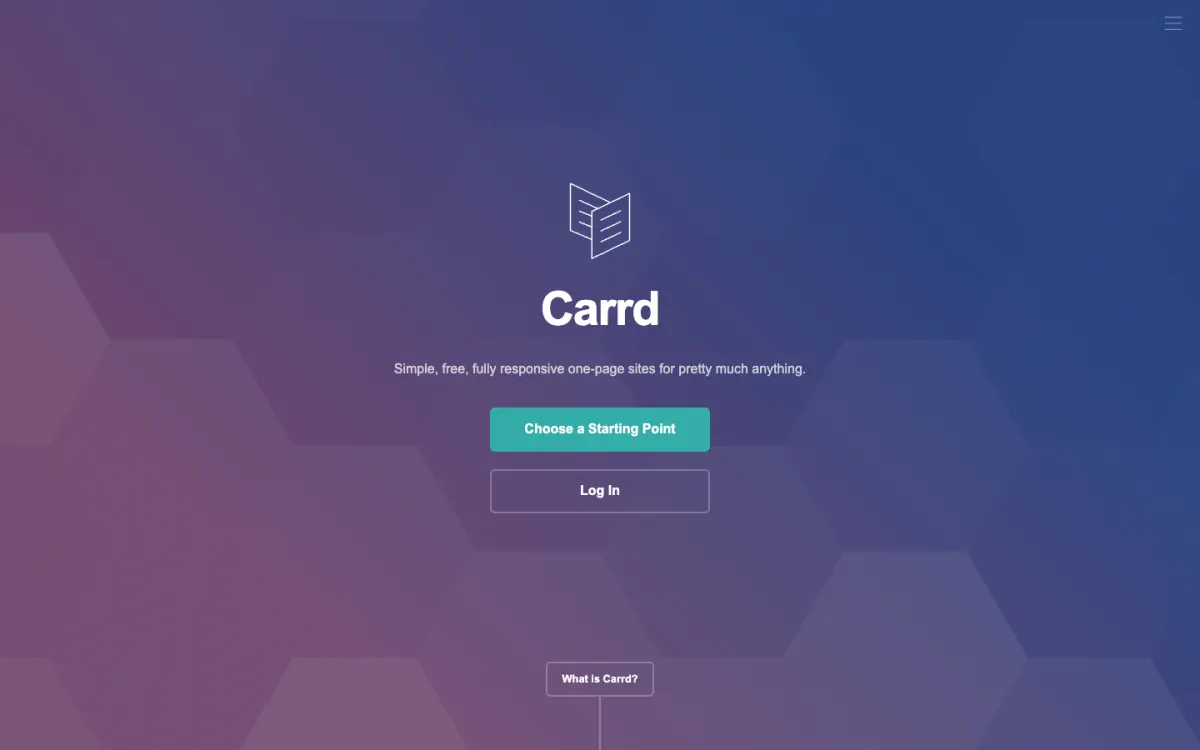
Carrd builds “simple, free, fully responsive one-page sites.” The free plan covers up to three sites with Carrd’s core features and “Made with Carrd” branding. Pro Lite ($9/year, 3 sites) removes branding but has no custom domain; Pro Standard ($19/year, 10 sites) adds custom domains with SSL, forms, embeds, analytics and meta tags; Pro Plus ($49/year, 25 sites) adds redirects, password protection and site downloads. A 7-day Pro trial needs no card.
Good for: a one-page link-in-bio or profile where budget matters more than design control. The roundup of the cheapest website builders compares more low-cost options.
Which way to build should you choose?
- You want it to look designed, not templated: Siter.io, from $7/month billed yearly.
- You have HTML, a downloaded template, or code from another tool: Static.app, from $5/month billed yearly.
- You need a one-page profile for free or close to it: Carrd, free or $19 a year with a custom domain.
FAQ
What should a personal website include?
A one-sentence intro, your work or proof, a short about section, one main action, contact details and something dated, such as a post list or a /now page.
How do I write an about me for my website?
Use four beats: who you are, what you do and for whom, one piece of proof, and what the reader can do next. Keep the home page version to three to five sentences.
Should a personal website be one page or several?
One page is enough for a name, a pitch, a few projects and contact details, as Brittany Chiang’s site shows. Add pages when projects need case studies, you publish posts, or you want each service to show up in search on its own.
Do I need my own domain for a personal website?
Not strictly, but yourname.com is easier to share and stays yours if you change builders. Siter.io, Static.app and Carrd Pro Standard all connect a custom domain with HTTPS.
What is the easiest way to make a personal website?
If you want to design it visually, start from a template in a builder like Siter.io. If you already have an HTML template, upload it to a host like Static.app. For a free one-page profile, Carrd is the quickest start.
Build your Bootstrap theme
Design a custom Bootstrap 5 theme visually with a live preview, then export clean Sass or CSS.
Open the Builder