One Page Website: When It Works and How to Build One
A one page website puts everything on a single URL: a stack of sections that visitors scroll through or jump between with anchor links. It suits a personal site, an event, a product launch, a portfolio, or a small local business, and fits poorly when you have many services, a blog, or a lot of content to rank. This guide covers when a single page website fits, which sections to include, how anchor navigation and SEO work on one URL, and which tools build one; every product detail and doc link was checked in November 2026.
TL;DR
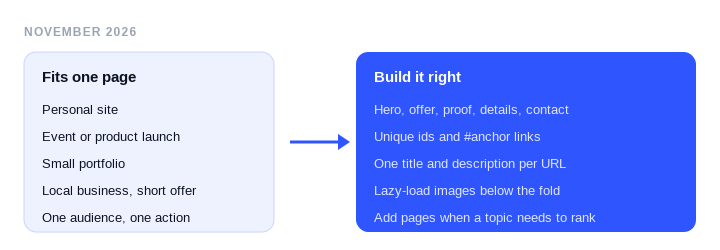
- Use one page when there is one job: a launch, an event, a personal site, a small portfolio or a local business with a few services.
- Use several pages when each topic needs to rank: Google does not use the part of a URL after
#in indexing, so#servicesis never its own search result. - Order the sections by the visitor’s questions: hero with one call to action, what you offer, proof, how it works, details, FAQ, contact.
- Anchor links need three things: a unique
idon each section, a link to#that-id, and an offset so a sticky header does not cover the heading. - Design it visually: Siter.io has an Anchor name field on any frame and a “Scroll to Element” link action, from $7/month billed yearly.
- Host a hand-coded page: Static.app serves a ZIP with your
index.html, from $5/month billed yearly ($6 month to month).
What is a one page website?
A one page website (also called a single page website or a one-pager) keeps all its content on one HTML page. The menu links to sections further down that page: click “Pricing” and the browser scrolls there, the URL becomes example.com/#pricing, and no new page loads.
A landing page uses the same format for one campaign, often with no menu. A one page website is the whole site, with a menu, footer, and contact details. It is also not a “single page application” (SPA), the JavaScript kind that swaps content without reloading; search engines treat the two differently, as the SEO section explains.
When a single page website works
One page is enough when visitors come with one question and you can answer it in a few screens.
- Personal site. Name, what you do, a few links, a way to reach you.
- Event. Date, place, schedule, speakers, tickets or RSVP, on one URL that is easy to print or share.
- Product launch or waitlist. A headline, what the product does, a sign-up form, and a countdown.
- Small portfolio. Six to ten projects with short captions, an about block, and contact. Once projects need case-study pages, see the comparison of portfolio website builders.
- Local business with a short offer. A bakery or a barber: what you sell, hours, a map, reviews, and a phone number.
The common thread: one audience, one main action, and content you can update in an afternoon.
When you need more than one page
A one-pager stops working when one URL has to carry too many jobs.
- Many services. A plumber who does boiler repair and bathroom fitting has two different searches to rank for, and each needs its own page, title, and description.
- A blog or news. Posts need their own URLs to be shared and indexed one by one.
- A lot of content to rank. The guide to website builders for SEO covers tools for multi-page sites, redirects, and sitemaps.
- Several audiences or a store. Customers, investors, and job seekers want different things, and a cart and checkout need more than anchors.
A middle path is common: keep a one-page home and add a few separate pages later.
The sections to include, in order
Order the sections by the questions a first-time visitor asks, from “what is this?” to “how do I act?”. Not every site needs all of them.
- Header and menu. Name or logo, 3 to 6 anchor links, and one button with the main call to action.
- Hero. A headline that says what you do and for whom, one line of support text, and one button (“Book a table,” “Join the waitlist”).
- What you offer. Three to six services, products, or features, each with a heading and a sentence or two.
- Proof. Testimonials, client logos, project images, or numbers you can back up.
- How it works or about. Steps, a short story, or who is behind it.
- Details. Pricing, the schedule, opening hours, or the menu.
- FAQ. Four to six questions you actually get.
- Contact. Form, phone, email, address, and map, with the hero’s button repeated.
- Footer. Legal and social links, name and address.
Keep one main action, so every button leads to the same goal, and give each section a heading that makes sense on its own, since those headings become the menu labels.
How anchor navigation works
Anchor navigation is plain HTML. Give each section an id, and link to it with # plus that id.
<nav>
  <a href="#services">Services</a>
  <a href="#work">Work</a>
  <a href="#pricing">Pricing</a>
  <a href="#contact">Contact</a>
</nav>

<section id="services">
  <h2>Services</h2>
  ...
</section>
A few details make it work well:
- Each id must be unique. MDN defines the
idattribute as an identifier “that must be unique within the entire document.” Two sections calledcontactwill break one of the links. - Use short, readable ids.
#pricingis easier to share than#section-4. - Offset for a sticky header. If the header stays fixed at the top, it covers the first lines of the section you jump to. The CSS
scroll-padding-topproperty sets an offset for regions of the window “obscured by other content (such as fixed-positioned toolbars),” per MDN. Set it on the page to the header’s height:html { scroll-padding-top: 80px; }. - Smooth scrolling, with a way out.
html { scroll-behavior: smooth; }animates the jump. Wrap it in@media (prefers-reduced-motion: no-preference)so it skips visitors whose device asks to minimize “non-essential motion,” as MDN puts it. - A phone menu. Collapse the links into a menu icon that opens a panel, and keep each item a real
<a href="#id">link so it works with a keyboard.
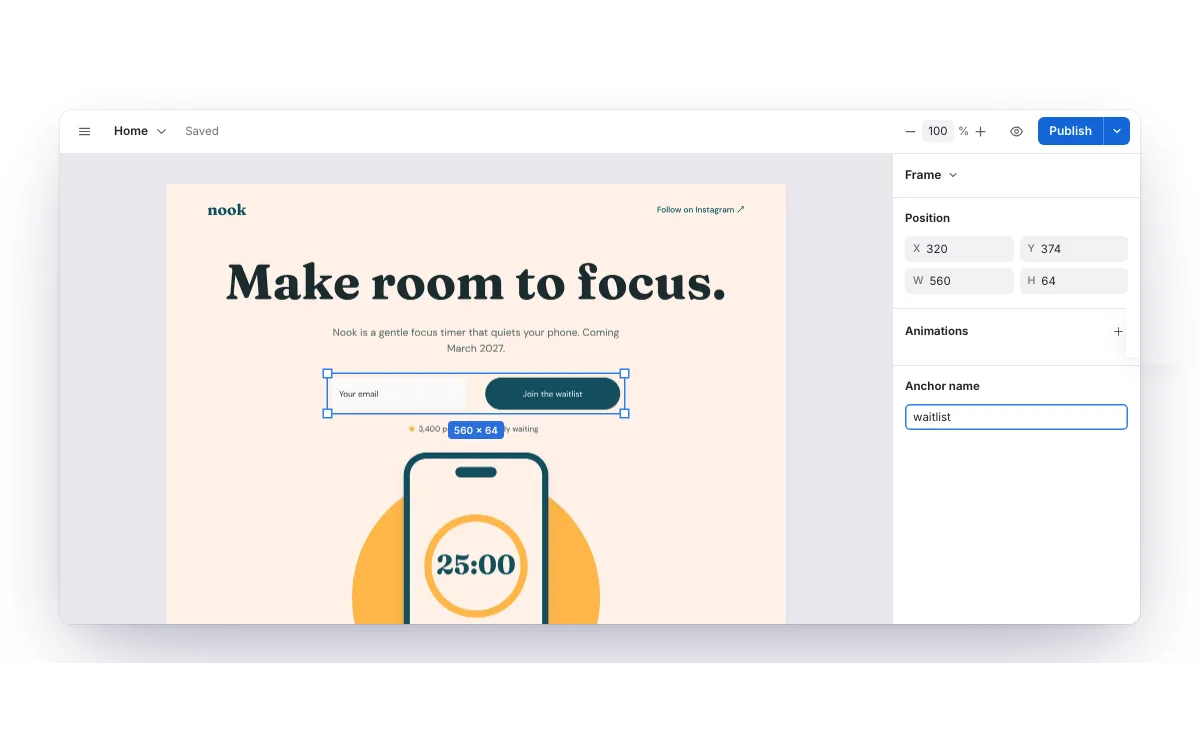
In Siter.io you do the same without code: type a name into a frame’s Anchor name field, then set a button’s link to Scroll to Element, which lands the viewport “exactly on the position of the selected element,” per Siter’s help center.
One page website SEO: what a single URL can and can’t do
A one-page site can rank, but with one URL. Google’s documentation explains what that means.
What Google’s documentation says about #section links
- Fragments are not separate pages. Google’s ecommerce URL guidance states: “Google does not use fragment identifiers in indexing,” and says
/product/t-shirt#blackand/product/t-shirt#white“are considered to be the same page by Google.” Soexample.com/#servicesandexample.com/#contactare one page. - One title and one description per URL. Google’s title link guidance asks for “distinct text that describes the content of the page” in each page’s
<title>, and its snippet guidance recommends a unique meta description for each page. A one-pager has one of each, so it gets one search result with one headline. - Don’t use fragments to swap content. Google’s URL structure page says “Don’t use fragments to change the content of a page, as Google Search generally doesn’t support URL fragments,” and points JavaScript sites to the History API instead. That is the SPA case: views loaded at
example.com/#/aboutand#/pricingare not separate pages. A plain one-pager, where every section is already in the HTML and anchors only scroll, avoids this.
How to handle it
The practical result: one page should cover one main topic, and the title, description, and headings should all describe that topic.
- Pick the one search the page should win. For a local business, usually the business type plus the town (“bakery in Portland”); for a person, their name plus what they do. Put it in the
<title>and the hero headline. - Write a description for the whole site. Google’s snippet guidance says to “use site-level descriptions on the main home page,” which is exactly what a one-pager is.
- Use headings for the sections. Google’s SEO starter guide recommends breaking long content into “paragraphs and sections” and providing “headings to help users navigate your pages.” It also says that, for Google Search, it “doesn’t matter” if headings are out of order, and that there is no ideal number. One
h1in the hero and anh2per section is a clean default. - Keep the phone version complete. Google uses “the mobile version of a site’s content, crawled with the smartphone agent, for indexing and ranking.” If you hide the FAQ or the services list on phones, Google may not see it either.
- Give a topic its own page when it needs to rank. Move it to
/service-name/with its own title and description, and keep a summary and a link on the home page.
A one-pager is usually a static page with no server code, which keeps hosting simple; our explainer on static vs dynamic websites covers what that means.
Performance on a long page
A one-pager loads everything on one URL, so heavy images add up fast. Google’s Core Web Vitals give the targets, measured at the 75th percentile of page loads, per web.dev:
| Metric | What it measures | Good |
|---|---|---|
| Largest Contentful Paint (LCP) | Loading of the main content | 2.5 seconds or less |
| Interaction to Next Paint (INP) | Response to taps and clicks | 200 milliseconds or less |
| Cumulative Layout Shift (CLS) | Visual stability | 0.1 or less |
What helps most on a single long page:
- Lazy-load images below the first screen. Add
loading="lazy"to images further down. web.dev’s lazy-loading guide says to “always eager-load images visible in the first viewport,” so leave the hero image without it. - Set image sizes. web.dev’s CLS guide says to “always include width and height size attributes on your images and video elements” so the browser reserves space and the page does not jump while you scroll to an anchor.
- Compress and resize. Export images at the size they are shown, in WebP or AVIF.
- Limit embeds and animations. Each map, video, or social feed loads its own scripts; a map image that links to the full map keeps the first load small. Save scroll effects for a few sections.
A one page website structure example
A skeleton for a local bakery, with sections in order and anchors wired up. For an event, swap “Menu” for “Schedule”; for a launch, swap it for “Features” and add a waitlist form.
<!doctype html>
<html lang="en">
<head>
  <meta charset="utf-8">
  <meta name="viewport" content="width=device-width, initial-scale=1">
  <title>Rye & Crumb: Sourdough Bakery in Portland</title>
  <meta name="description" content="Neighborhood sourdough bakery in Portland. Bread, pastries and coffee, open Tuesday to Sunday from 7am. Order cakes online or visit the shop.">
  <style>
    html { scroll-padding-top: 72px; }
    @media (prefers-reduced-motion: no-preference) {
      html { scroll-behavior: smooth; }
    }
    header { position: sticky; top: 0; }
  </style>
</head>
<body>
  <header>
    <a href="#top">Rye & Crumb</a>
    <nav>
      <a href="#menu">Menu</a>
      <a href="#about">About</a>
      <a href="#reviews">Reviews</a>
      <a href="#visit">Visit</a>
    </nav>
    <a href="#order">Order a cake</a>
  </header>

  <main>
    <section id="top">
      <h1>Sourdough bakery in Portland</h1>
      <p>Bread, pastries and coffee, baked every morning.</p>
      <a href="#order">Order a cake</a>
      <img src="hero.webp" alt="Loaves on the bakery counter" width="1200" height="800">
    </section>
    <section id="menu"><h2>Menu</h2> ...</section>
    <section id="about"><h2>About the bakery</h2> ...</section>
    <section id="reviews"><h2>What customers say</h2> ...</section>
    <section id="faq"><h2>FAQ</h2> ...</section>
    <section id="order"><h2>Order a cake</h2> <form>...</form></section>
    <section id="visit"><h2>Hours and location</h2> ...</section>
  </main>

  <footer>Address, phone, social links, privacy policy</footer>
</body>
</html>
Images further down get loading="lazy" plus width and height. The title and description describe the whole business, because they describe the whole site.
Tools to build a one page website
Pick by whether you want to design visually or already have the HTML. Regular prices in USD, checked November 2026.
1. Siter.io: design a one-pager visually
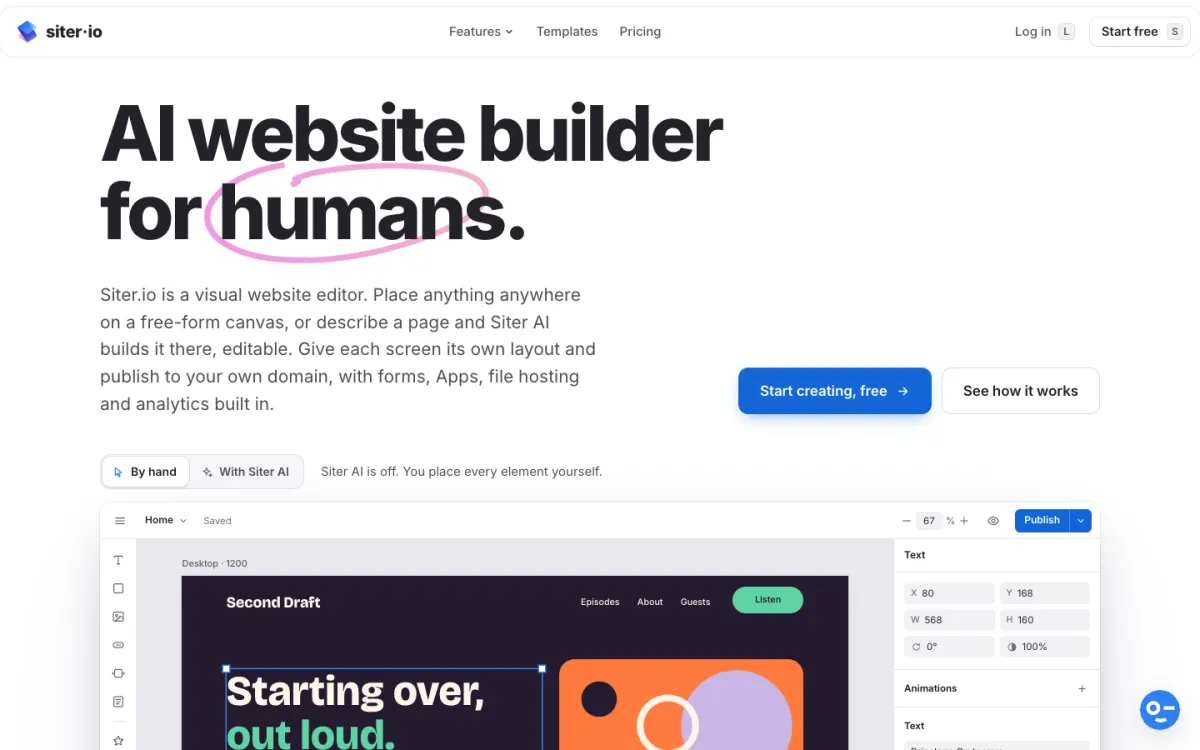
Siter.io is a browser-based builder with a free-form canvas, closer to a design tool than a block builder. For a one-pager:
- Sections and anchors. Any frame can get an Anchor name; buttons, text, images, and icons can “Scroll to Element,” open an overlay, or link to a page, email, or phone number. Sticky headers and scroll animations are built in.
- A separate phone layout. A layout for each breakpoint (desktop, tablet, mobile, custom widths), “laid out by you rather than guessed by the tool,” with the menu as an overlay opened from a menu icon.
- Templates. 143 templates in 17 categories, from design studios and bakeries to clinics, gyms, and weddings, each with desktop, tablet, and phone layouts.
- Publishing and forms. Hosting and SSL on every plan, a
getsiter.comaddress or your own domain, a title, description, and preview image per page, an automatic sitemap, and form entries by email and in the dashboard with CSV export.
Pricing: Solo is $7/month billed yearly ($8 month to month) for 1 website, 10 pages, and 3 forms, which covers a one-pager with room for a privacy page or two. Plus is $12/month billed yearly ($14 monthly) for 3 websites and 50 pages, and Pro is $24/month billed yearly ($28 monthly) for 5 websites, unlimited pages, and an HTML download of a page. Every plan starts with a 3-day trial that needs a card.
Limitations: no e-commerce yet, no built-in multi-language, and no real-time co-editing, per Siter’s features page. HTML download is Pro only.
Good for: designers, freelancers, and small businesses who want a custom-looking one-pager with a hand-tuned phone layout, without writing code.
2. Static.app: host a hand-coded index.html
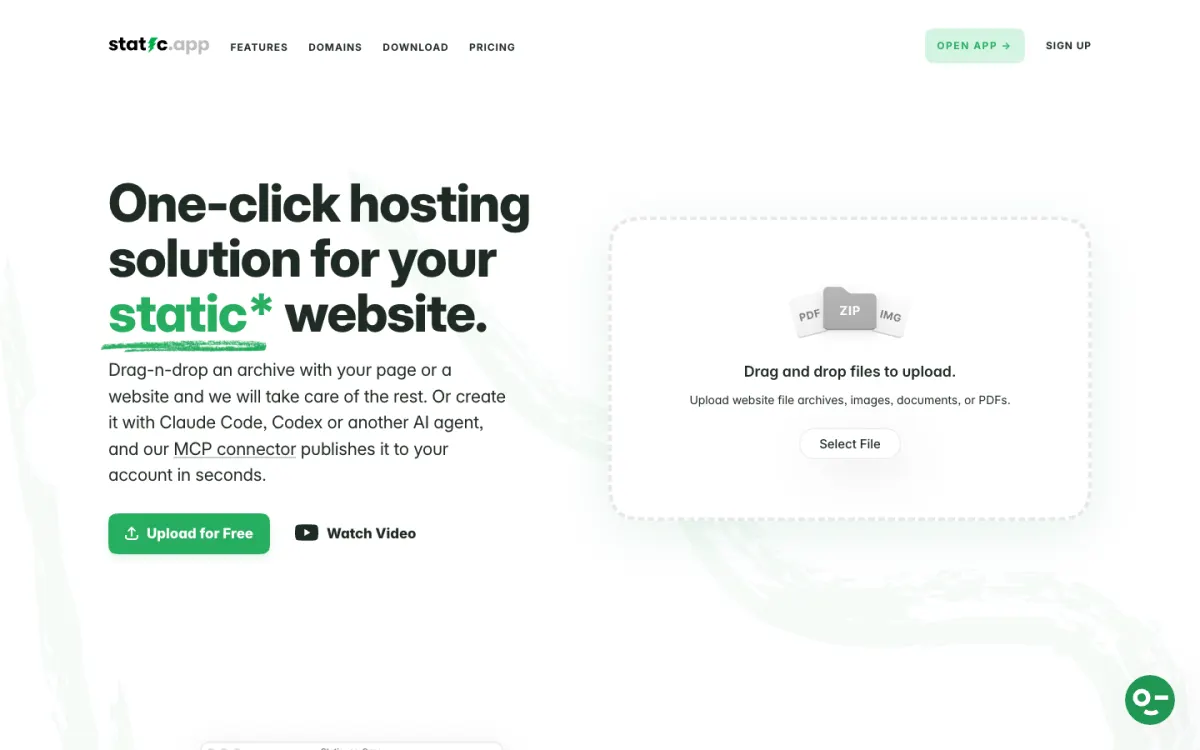
Static.app is a host, not a builder. If you coded the page, edited a template, or exported it from another tool, drag a ZIP with your index.html and its images onto the upload area and it is live on a free *.static.domains subdomain with SSL. Update it by overwriting the files or in the online file manager. Add an attribute to your HTML form and submissions collect in the dashboard; analytics run without a script or cookies.
Pricing: Starter is $5/month billed yearly ($60 a year, or $6 month to month) for 2 websites, 500 MB, custom domains, forms, analytics, and unlimited traffic. Medium is $10/month billed yearly ($12 monthly) for 7 websites and 3 GB, and Large is $15/month billed yearly ($18 monthly) for 30 websites and 10 GB. There is a 7-day free trial (1 website, 50 MB, no credit card) but no permanent free plan.
Limitations: no visual editor, so layout changes mean editing HTML and CSS.
Good for: a finished index.html that needs a domain and forms. For other routes, see the guide on how to publish a website.
3. Carrd: simple one-pagers on a small budget
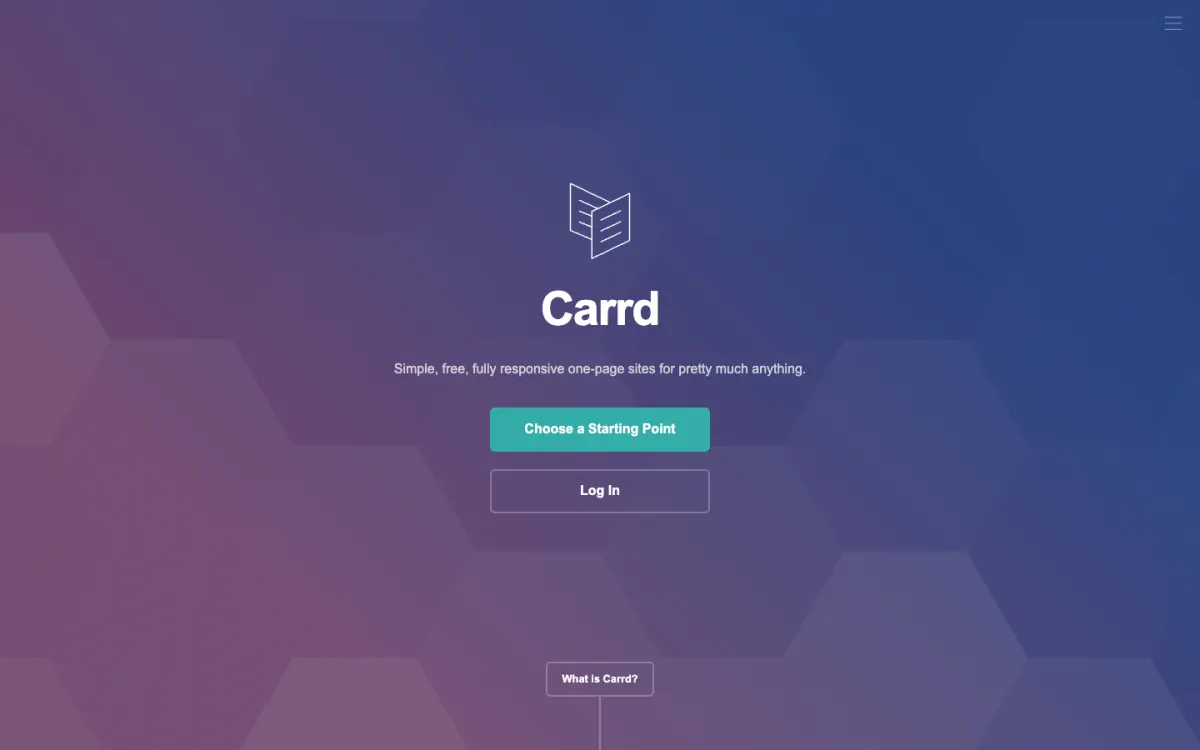
Carrd describes itself as a builder for “simple, free, fully responsive one-page sites.” It is block-based and quick for a profile or a launch page.
- Free plan: up to three sites with Carrd’s core features and “Made with Carrd” branding.
- Pro Lite, $9/year: 3 sites without branding, but no custom domain.
- Pro Standard, $19/year: 10 sites, custom domains with SSL, forms, embeds, analytics, and meta tags.
- Pro Plus, $49/year: 25 sites, plus redirects, a canonical URL setting, and site downloads.
A 7-day Pro trial needs no card. For a one-pager you want found in search, Pro Standard is the realistic minimum, since custom domains and meta tags are not on the lower tiers.
Good for: a profile or launch page where budget matters more than design control. Our roundup of the cheapest website builders compares more low-cost options.
FAQ
What is a one page website?
A site where all the content sits on one HTML page, and the menu jumps to sections of that page instead of loading new pages. It suits personal sites, events, launches, small portfolios, and local businesses with a short offer.
Is a one page website bad for SEO?
Not by itself, but one URL means one title, one description, and one search result. Google does not use the part of a URL after # in indexing, so sections are not separate pages. A one-pager can rank for one main topic; for several topics, give each its own page.
How many sections should a one page website have?
Most use five to eight between the header and footer: hero, offer, proof, about, details such as pricing or hours, FAQ, and contact. Each should answer one question under a heading that also works as a menu label.
How do I make menu links scroll to a section?
Give the section a unique id, such as <section id="pricing">, and link to it with <a href="#pricing">. With a sticky header, add scroll-padding-top so it does not cover the heading. In Siter.io, set an Anchor name on the frame and choose “Scroll to Element” on the button.
When should I switch from one page to a multi-page site?
When you have services people search for separately, want to publish posts, serve different audiences, or start selling products. You can keep the one-page home and add pages one at a time.
Build your Bootstrap theme
Design a custom Bootstrap 5 theme visually with a live preview, then export clean Sass or CSS.
Open the Builder