Best Website Builder for SEO in 2026: 8 Compared
The best website builder for SEO in 2026 is the one that gives you the technical controls your site will need: Webflow for the most complete set on a hosted builder, WordPress.org with an SEO plugin for total control, Wix for an all-in-one SEO toolkit, and Shopify or Ghost for a store or a publication. Siter.io covers the basics on every plan for small designer sites, with gaps listed below. This guide compares eight builders on 13 SEO controls plus speed, for anyone choosing a platform before a launch or a migration. Every feature and price was checked on the vendor’s own pages and help docs in November 2026.
TL;DR
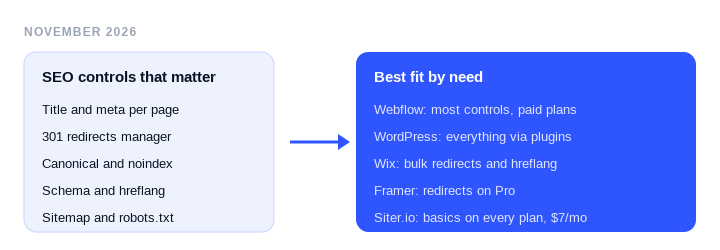
- Best overall SEO controls on a hosted builder: Webflow. Canonicals, 301 redirects, robots.txt rules, a schema field and noindex, mostly on a paid Site plan from $15 a month billed yearly.
- Most control if you run it yourself: WordPress.org with Yoast SEO or Rank Math. Rank Math’s free version even includes a redirect manager.
- Best all-in-one for non-technical owners: Wix. Bulk 301 redirects, an editable robots.txt, server-side rendering and built-in hreflang.
- Best for design-led marketing sites: Framer. Pre-rendered HTML, noindex per page and automatic hreflang, with redirects on Pro.
- Best for small designer sites that need the basics: Siter.io. Title, description, slug, share image and head code on every plan from $7 a month billed yearly, but no redirect manager and no multilingual.
- Best for stores and blogs: Shopify for products, Ghost for a blog or newsletter.
No website builder ranks your site on its own
A builder cannot make a page rank. Rankings come from content that answers the search better than other results, from links and mentions elsewhere, and from a site search engines can crawl without trouble. Siter.io’s own help center says a builder “isn’t a replacement for a solid SEO strategy.”
What a builder decides is the third part: whether you can fix technical details or are stuck with defaults. That matters at launch (unique titles, clean URLs, a sitemap), when URLs change (301 redirects, or the links pointing at old pages stop counting), and when the site grows (a blog, a second language, pages that should stay out of the index). So the useful question is which builder lets you fix what you will need to fix.
SEO checklist: website builders compared
The rows are the controls that come up in real SEO work. Canonical tags pick the main version of similar pages, noindex keeps thin or private pages out of results, structured data can qualify pages for rich results, and hreflang points each language version at the right audience. “Code” means the control is possible by pasting a tag into the page head rather than through a setting. “Auto” means the platform handles it with nothing to change.
| SEO control | Webflow | WordPress.org | Wix | Framer | Siter.io | Squarespace | Shopify | Ghost |
|---|---|---|---|---|---|---|---|---|
| Title and meta per page | Paid plan | Plugin | Yes | Yes | Yes | Yes | Yes | Yes |
| Editable slugs | Yes | Yes | Yes | Yes | Yes | Yes | Yes | Yes |
| Canonical tags | Global + page | Plugin | Auto, editable | Auto | Not documented | Partial | Auto | Auto + per post |
| 301 redirects | Paid plan | Plugin | Yes, bulk CSV | Pro | No | Yes | Yes | YAML file |
| XML sitemap | Auto | Auto (core) | Auto | Auto | Auto | Auto | Auto | Auto |
| robots.txt editing | Yes | Yes | Yes | Pro (upload) | No | No | Theme code | Theme file |
| Noindex per page | Yes | Plugin | Yes | Yes | Code | Yes | Metafield | Code |
| Structured data | Field, paid | Plugin | Auto, editable | Code | Code | Auto, fixed | Theme | Auto |
| Image alt text | Yes | Yes | Yes | Yes | Not documented | Yes | Yes | Yes |
| Open Graph image | Per page | Plugin | Per page | Per page | Per page | Per page | Store-wide | Yes |
| Head code | Paid plan | Yes | Paid plan | Yes | Every plan | Core and up | Theme code | Yes |
| Hreflang | Add-on | Plugin | Yes | Add-on | No | Weglot | Yes (Markets) | No |
| Blog or CMS | Premium | Yes | Blog app | Yes | Yes | Yes | Yes | Yes |
SEO website builders at a glance
| Builder | Best for | Free plan | Starting price | Key SEO limit |
|---|---|---|---|---|
| Webflow | Most controls on a hosted builder | Yes, webflow.io, 2 pages | $15/mo yearly ($25 with CMS) | SEO settings need a paid plan |
| WordPress.org | Full control, self-hosted | Free software | Hosting plus optional plugin | You maintain everything |
| Wix | All-in-one for non-technical owners | Yes, Wix branding, no own domain | Offer prices only, see review | Head code needs a connected domain |
| Framer | Design-led marketing sites | Yes, Framer domain | EUR 10/mo per site, yearly | Redirects on Pro only |
| Siter.io | Small designer sites | No, 3-day trial (card) | $7/mo yearly ($8 monthly) | No redirects, no multilingual |
| Squarespace | Templates with safe defaults | No, 14-day trial | EUR 12/mo yearly | robots.txt and schema fixed |
| Shopify | Online stores | No, 3-day trial | EUR 24/mo yearly | robots.txt edits unsupported |
| Ghost | Blogs and newsletters | No, free trial | $15/mo yearly (1,000 members) | Redirects via a YAML file |
Framer, Squarespace and Shopify showed prices in euros when checked, so they are printed in EUR. US prices may differ.
The best website builders for SEO, reviewed
1. Webflow: best overall SEO controls on a hosted builder

What it is. Webflow is a visual development platform with hosting and a CMS that promises control over “SEO metadata, indexing rules, redirects, and more” without plugins.
SEO controls. A global canonical tag plus a per-page override. 301 redirects with wildcards, with no hard limit but 1,000 recommended as a best practice. An automatic sitemap that updates on publish, robots.txt rules, and a “Sitemap indexing” toggle that adds noindex to a static page. A native Schema markup field in Page settings, alt text (in bulk with AI), and an Open Graph image per page or per CMS item. The Localize add-on adds hreflang tags in the head and the sitemap.
Pricing. USD per site. Starter is free on webflow.io with 2 static pages. Basic is $15 a month billed yearly with a custom domain and 300 static pages, no CMS. Premium is $25 a month billed yearly and adds the CMS. Localize starts at $9 a month. See Webflow pricing for the details.
Limitations. Webflow’s help center says SEO titles and meta descriptions, schema, redirects and custom head code all need a paid Site plan or a paid Workspace. A blog needs Premium. The editor maps closely to CSS, so the learning curve is steep.
Good for: marketing teams and agencies that want full technical control without running WordPress.
2. WordPress.org with an SEO plugin: most control if you run it yourself
What it is. WordPress is free, open-source software you install on your own hosting; the current release is 7.1.5. You control the server, so every setting is reachable.
SEO controls. Core already exposes a sitemap at /wp-sitemap.xml (since version 5.5), an alt text field in the media library, and editable permalinks with a slug on every post. A plugin adds the rest:
- Yoast SEO (free): title and meta templates, canonical URLs, noindex options, XML sitemaps and Schema.org output. Its comparison page lists “No redirect manager” for the free version; that is Premium.
- Rank Math (free): a Redirections module and 404 monitor are in the free plugin, plus predefined schema types.
- Multilingual: not in core. WPML and Polylang both add hreflang tags automatically.
Pricing. WordPress is free; you pay for hosting. Yoast SEO Premium is $118.80 a year excluding VAT, and Rank Math PRO is $107.88 a year at its regular price.
Limitations. Every plugin is something to update, and speed depends on your host and theme. The WordPress alternatives guide covers the maintenance trade-off.
Good for: SEO specialists and site owners comfortable maintaining the stack.
3. Wix: best all-in-one SEO toolkit for non-technical owners

What it is. Wix is a drag-and-drop builder with apps for stores, bookings and blogs.
SEO controls. Per-page meta tags and slugs, plus pattern rules that apply SEO settings to many pages of the same type. A self-referencing canonical by default that you can customize. A 301 redirect manager with bulk import of up to 500 URLs at once. An editable robots.txt, an automatic sitemap, and a “Let search engines index this page” toggle. Structured data is added to products, events and blog posts automatically, and you can override it. Per-page social share settings, alt text, and hreflang and x-default tags on multilingual pages round it out. Wix says its sites use server-side rendering and converts images to WebP.
Pricing. A free plan publishes with Wix branding and no custom domain. On November 25, 2026, the plans page showed time-limited offer prices valid only for the first yearly term, so regular prices are not printed here; check the renewal price at checkout. Paid plans have a 14-day money-back guarantee.
Limitations. Custom head code needs a published site with a connected domain, so a paid plan. The blog is an app you add. See Wix vs Squarespace for a head-to-head.
Good for: small business owners who want strong SEO settings without code.
4. Framer: best for design-led marketing sites
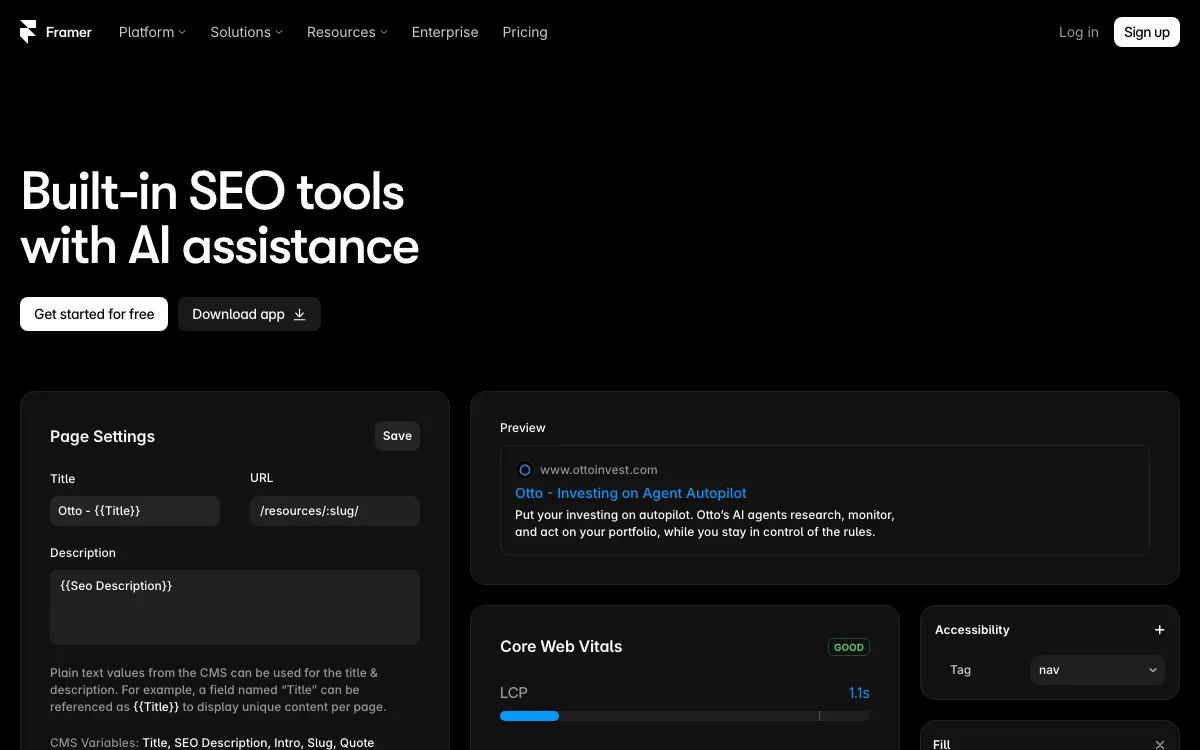
What it is. Framer is a design-first site builder with hosting, a CMS and AI agents.
SEO controls. Site-wide title and description defaults, overridden per page or filled from CMS fields with variables like {{Title}}. A “Search engines” toggle per page that adds noindex. An automatic sitemap and robots.txt, alt text in the accessibility panel, and a social image per page or CMS item. Canonical tags are generated from your domain; a per-page canonical field is not documented. Structured data goes in through Custom Code as JSON-LD. Built-in Localization adds hreflang tags automatically. Framer’s help center says “every page is pre-rendered to HTML on our servers before it is served.”
Pricing. Euros, billed yearly. Free publishes on a Framer domain. Basic is EUR 10 a month per site with a custom domain, 30 pages and 2 CMS collections. Pro is EUR 30 a month per site with 150 pages, 10 CMS collections and site redirects. Translation locales are EUR 20 per locale. More in Framer pricing.
Limitations. Redirects are listed on Pro, not Basic. A custom robots.txt means uploading a file through Static Files, also Pro or Enterprise only.
Good for: startups and designers who want a fast, polished marketing site.
5. Siter.io: best for small designer sites that need the basics
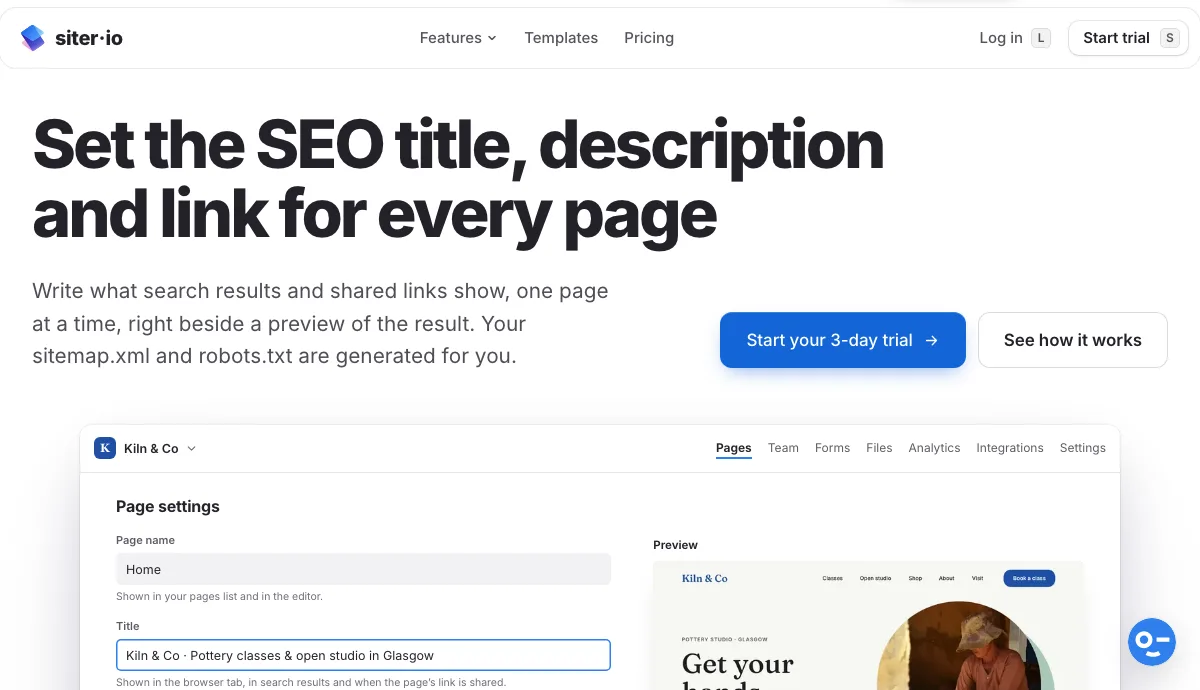
What it is. Siter.io is a hosted visual editor with a free-form canvas, a CMS and blog, forms and analytics, built for designers who lay out pages by hand.
Verified SEO controls.
- Per-page settings on every plan: Title, Description, Link (the slug) and a preview image for shared links. Siter.io’s SEO page answers “Which plans include the SEO settings?” with “All of them.”
- Automatic sitemap.xml and robots.txt for every website.
- Head code, site-wide and per page. Head Code Injection handles a Search Console tag or script on every page, and each page has its own head code box, which Siter.io names for structured data. Noindex or canonical tags would also go here by hand.
- Blog posts built for search: each post has its own address, goes into the sitemap, and has its own search title and description, plus RSS and scheduled publishing.
Gaps, stated plainly. No redirect manager is documented, so a renamed page leaves its old URL behind. No multilingual: the features FAQ lists “no built-in multi-language.” No robots.txt editing and no noindex toggle. An alt text field and canonical tag behavior are not documented in the help center or feature pages.
Pricing. Solo is $7 a month billed yearly ($8 monthly) for 1 website and 10 pages. Plus is $12 a month billed yearly ($14 monthly) for 3 websites and 50 pages. Pro is $24 a month billed yearly ($28 monthly) for 5 websites and unlimited pages. Custom domains with HTTPS are included. There is no free plan: every plan starts with a 3-day trial that needs a card.
Good for: designers publishing portfolios, studio sites and landing pages with stable URLs. If you will restructure URLs or add languages, Webflow, Wix or Framer fit better. The best website builders for designers roundup compares it on design features.
6. Squarespace: best for templates with safe defaults

What it is. Squarespace is an all-in-one builder with templates, hosting and selling tools.
SEO controls. SEO titles, descriptions, slugs and a social image per page. URL mappings for 301 and 302 redirects, with a 400 KB field limit that Squarespace says is usually around 2,500 lines. An automatic sitemap, image descriptions used as alt text, and a “Hide page from search results” toggle (not on homepages or individual collection items). Structured data is added automatically, using schemas “which you can’t edit or remove.”
Pricing. Euros, billed annually: Basic EUR 12 a month, Core EUR 18, Plus EUR 32 and Advanced EUR 69, with a 14-day free trial.
Limitations. Users “can’t access or edit” robots.txt. Canonical tags are documented only for blog tag and category pages. Hreflang depends on the third-party Weglot integration, and code injection starts on Core.
Good for: small businesses that want sensible defaults and a polished template.
7. Shopify: best for online stores
What it is. Shopify is an ecommerce platform with themes and a built-in blog.
SEO controls. SEO titles and descriptions for pages, products, collections and posts, with editable URL handles and an option to redirect the old URL when one changes. Up to 100,000 URL redirects with CSV import. Automatic canonical tags, an automatic sitemap including product images, structured data built into themes, and alt text on images. With Markets and the Translate & Adapt app, “Hreflang tags are generated automatically.”
Pricing. Euros when checked: Basic EUR 24 a month billed yearly (EUR 32 monthly), Grow EUR 69 (EUR 92 monthly) and Advanced EUR 289 (EUR 384 monthly), after a 3-day free trial.
Limitations. No noindex toggle: you set a metafield or edit theme code. Editing robots.txt means a robots.txt.liquid template, which Shopify calls “an unsupported customization.” The documented share image is store-wide.
Good for: businesses whose main goal is selling products. The best website builders for small business guide compares other ways to sell.
8. Ghost: best for blogs and newsletters

What it is. Ghost is a publishing platform for blogs, newsletters and paid memberships, with managed hosting called Ghost(Pro).
SEO controls. Ghost’s help center lists custom metadata for every post and page, canonical tags across the site with a custom canonical per post, an XML sitemap it “automatically creates and updates,” structured data in all posts and pages, and Open Graph and Twitter cards. Alt text works in the editor, and code injection works site-wide and per post.
Pricing. For up to 1,000 members, billed yearly: Starter $15 a month, Publisher $29 with custom themes and paid subscriptions, Business $199 for 15 staff users and 10,000 members.
Limitations. Redirects mean editing and re-uploading a redirects.yaml file. A custom robots.txt is a theme file, and custom themes need a plan above Starter. The post settings page has no noindex option. For several languages, Ghost recommends one install per language, with no built-in hreflang.
Good for: writers and publishers whose search traffic comes from articles.
Speed and rendering: what is actually verified
Core Web Vitals depend mostly on your own pages: image sizes, fonts, scripts and embeds. Test your own site in PageSpeed Insights rather than trusting a vendor badge, and check the mobile layout too, since Google indexes the mobile version (the mobile friendly website checklist covers the fixes). What the vendors state: Framer pre-renders every page to HTML and serves it from a CDN, and Wix uses server-side rendering and converts images to WebP. WordPress renders on your server, so speed depends on your host, theme and plugins. Webflow, Squarespace, Shopify, Ghost and Siter.io make no specific rendering claim on the pages checked, so none is made here.
Which website builder for SEO should you choose?
- Every technical control on a hosted platform: Webflow, on a paid Site plan.
- Total control, and you accept maintenance: WordPress.org with Rank Math or Yoast SEO.
- Strong SEO settings with no code: Wix.
- An animated marketing site, possibly multilingual: Framer, on Pro if URLs will move.
- A small portfolio or studio site on a budget: Siter.io, with your URLs planned before launch since there is no redirect manager.
- A template that gets the defaults right: Squarespace.
- Selling products: Shopify. Publishing articles or a newsletter: Ghost.
- Several languages with hreflang: Wix, Shopify, Webflow Localize, Framer, or WordPress with WPML or Polylang.
FAQ
What is the best website builder for SEO?
For the most controls on a hosted builder, Webflow, though most need a paid plan. For total control, WordPress.org with an SEO plugin. For non-technical owners, Wix has the fullest built-in toolkit.
Is Wix or WordPress better for SEO?
Both can rank well. Wix gives you redirects, an editable robots.txt, canonical overrides, structured data and hreflang without plugins. WordPress gives you more control and plugin choice, but you maintain hosting, theme and plugins yourself.
Can a website builder hurt your SEO?
It can make some fixes impossible. The common gaps are no redirect manager, no way to noindex a page, and no hreflang. Check those three before you commit, especially when migrating an existing site.
Do I need a 301 redirect manager?
Only if URLs will change. A new site with a fixed set of pages can live without one. A site that renames pages, moves platforms or restructures its blog needs redirects, or the links pointing at old URLs are lost.
Does Siter.io support SEO?
Yes, for the basics. Every plan includes a title, description, slug and share image per page, an automatic sitemap.xml and robots.txt, and head code for the whole site or one page. It has no redirect manager and no built-in multilingual support, so it suits small sites with stable URLs.
Build your Bootstrap theme
Design a custom Bootstrap 5 theme visually with a live preview, then export clean Sass or CSS.
Open the Builder