Webflow vs WordPress in 2026: Cost, CMS and SEO Compared
Webflow vs WordPress comes down to what you want to own. Webflow is a hosted visual builder: you design in the browser, Webflow runs the servers, and you pay per site plus a Workspace plan for team features. WordPress is free, open-source software that you install on hosting you choose (or rent as WordPress.com), with unlimited content and 60,000+ plugins, and every update and backup is yours to handle. This guide is for designers, marketers, and small teams choosing between them, with every price and limit checked on the vendors’ own pages in November 2026.
TL;DR
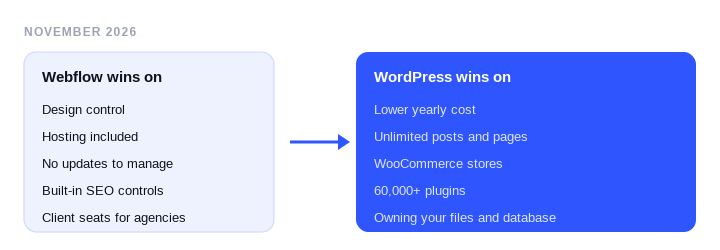
Pick Webflow if:
- You are a designer and the site has to match the mockup exactly, at every breakpoint.
- You do not want to manage hosting, updates, or security plugins. Webflow hosts the site on Cloudflare’s CDN and there is nothing to patch.
- The site is a marketing site with up to a few thousand CMS items, edited by a small team.
Pick WordPress if:
- The site is mostly content: a blog, a publication, a knowledge base. Posts and pages are unlimited.
- You need a specific feature that only a plugin provides, or a full store with WooCommerce.
- You want to own the files and database and move hosts whenever you like.
- You need the lowest yearly cost: WordPress.com Personal is $4 a month billed yearly.
What you are actually comparing
“WordPress” means two products. WordPress.org is the free software: you supply hosting, a domain, PHP 8.3 or greater, and MySQL 8.4 or MariaDB 10.11 or greater (the versions WordPress recommends). WordPress.com is a hosted service from Automattic that runs the same software for you, with plugins allowed on every paid plan. Most of this comparison applies to both; where they differ, it says which.
Webflow is one product: an editor and hosting from one company. You buy a Site plan for each site that publishes on your domain, and every account also has a Workspace plan (free Starter, or paid) that controls seats, staging sites, and code export. For a full breakdown of every Webflow plan and add-on, see our Webflow pricing guide.
Webflow vs WordPress at a glance
| Webflow | WordPress | |
|---|---|---|
| What you pay for | Site plan per site, plus optional paid Workspace and seats | Hosting (or a WordPress.com plan), plus any premium theme and plugins |
| Cheapest plan on your own domain | Basic, $15/mo yearly ($25 monthly), no CMS | WordPress.com Personal, $4/mo yearly ($9 monthly); self-hosted, your host’s price |
| Cheapest plan with a CMS | Premium, $25/mo yearly ($39 monthly) | Every plan; posts and pages are the core product |
| CMS limits | 20,000 items and 40 collections on Premium | Unlimited posts and pages |
| Design control | Visual canvas with classes and breakpoints | Comes from the theme or a page builder |
| Ecommerce | From $29/mo yearly, 500 items, 2% fee on Standard | WooCommerce, free core; WordPress.com Commerce $45/mo yearly |
| Redirects | 301 redirects on paid Site plans | Plugin (or your host) |
| Maintenance | Webflow handles hosting and updates | Minor core updates are automatic; plugins and themes are on you |
| Export | HTML and CSS on paid Workspaces; CMS as CSV per collection | Full files and database when self-hosted; WXR export of content |
| Support | Email, aiming to reply within 48 hours | Your host’s support; community forums |
Real yearly cost
Winner: WordPress, for most budgets. Webflow can match it for a small site with no CMS.
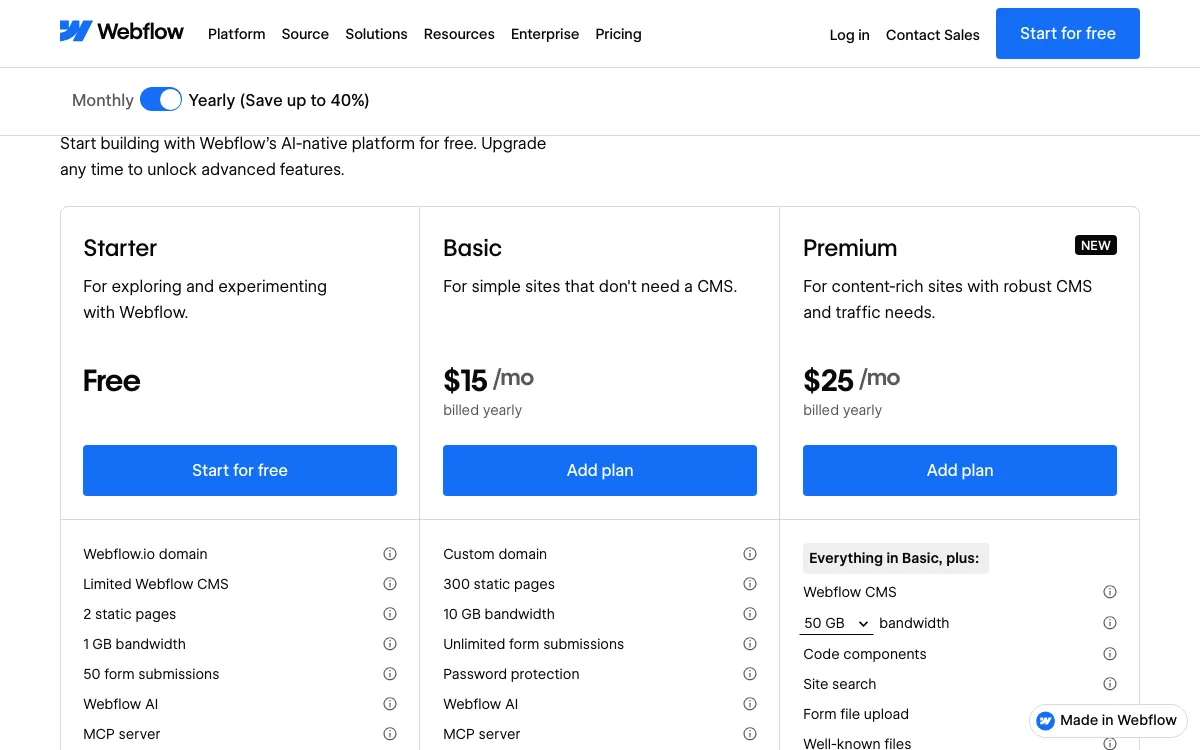
Webflow prices each site. Billed yearly, Basic is $15 a month (no CMS, 300 static pages, 10 GB bandwidth) and Premium is $25 a month (CMS, 50 GB bandwidth, site search); billed monthly they are $25 and $39. The free Starter Workspace includes one full seat. Every extra person who designs costs $39 a month per full seat billed yearly ($45 monthly), and a limited seat for editing content costs $15 ($19 monthly). Code export and custom code need a paid Workspace: Core is $19 a month billed yearly ($28 monthly). Webflow’s plans do not include a domain name, so add the cost of registering one.
WordPress.com billed yearly is $4 (Personal), $8 (Premium), $25 (Business), and $45 (Commerce) a month; billed monthly they are $9, $18, $40, and $70. Every paid plan lets you install plugins, and annual plans include a free custom domain for the first year.
Self-hosted WordPress costs whatever your host charges, plus extras you choose. As a reference for managed WordPress hosting, Kinsta’s Single 35k plan (1 site, 35,000 visits) lists at $35 a month. A premium theme such as GeneratePress Premium renews at $99 a year for 1 site, and Yoast SEO Premium is EUR 118.80 a year (shown in EUR, excluding VAT). You can also run WordPress on cheap shared hosting with free themes and plugins, but introductory prices vary by host and renewal rates are usually higher, so check the renewal price before you buy.
What this means in practice, using prices billed yearly:
| Scenario | Webflow | WordPress |
|---|---|---|
| Portfolio, no blog, one designer | Basic: $180/yr | WordPress.com Personal: $48/yr |
| Small business site with a blog | Premium: $300/yr | WordPress.com Personal or Premium: $48 to $96/yr |
| Same site, plus one content editor seat | Premium + limited seat: $480/yr | No seat fees; add users with WordPress roles |
| Same site, plus code export on Webflow | Premium + Core Workspace: $528/yr | Already yours on self-hosted WordPress |
| Managed self-hosted WordPress with premium theme | n/a | Kinsta $420/yr + GeneratePress $99/yr = $519/yr, plus any paid plugins |
| Small store | Ecommerce Standard: $348/yr + 2% fee | WordPress.com Commerce: $540/yr; or WooCommerce on your own host |
The gap is widest for a content site with several editors, since WordPress has no seat pricing. In Webflow’s favor, its price already includes hosting, backups, and a CDN.
Design control
Winner: Webflow.
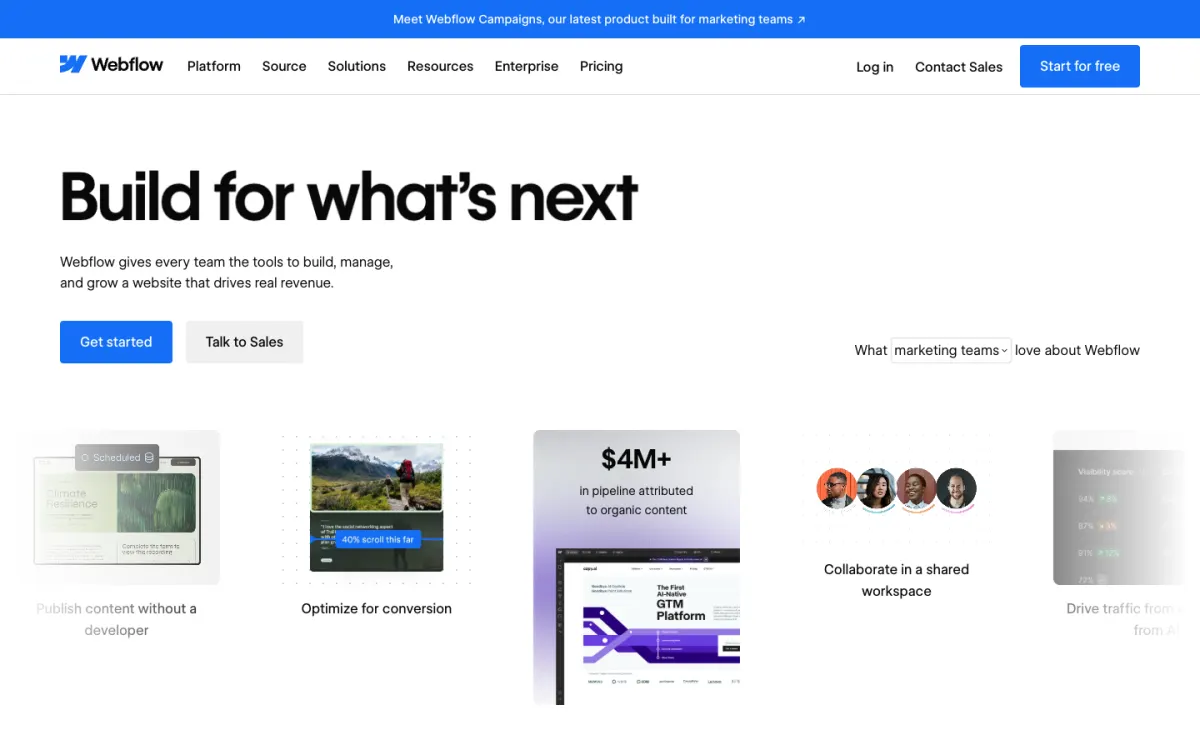
Webflow’s Designer works like a visual version of HTML and CSS. You build with a class-based style system, set layout per breakpoint, and add interactions and animation (Webflow lists GSAP among its features) on the canvas. A designer can match a Figma file closely without writing code, and the output is clean, semantic markup. The price is a learning curve: you need to understand the box model, flexbox, and classes to work fast.
WordPress design comes from the theme. The block editor and block themes let you edit layouts visually, and page builders add more freedom (see our Elementor alternatives for options). But matching a custom design usually means finding a close theme, stacking a page builder on top, or paying a developer to build a theme.
CMS limits and content
Winner: WordPress for scale. Webflow for structured marketing content up to its limits.
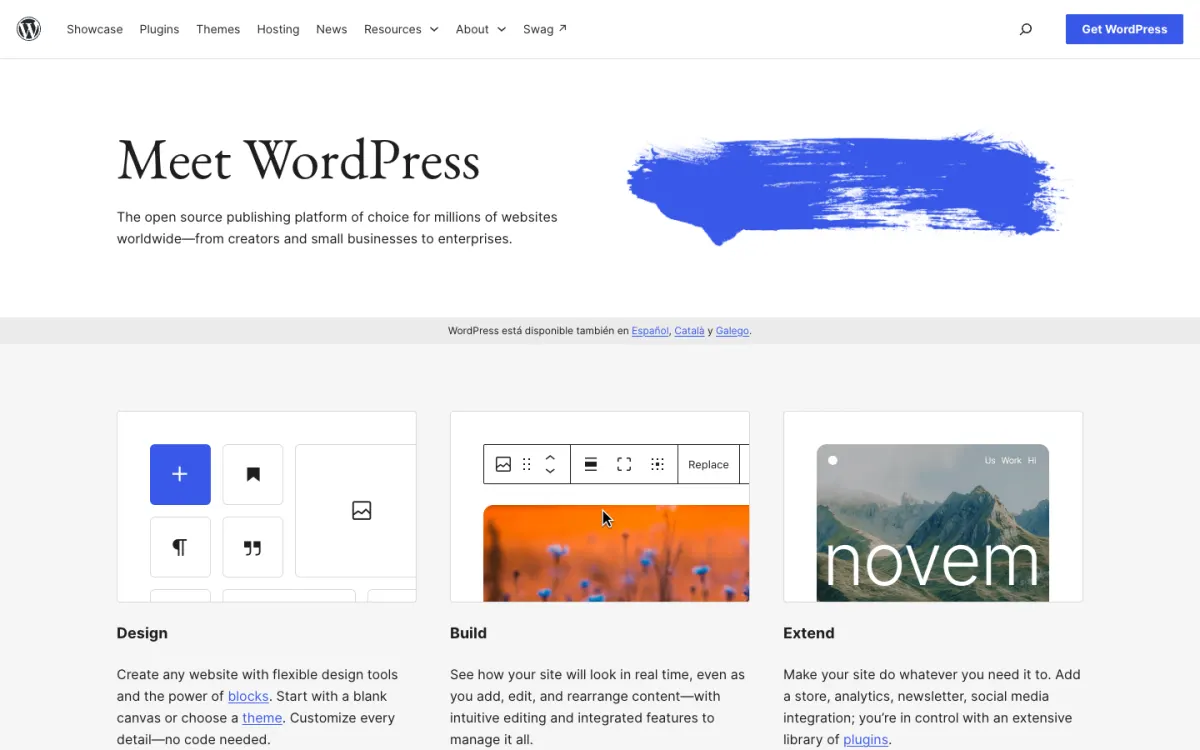
Webflow’s CMS is strong for structured content: custom fields, reference fields between collections, scheduled publishing, RSS feeds, and per-item publishing. The limits are fixed by plan:
- Starter (free): 50 CMS items, 20 collections, on a webflow.io domain.
- Basic: no CMS at all.
- Premium: 20,000 items and 40 collections.
- Ecommerce plans: 2,000 CMS items on Standard, up to 10,000 on Plus and Advanced, separate from product limits.
Going past 20,000 items means a Platform plan (Team is $2,500 a month on an annual contract), so a large blog or directory can hit a hard ceiling.
WordPress has no item or collection limits: posts, pages, custom post types, categories, tags, revisions, and scheduling are part of the free software. The practical ceiling is your hosting and database. For a publication that grows by dozens of posts a month, WordPress is the safer long-term choice.
SEO controls
Winner: tie. Webflow is easier out of the box; WordPress goes further with plugins.
Webflow includes the controls most sites need on paid plans: custom titles and meta descriptions, alt text, Open Graph settings, canonical tags, automatic XML sitemaps, robots.txt and llms.txt, schema markup support, per-item indexing control for CMS pages, and 301 redirects on paid Site plans. There is nothing to install, and the markup is clean by default.
WordPress core handles permalinks and generates an XML sitemap at /wp-sitemap.xml by default, but most sites add an SEO plugin for meta tags, schema, and redirects. Yoast’s free version covers metadata, while Yoast describes redirect setup as a Premium feature (EUR 118.80 a year); some other SEO plugins and many hosts also handle redirects. Neither platform ranks you higher on its own; content and links do. Our guide to the best website builder for SEO compares the controls across more builders.
Ecommerce
Winner: WordPress, with WooCommerce.
Webflow Ecommerce plans start at $29 a month billed yearly ($42 monthly) for 500 ecommerce items with a 2% transaction fee. Plus is $74 a month yearly for 5,000 items with no fee, and Advanced is $212 for 15,000 items. The cart and checkout are designed like the rest of the site, which suits a small, design-led catalog.
WooCommerce is free, open-source software with no monthly platform fee from WooCommerce itself; you pay your payment processor and any paid extensions. It handles large catalogs, subscriptions, and bookings through extensions. On WordPress.com, the Commerce plan is $45 a month billed yearly with unlimited products and a 0% platform fee.
Performance and maintenance
Winner: Webflow.
Webflow hosting runs on Cloudflare’s CDN, scales automatically, and includes SSL and automatic backups with one-click restore. You never update a server, a PHP version, or a plugin. For a small team without a developer, this is the main reason to choose Webflow.
WordPress performance depends on your host, theme, and plugins. A lean theme on good hosting is fast; a heavy page builder with 30 plugins on cheap shared hosting is not. Maintenance is ongoing. WordPress applies minor core updates (maintenance and security releases) automatically by default, and new installs since 5.6 also get major updates automatically. Plugins and themes, though, only auto-update by default in special cases, so you either turn auto-updates on and test afterward or update by hand. Managed hosts and WordPress.com take over much of this work, which is part of what you pay them for.
Hosting lock-in and export
Winner: WordPress.
Webflow can export your site’s HTML, CSS, and assets, but only on a paid Workspace plan (Core, Growth, Freelancer, or Agency). Webflow’s own pricing page states the limits: dynamic content (CMS items and pages) cannot be exported as code, CMS content has to be exported collection by collection as CSV, forms stop working on the exported site, and exported code cannot be imported back into Webflow. In practice, leaving Webflow means rebuilding the CMS templates elsewhere. If you only need the static pages, an exported Webflow site can be hosted on any static host.
Self-hosted WordPress is yours: the files, theme, and database can move to another host at any time. WordPress’s export tool also creates a WXR (XML) file of posts, pages, custom post types, comments, custom fields, categories, tags, and users, which another WordPress site can import. If you are weighing a move in either direction, our static vs dynamic website guide explains what changes when a site has no server-side code.
Team and client handover
Winner: Webflow for agencies; WordPress for content teams.
Webflow’s Freelancer Workspace ($16 a month billed yearly) includes 1 free client seat per site and client payments, and Agency ($35) includes 3 free client seats per site, site-level roles, and publishing permissions. Clients edit content in the Editor without touching the design. Outside those client seats, extra editors are paid seats.
WordPress has built-in user roles (Administrator, Editor, Author, Contributor, Subscriber) at no extra cost, so a content team of ten costs the same as a team of one. The risk is that a client with an Administrator account can install a plugin that breaks the site, so restrict roles at handover.
Learning curve
Winner: WordPress for writers; Webflow for designers.
A writer can publish a post in WordPress within minutes, and the block editor is familiar to anyone who has used a word processor.
Webflow is the reverse. Editing content in the Editor is easy, but building in the Designer requires real web layout knowledge. Designers who already know Figma and basic CSS have the easiest start; beginners without that background often find it steep, which is one of the most common reasons people look at our Webflow alternatives.
When neither fits
Some sites do not need Webflow’s CMS scale or WordPress’s plugins. Two simpler options cover the most common gaps.
Siter.io: a simpler visual builder for designers
Siter.io is a browser-based builder with a free-form canvas, where elements stay where you put them, and a separate layout for each breakpoint (Desktop 1200, Tablet 640, and Mobile 375 by default). A Figma plugin imports frames into a page on every plan, one way. Hosting, SSL, a custom domain, forms, and cookieless analytics are included, and you can transfer a finished site to a client’s account.
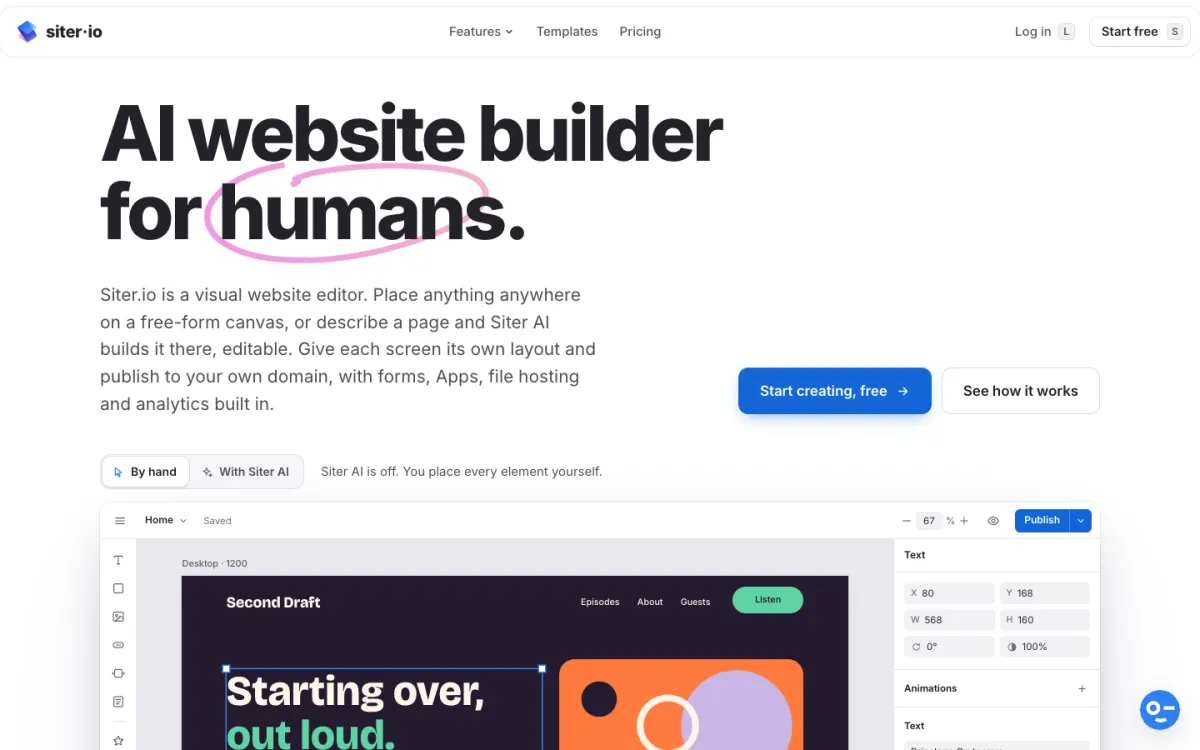
It is priced per plan, not per site. Solo is $7 a month billed yearly ($8 monthly) for 1 website, 2 editor seats, and 10 pages. Plus is $12 a month yearly ($14 monthly) for 3 websites, 4 seats, and 50 pages. Pro is $24 a month yearly ($28 monthly) for 5 websites, 6 seats, unlimited pages, and HTML download. A CMS with five collection types (Blog, Projects, Team, Events, Testimonials), scheduling, CSV import and export, and an RSS feed is included on every plan.
The limits, plainly:
- No free plan, only a 3-day trial that needs a card.
- No redirect manager is documented, so plan your URLs before launch.
- No ecommerce and no built-in multi-language support.
- No references between CMS collections, unlike Webflow.
- HTML download is Pro only and one page at a time, not a full-site export.
Good for: designers who want Webflow-style visual control for portfolios, landing pages, and small studio sites without learning classes, and without paying per site.
Static.app: hosting for exported or hand-built HTML
If you already have the site as files, whether a Webflow code export, a static site generator build, or hand-coded HTML, Static.app hosts it without a CMS or servers to maintain. You upload a ZIP or drag in files, and it goes live with SSL. Starter is $5 a month billed annually ($60 a year) for 2 websites with 500 MB storage, custom domains, forms, analytics, and unlimited traffic; Medium ($10) covers 7 websites and Large ($15) covers 30. A 7-day free trial needs no card.
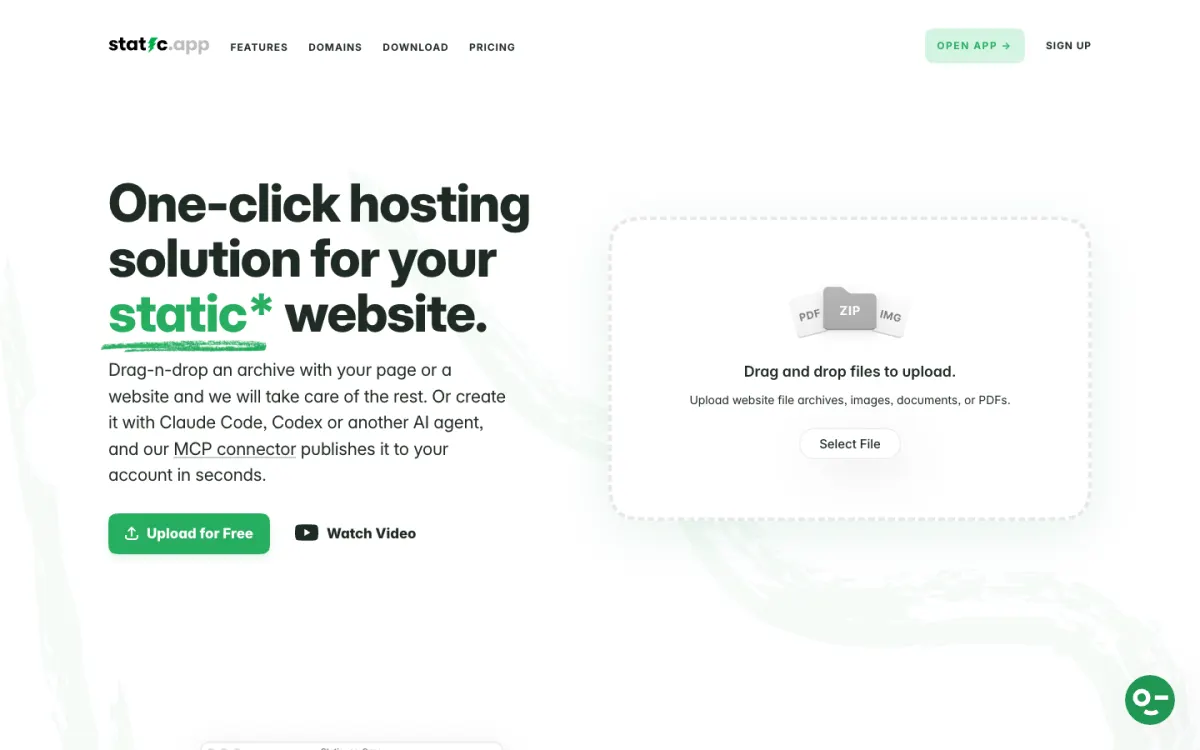
The limit is the point: there is no visual editor or blog engine, so every change means editing and re-uploading files (an in-browser code editor helps for small fixes). It also cannot rescue a Webflow site’s CMS pages, which do not export as HTML. For more hosts in this category, see our WordPress alternatives guide, which starts with static options.
Verdict by use case
| Use case | Pick | Why |
|---|---|---|
| Designer portfolio with custom layout | Webflow | Full design control, no maintenance; Basic is enough without a blog |
| Startup or SaaS marketing site | Webflow | Clean markup, built-in SEO controls, staging, fast CDN hosting |
| Blog or publication with many authors | WordPress | Unlimited posts, free user roles, mature editorial tools |
| Large directory or knowledge base | WordPress | No 20,000-item ceiling |
| Online store | WordPress (WooCommerce) | Free core, no platform fee, extensions for every model |
| Agency building client sites | Webflow | Client seats on Freelancer and Agency Workspaces; clients edit content, not design |
| Lowest possible cost | WordPress.com | $4 a month billed yearly on Personal |
| Simple designer sites on one bill | Siter.io | Per-plan pricing with seats; no store or redirects |
| Static HTML you already have | Static.app | Upload and go live; no CMS to maintain |
FAQ
Is Webflow better than WordPress?
Webflow is better for designers and small teams who want full design control with no hosting or plugin maintenance. WordPress is better for content-heavy sites, stores, and anyone who wants unlimited content and full ownership at a lower cost.
Is Webflow more expensive than WordPress?
Usually, yes. A Webflow site with a CMS starts at $25 a month billed yearly, and each extra designer costs $39 a month. WordPress.com starts at $4 a month billed yearly with plugins allowed, and self-hosted WordPress has no seat fees. Webflow’s price does include hosting, backups, and a CDN.
Is Webflow better for SEO than WordPress?
Neither ranks a site higher by itself. Webflow includes metadata, canonical tags, sitemaps, schema support, and 301 redirects without plugins. WordPress needs an SEO plugin for most of that, but plugins can go further than Webflow’s built-in tools.
Can I move from Webflow to WordPress?
Yes, but it is a rebuild. Webflow exports static pages as HTML and CSS on paid Workspace plans and CMS content as CSV, one collection at a time. You import the CSV into WordPress with an import plugin and recreate the design as a theme.
Does WordPress need more maintenance than Webflow?
Yes. WordPress applies minor core security updates automatically, but you handle plugin and theme updates, backups, and hosting, unless a managed host or WordPress.com does it for you. Webflow handles hosting, updates, and backups itself.
Build your Bootstrap theme
Design a custom Bootstrap 5 theme visually with a live preview, then export clean Sass or CSS.
Open the Builder