August Newsletter Ideas with Bootstrap
August is the pivot point of the retail year: the last clearance push of summer on one side, the full force of back-to-school spending on the other. For Bootstrap developers, that makes it one of the busiest months to design for. This guide is the canonical home for back-to-school newsletters in our seasonal series, plus end-of-summer clearance, observances, and wellness themes, with Bootstrap framework markup you can prototype fast and email-safe fallbacks you can actually ship to inboxes. For more creative directions on the month, Designmodo’s August newsletter ideas is a good pool to draw from.
A note on email vs. web: The Bootstrap snippets below are great for prototyping layouts and for web-rendered landing pages. Real inboxes are a different target. Gmail, Outlook, and Apple Mail strip JavaScript and ignore most modern CSS, so Bootstrap’s interactive components (carousel, modal, accordion) and its flex/grid classes will not render reliably in email. The workflow that works: design in Bootstrap, then export to inline-styled, table-based HTML. See our Bootstrap email templates guide for the starter markup, plus our notes on using Bootstrap components for email campaigns. Each idea below pairs the Bootstrap prototype with an email-safe fallback so you are never left guessing. Looking for other months? Browse our July newsletter ideas and September newsletter ideas.
August observances and send-timing cheat sheet
Pick the moments that fit your audience, then time the send to land before people make their decision, not after. Back-to-school and clearance are the two big revenue drivers; the dated observances are lighter touches that give a newsletter a reason to exist. Dates below are the fixed annual observances (they do not shift year to year).
| Observance / theme | Date | Best send window | Subject line example |
|---|---|---|---|
| End-of-summer clearance | Whole month | First week of August | “Summer Clearance: up to 50% off before it’s gone” |
| Back-to-school | Whole month, peaks mid-August | Late July to mid-August | “Back-to-school starts here: the checklist + early deals” |
| National Book Lovers Day | Aug 9 | Aug 7 to 8 | “For the readers: a Book Lovers Day reading list” |
| National Relaxation Day | Aug 15 | Aug 13 to 14 | “Relax and unwind: National Relaxation Day picks” |
| World Photography Day | Aug 19 | Aug 17 to 18 | “Show us your shot: World Photography Day” |
| Women’s Equality Day | Aug 26 | Aug 24 to 25 | “Celebrating the women shaping our industry” |
| Labor Day preview (US) | Early Sept | Last week of August | “Get a head start on our Labor Day sale” |
Rule of thumb: promotional sends land best Tuesday to Thursday, mid-morning in the recipient’s time zone. For seasonal hooks, send one to two days before the date so the message is still actionable. Back-to-school is the exception: start in late July and run through mid-August, because shoppers buy supplies over several weeks rather than on a single day.
1. Back-to-school season (start here)
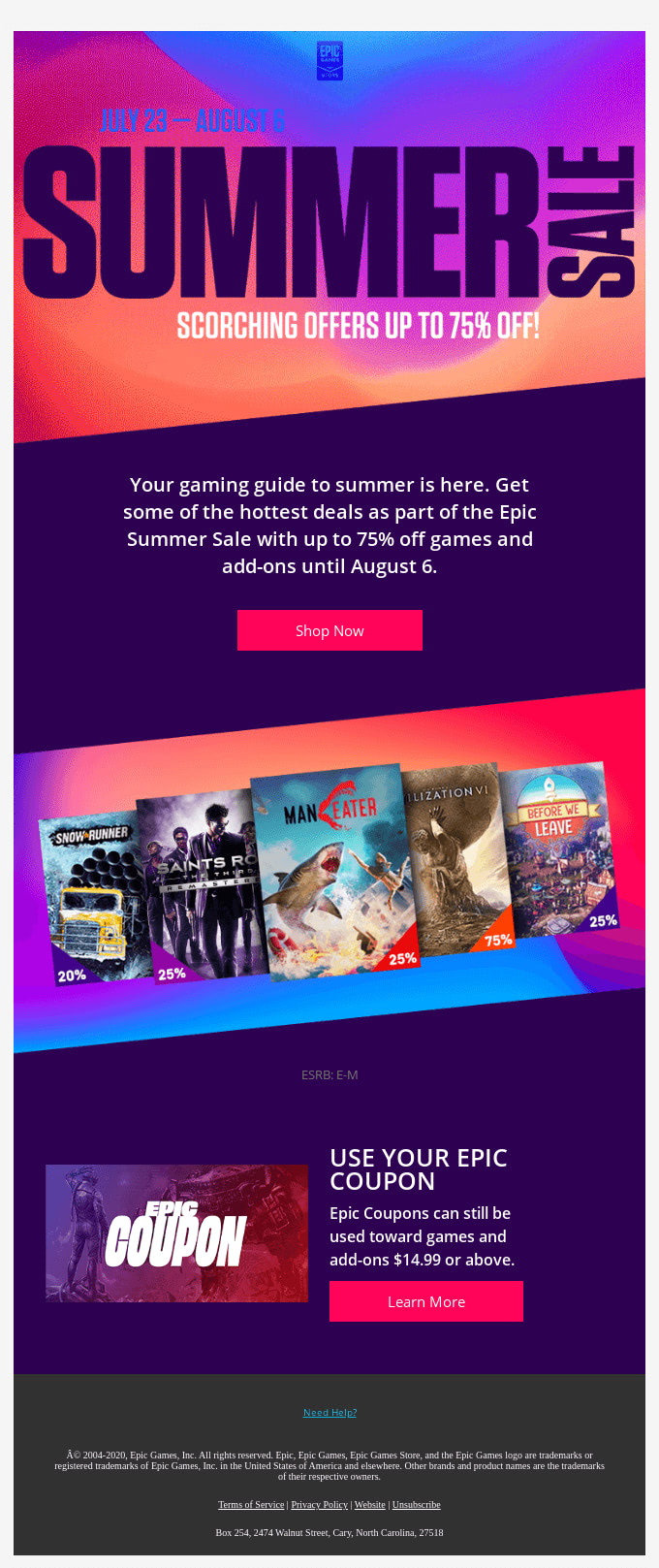
August is the heart of back-to-school. Most students return between mid-August and early September, and parents shop supplies, clothing, and electronics across several weeks, so this is the single biggest opportunity in your August calendar. (If you are planning the lead-in or the late wave, see the back-to-school previews in our July newsletter ideas and the academic-season campaigns in our September newsletter ideas; both point back here for the full playbook.)
Ideas:
- Lead with a back-to-school checklist: supplies, clothing, devices, dorm essentials.
- Segment by audience: students, parents, teachers each get a different angle and offer.
- Run a student/teacher discount and make the eligibility crystal clear.
- Group product categories so a reader can scan to the section they care about.
Subject line: “Back-to-school starts here: the checklist + early deals”
Bootstrap prototype
Use a sticky navbar for navigation and a responsive grid to organize categories. This is for the web version or for prototyping the layout.
<nav class="navbar navbar-expand-lg bg-dark sticky-top" data-bs-theme="dark">
  <div class="container">
    <a class="navbar-brand" href="#">Back-to-School Guide</a>
  </div>
</nav>

<div class="container">
  <div class="row row-cols-1 row-cols-md-3 g-4">
    <div class="col">
      <h5>Top Tips</h5>
      <p>Prepare for the school year with our expert tips.</p>
    </div>
    <div class="col">
      <h5>Checklists</h5>
      <p>Don't forget these essential items for a successful start.</p>
    </div>
    <div class="col">
      <h5>Product Highlights</h5>
      <p>Explore our range of back-to-school products.</p>
    </div>
  </div>
</div>
Email-safe fallback
A navbar is built on flex and JavaScript, neither of which survives in email, and the responsive row/col grid collapses unpredictably in Outlook. For the inbox, replace the navbar with a simple table-based header and use stacked table cells (or a width="100%" table per column) instead of the grid. Inline every style.
<table role="presentation" width="100%" cellpadding="0" cellspacing="0" border="0"
       style="background:#212529;">
  <tr>
    <td align="center" style="padding:16px; font-family:Arial,sans-serif;
        font-size:18px; font-weight:bold; color:#ffffff;">
      Back-to-School Guide
    </td>
  </tr>
</table>

<table role="presentation" width="100%" cellpadding="0" cellspacing="0" border="0">
  <tr>
    <td width="33%" valign="top" style="padding:16px; font-family:Arial,sans-serif;">
      <h3 style="margin:0 0 8px; font-size:16px;">Top Tips</h3>
      <p style="margin:0; font-size:14px; color:#333333;">Prepare for the school year with our expert tips.</p>
    </td>
    <td width="33%" valign="top" style="padding:16px; font-family:Arial,sans-serif;">
      <h3 style="margin:0 0 8px; font-size:16px;">Checklists</h3>
      <p style="margin:0; font-size:14px; color:#333333;">Don't forget these essential items for a successful start.</p>
    </td>
    <td width="33%" valign="top" style="padding:16px; font-family:Arial,sans-serif;">
      <h3 style="margin:0 0 8px; font-size:16px;">Product Highlights</h3>
      <p style="margin:0; font-size:14px; color:#333333;">Explore our range of back-to-school products.</p>
    </td>
  </tr>
</table>
On narrow screens, add a media query in a <style> block (which Gmail and Apple Mail respect) to set those td cells to display:block; width:100%; so the three columns stack. Our responsive email templates for Gmail guide shows the full stacking pattern.
2. Summer clearance sales
End-of-summer clearance is the other major August driver. Inventory needs to move before fall, urgency is genuine, and a clean module with a strong discount badge converts. Below is a complete, worked clearance module: the Bootstrap prototype, then the email-safe export you can actually send.
Ideas:
- Announce end-of-summer markdowns with clear, specific percentages.
- Feature your top-selling summer products, not the whole catalog.
- Create real urgency with an end date (“ends Sunday”), not vague “limited time” copy.
Subject line: “Summer Clearance: up to 50% off before it’s gone”
Bootstrap prototype: a clearance module
On the web, a carousel rotates featured products and a text-bg-danger badge calls out the discount.
<div class="container my-4">
  <div class="text-center mb-4">
    <h2 class="fw-bold">Summer Clearance Sale</h2>
    <p class="lead text-muted">Up to 50% off. Ends Sunday.</p>
  </div>

  <div id="clearanceCarousel" class="carousel slide" data-bs-ride="carousel">
    <div class="carousel-inner">
      <div class="carousel-item active">
        <img class="d-block w-100" src="sale1.jpg" alt="Top-selling product 1">
        <div class="carousel-caption d-none d-md-block">
          <h5>Top Seller 1 <span class="badge text-bg-danger">50% Off</span></h5>
        </div>
      </div>
      <div class="carousel-item">
        <img class="d-block w-100" src="sale2.jpg" alt="Top-selling product 2">
        <div class="carousel-caption d-none d-md-block">
          <h5>Top Seller 2 <span class="badge text-bg-danger">30% Off</span></h5>
        </div>
      </div>
    </div>
  </div>

  <div class="text-center mt-4">
    <a href="#" class="btn btn-danger btn-lg">Shop the sale</a>
  </div>
</div>
Email-safe fallback: the same module for the inbox
The carousel will not animate in an inbox; it shows only the first slide (at best) or breaks entirely. Replace it with a static two-up product grid built from a table, keep the discount badge as styled inline text, and make the button a bulletproof anchor. This is the version you actually send.
<table role="presentation" width="100%" cellpadding="0" cellspacing="0" border="0">
  <tr>
    <td align="center" style="padding:24px 16px; font-family:Arial,sans-serif;">
      <h1 style="margin:0 0 4px; font-size:24px; color:#212529;">Summer Clearance Sale</h1>
      <p style="margin:0; font-size:16px; color:#6c757d;">Up to 50% off. Ends Sunday.</p>
    </td>
  </tr>
  <tr>
    <td>
      <table role="presentation" width="100%" cellpadding="0" cellspacing="0" border="0">
        <tr>
          <td width="50%" valign="top" align="center" style="padding:12px; font-family:Arial,sans-serif;">
            <img src="sale1.jpg" alt="Top seller 1" width="260" style="display:block; width:100%; max-width:260px; border:0;">
            <p style="margin:12px 0 0; font-size:16px; color:#212529;">
              Top Seller 1
              <span style="display:inline-block; padding:2px 8px; background:#dc3545; color:#ffffff; font-size:12px; font-weight:bold; border-radius:4px;">50% OFF</span>
            </p>
          </td>
          <td width="50%" valign="top" align="center" style="padding:12px; font-family:Arial,sans-serif;">
            <img src="sale2.jpg" alt="Top seller 2" width="260" style="display:block; width:100%; max-width:260px; border:0;">
            <p style="margin:12px 0 0; font-size:16px; color:#212529;">
              Top Seller 2
              <span style="display:inline-block; padding:2px 8px; background:#dc3545; color:#ffffff; font-size:12px; font-weight:bold; border-radius:4px;">30% OFF</span>
            </p>
          </td>
        </tr>
      </table>
    </td>
  </tr>
  <tr>
    <td align="center" style="padding:24px 16px;">
      <table role="presentation" cellpadding="0" cellspacing="0" border="0">
        <tr>
          <td align="center" bgcolor="#dc3545" style="border-radius:6px;">
            <a href="https://example.com/sale" target="_blank"
               style="display:inline-block; padding:14px 28px; font-family:Arial,sans-serif;
               font-size:16px; font-weight:bold; color:#ffffff; text-decoration:none;">
              Shop the sale
            </a>
          </td>
        </tr>
      </table>
    </td>
  </tr>
</table>
That single module is the template for most promotional emails: table-based header, static product grid that stacks on mobile, inline-styled badges, and a bulletproof button. Add a <style> media query to set the two product td cells to display:block; width:100%; so they stack on phones.
3. Celebrate national observances
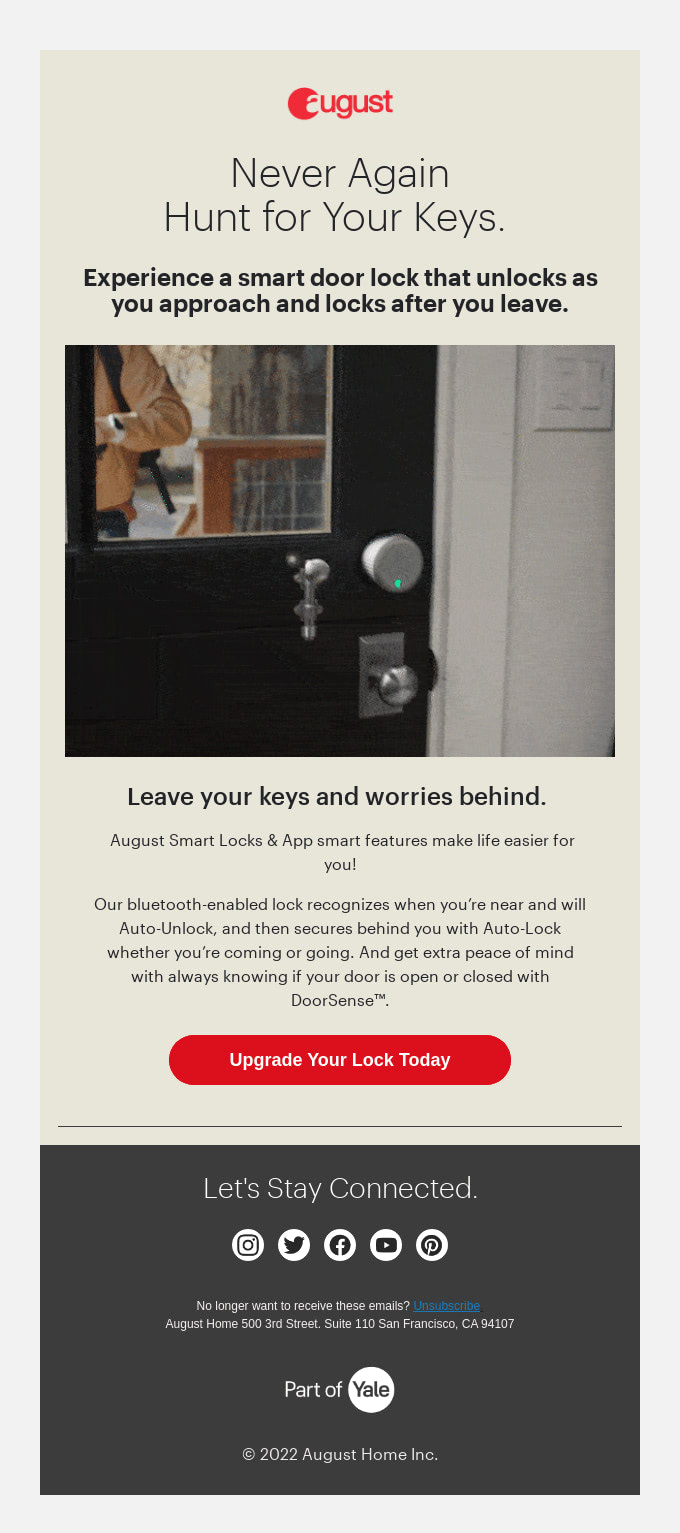
Dated observances give a newsletter a hook. Match the theme to your brand: wellness brands own National Relaxation Day, bookshops own Book Lovers Day, and any company can mark Women’s Equality Day with a genuine spotlight rather than a sale.
Ideas:
- National Relaxation Day (August 15): relaxation tips, self-care routines, and a gentle promotion.
- Women’s Equality Day (August 26): highlight influential women in your field and share their stories.
- National Book Lovers Day (August 9): a curated reading list, perfect alongside back-to-school.
Subject line: “Relax and unwind: National Relaxation Day picks”
Bootstrap prototype
Cards in a responsive grid handle this layout cleanly on the web.
<div class="container">
  <div class="row row-cols-1 row-cols-md-3 g-4">
    <div class="col">
      <div class="card h-100">
        <img class="card-img-top" src="relax.jpg" alt="Relaxation">
        <div class="card-body">
          <h5 class="card-title">Relaxation Tips</h5>
          <p class="card-text">Discover the best ways to relax and unwind in August.</p>
        </div>
      </div>
    </div>
    <div class="col">
      <div class="card h-100">
        <img class="card-img-top" src="selfcare.jpg" alt="Self-care">
        <div class="card-body">
          <h5 class="card-title">Self-Care Routines</h5>
          <p class="card-text">Treat yourself with these self-care routines.</p>
        </div>
      </div>
    </div>
    <div class="col">
      <div class="card h-100">
        <img class="card-img-top" src="discount.jpg" alt="Discounts">
        <div class="card-body">
          <h5 class="card-title">Special Discounts</h5>
          <p class="card-text">Enjoy exclusive discounts on our relaxation products.</p>
        </div>
      </div>
    </div>
  </div>
</div>
Email-safe fallback
Bootstrap cards rely on flex for equal heights and the grid for placement, so they reflow unpredictably in Outlook. For email, rebuild each card as a table cell with inline padding and a border, and let the cells stack on mobile via a media query. The clearance module above is the same pattern; reuse its product-grid structure here and swap the badge for card body text.
4. Outdoor activities and DIY projects
Ideas:
- Share late-summer DIY projects and outdoor activity tips (picnics, hiking, gardening).
- Include how-to videos or step-by-step guides.
Subject line: “Fun DIY projects and outdoor activities for August”
Bootstrap prototype
On the web, an accordion groups step-by-step guides and the ratio helper keeps videos responsive.
<div class="container">
  <div class="accordion" id="accordionExample">
    <div class="accordion-item">
      <h2 class="accordion-header" id="headingOne">
        <button class="accordion-button" type="button" data-bs-toggle="collapse" data-bs-target="#collapseOne" aria-expanded="true" aria-controls="collapseOne">
          DIY Garden Project
        </button>
      </h2>
      <div id="collapseOne" class="accordion-collapse collapse show" aria-labelledby="headingOne" data-bs-parent="#accordionExample">
        <div class="accordion-body">
          Step-by-step guide to creating a beautiful garden.
        </div>
      </div>
    </div>
    <div class="accordion-item">
      <h2 class="accordion-header" id="headingTwo">
        <button class="accordion-button collapsed" type="button" data-bs-toggle="collapse" data-bs-target="#collapseTwo" aria-expanded="false" aria-controls="collapseTwo">
          Picnic Ideas
        </button>
      </h2>
      <div id="collapseTwo" class="accordion-collapse collapse" aria-labelledby="headingTwo" data-bs-parent="#accordionExample">
        <div class="accordion-body">
          Tips and recipes for a perfect picnic.
        </div>
      </div>
    </div>
  </div>
  <div class="ratio ratio-16x9 mt-4">
    <iframe src="howto_video.mp4" allowfullscreen></iframe>
  </div>
</div>
Email-safe fallback
An accordion needs JavaScript to expand, and inboxes will render every panel open at best, or nothing at worst. In email, just show the content flat: each section as a heading followed by its text, no collapse. Video is the bigger trap, because no inbox plays an embedded <iframe>. Replace it with a poster image (a thumbnail with a play-button overlay baked into the image) wrapped in a link to the video on your site or YouTube.
<a href="https://example.com/how-to-video" target="_blank">
  <img src="video-thumbnail.jpg" alt="Watch the how-to video"
       width="600" style="display:block; width:100%; max-width:600px; border:0;">
</a>
5. Health and wellness tips
Ideas:
- Offer advice on staying healthy as summer winds down.
- Share workout routines and healthy recipes, and highlight wellness products.
Subject line: “Stay healthy and fit this August”
Bootstrap prototype
A utility-styled hero block and a list-group keep this scannable on the web.
<div class="container">
  <div class="p-5 mb-4 bg-light rounded-3">
    <div class="container-fluid py-5">
      <h1 class="display-4">Special Wellness Offers!</h1>
      <p class="lead">Exclusive discounts on all wellness products in August.</p>
    </div>
  </div>
  <ul class="list-group">
    <li class="list-group-item">Stay Hydrated</li>
    <li class="list-group-item">Outdoor Workout Routines</li>
    <li class="list-group-item">Healthy Summer Recipes</li>
  </ul>
</div>
Email-safe fallback
The hero block survives reasonably well as a single full-width table cell with a background color and inline padding. The list-group should become a table where each tip is its own row with a top border, since list-group borders rely on CSS that Outlook ignores.
<table role="presentation" width="100%" cellpadding="0" cellspacing="0" border="0">
  <tr>
    <td bgcolor="#f8f9fa" style="padding:40px 24px; font-family:Arial,sans-serif; border-radius:8px;">
      <h1 style="margin:0 0 8px; font-size:28px; color:#212529;">Special Wellness Offers</h1>
      <p style="margin:0; font-size:16px; color:#495057;">Exclusive discounts on all wellness products in August.</p>
    </td>
  </tr>
</table>

<table role="presentation" width="100%" cellpadding="0" cellspacing="0" border="0" style="margin-top:16px;">
  <tr><td style="padding:12px 16px; border-top:1px solid #dee2e6; font-family:Arial,sans-serif; font-size:15px;">Stay hydrated</td></tr>
  <tr><td style="padding:12px 16px; border-top:1px solid #dee2e6; font-family:Arial,sans-serif; font-size:15px;">Outdoor workout routines</td></tr>
  <tr><td style="padding:12px 16px; border-top:1px solid #dee2e6; font-family:Arial,sans-serif; font-size:15px;">Healthy summer recipes</td></tr>
</table>
6. Customer stories and testimonials
Ideas:
- Share success stories or testimonials from happy customers.
- Feature user-generated content and run a contest for the best story or photo.
Subject line: “Our customers’ amazing August stories”
Bootstrap prototype
Flex utilities lay out a testimonial, and a modal reveals contest details on the web.
<div class="container">
  <div class="d-flex mb-3">
    <img class="flex-shrink-0 me-3" src="customer1.jpg" alt="Customer 1">
    <div class="flex-grow-1">
      <h5 class="mt-0">Customer 1</h5>
      Amazing story of how our product made their August special.
    </div>
  </div>

  <button type="button" class="btn btn-primary" data-bs-toggle="modal" data-bs-target="#contestModal">
    Enter our contest
  </button>

  <div class="modal fade" id="contestModal" tabindex="-1" aria-labelledby="contestModalLabel" aria-hidden="true">
    <div class="modal-dialog">
      <div class="modal-content">
        <div class="modal-header">
          <h5 class="modal-title" id="contestModalLabel">Customer Story Contest</h5>
          <button type="button" class="btn-close" data-bs-dismiss="modal" aria-label="Close"></button>
        </div>
        <div class="modal-body">
          Submit your story for a chance to win amazing prizes!
        </div>
      </div>
    </div>
  </div>
</div>
Email-safe fallback
A modal cannot open in an inbox, because there is no JavaScript to trigger it, so never put contest rules behind one in email. Two fixes: either show the contest details inline (a short paragraph right in the email body), or move them to a landing page and link out with a bulletproof button. The flex testimonial layout also needs rebuilding as a two-cell table (image cell + text cell) so it does not collapse in Outlook.
<table role="presentation" width="100%" cellpadding="0" cellspacing="0" border="0">
  <tr>
    <td width="80" valign="top" style="padding:0 16px 0 0;">
      <img src="customer1.jpg" alt="Customer 1" width="64" style="display:block; border-radius:50%; border:0;">
    </td>
    <td valign="top" style="font-family:Arial,sans-serif;">
      <h3 style="margin:0 0 4px; font-size:16px;">Customer 1</h3>
      <p style="margin:0; font-size:14px; color:#333333;">Amazing story of how our product made their August special.</p>
    </td>
  </tr>
</table>

<p style="font-family:Arial,sans-serif; font-size:14px; margin:24px 0 8px;">
  Want to be featured? Submit your story for a chance to win.
</p>
<a href="https://example.com/contest" target="_blank"
   style="display:inline-block; padding:12px 24px; background:#0d6efd; color:#ffffff;
   font-family:Arial,sans-serif; font-size:15px; font-weight:bold; text-decoration:none; border-radius:6px;">
  Enter the contest
</a>
Putting it together
The pattern across every idea above is the same: prototype the layout in Bootstrap because it is fast and you already know it, then translate to inline-styled, table-based HTML before you send. Interactive components (carousel, accordion, modal) become static grids, flat content, or links to your site. The flex and grid classes become tables. Buttons become bulletproof anchors. Once you have the clearance module from section 2 working, most other August sends are variations on it. For the full export workflow and a ready starter file, see our Bootstrap email templates guide.
FAQ
What should an August newsletter include?
August content works best when it taps the end-of-summer pivot: back-to-school checklists and promotions (the biggest driver), end-of-summer clearance sales, outdoor and DIY activities, health and wellness advice, and dated observances like National Relaxation Day (August 15), Women’s Equality Day (August 26), and National Book Lovers Day (August 9). Customer stories and testimonials round out the issue as an evergreen segment.
When should I send a back-to-school email?
Start in late July and run through mid-August. Back-to-school shopping happens over several weeks, not on a single day, so a series (early-deals preview, the main checklist, a last-chance reminder) outperforms one send. August is the canonical month for these campaigns; July is the lead-in and September catches the late wave. See our July newsletter ideas and September newsletter ideas for those bookends.
Which Bootstrap components work best for newsletters?
For web-rendered newsletters and landing pages, cards and the responsive grid handle most layouts, while the carousel, accordion, and modal add interactivity. For HTML email delivered to inboxes, none of the interactive components are reliable, so convert them to inline-styled, table-based HTML with static grids, flat content, and bulletproof button anchors. Every idea in this guide pairs a Bootstrap prototype with its email-safe fallback.
Does Bootstrap work for HTML email?
Bootstrap is great for prototyping email layouts quickly, but it is not built for inboxes. Gmail, Outlook, and most clients remove JavaScript and the bulk of CSS, so interactive components and the flex/grid classes will not render reliably. Use Bootstrap to design, then export to inline-styled tables. See our Bootstrap email templates guide for a production-ready approach.
How do I convert a Bootstrap carousel or modal for email?
You replace it rather than convert it. A carousel becomes a static product grid (a table of two or more cells, each with an image, label, and discount badge) because no inbox animates the slides. A modal becomes either inline content or a link to a landing page, because there is no JavaScript to open it. Accordions render flat: show each section’s content directly. The worked clearance module in section 2 demonstrates the carousel-to-grid swap end to end.
Which Bootstrap version do these examples use?
All Bootstrap snippets use Bootstrap 5.3 syntax, including the responsive row-cols grid, data-bs-* attributes, the ratio video helper, and contextual text-bg-* utilities. If you are migrating older templates, watch for removed Bootstrap 4 classes such as card-deck, jumbotron, media, and embed-responsive.
Build your Bootstrap theme
Design a custom Bootstrap 5 theme visually with a live preview, then export clean Sass or CSS.
Open the Builder