Email Marketing for Restaurants: 2026 Playbook + Templates
Email marketing for restaurants works when it is permission-based, useful and tied to a reason to visit: a new menu, a booked table, a birthday, a slow Tuesday. This playbook is for owners and managers of independent restaurants, cafes and small groups. It covers how to build the list with consent, 10 restaurant email templates written for a fictional trattoria, subject lines, timing, design and the metrics worth tracking. Rules, prices and features were checked in November 2026.
TL;DR
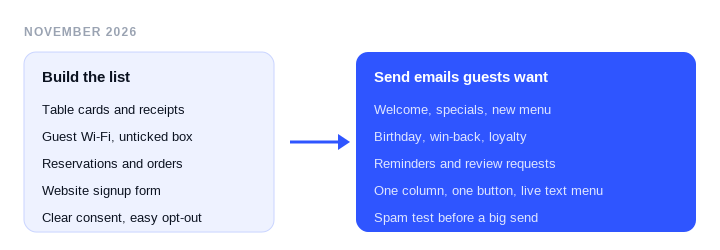
- Build the list at every touchpoint: the table, the Wi-Fi login, reservations, online orders and the website, always with a clear “yes” from the guest.
- Follow the basics: in the US, CAN-SPAM requires an honest sender and subject line, a postal address and an opt-out honored within 10 business days. For EU guests, get clear opt-in consent under GDPR.
- Send fewer, better emails: a welcome email, one regular update, and automated birthday, win-back and review emails cover most of the value.
- Design for the phone: one column, real food photos with alt text, one button, and the menu as live text, not an image.
- Measure visits, not opens: Apple says Mail Privacy Protection hides whether you opened an email, so track clicks, bookings and coupon redemptions.
Why email still matters for a restaurant
Social feeds and delivery apps decide who sees your posts. An email list is yours, and restaurant email marketing has one job: fill a table, sell an order, or bring a regular back sooner. That only works if guests asked for the emails, so never buy a list or scrape addresses from receipts.
How to build a restaurant email list
At each entry point, say what guests will get and how often, for example “the weekly specials and a birthday treat, about once a week.”
In the venue
- Table cards and receipts with a QR code that opens a short signup form. Ask for an email, a first name and an optional birthday month.
- Staff ask at the right moment, when the check arrives or a guest compliments a dish.
- A reason to join: a free dessert on the next visit, or early access to holiday bookings.
Guest Wi-Fi
Many Wi-Fi login portals can collect an email before connecting. Keep marketing consent as a separate, unticked checkbox, so guests can use the Wi-Fi without joining the list.
Reservations and online ordering
Booking and ordering systems collect an email for confirmations and reminders. Marketing emails need a separate opt-in checkbox at checkout, not a box that is ticked by default.
The website
Put a short signup form in the footer and on the menu page of your site, with one line on what subscribers get. If you are rebuilding the site, the guide to restaurant website builders covers platforms with menus, reservations and forms.
Consent: CAN-SPAM and GDPR
United States (CAN-SPAM). The FTC’s CAN-SPAM compliance guide sets the baseline for commercial email:
- Header information (“From”, “To”, “Reply-To”) must be accurate and identify who sent it.
- The subject line must accurately reflect the content of the message.
- Ads must be clearly identified as advertisements.
- Every message must include your valid physical postal address.
- An opt-out must be easy, honored within 10 business days, and work for at least 30 days after you send.
- Hiring an agency or platform does not remove your responsibility, and each email in violation can cost up to $53,088.
CAN-SPAM is an opt-out law, so it does not itself require opt-in. Ask anyway: guests who said yes are the ones who want to hear about the next menu, and they are less likely to mark you as spam.
EU guests (GDPR). If you email guests in the EU, rely on consent that meets the GDPR standard. The European Commission describes valid consent as freely given, informed, for a specific purpose and given through a clear affirmative act, such as ticking an unticked box. The request must use clear, plain language, and withdrawing consent should be as easy as giving it. Keep a record of when and where each guest signed up. This is general information, not legal advice.
10 restaurant email templates
Every example below is written for Olive & Ember, a fictional neighborhood trattoria. Replace the details in square brackets with your own. Keep each email short: one message, one button.
1. Welcome email
Send it within minutes of signup.
Subject: Your free tiramisu is waiting

Hi [First name],

Thanks for joining the Olive & Ember list. Show this email on your next visit for a free tiramisu with any main course (valid for 30 days).

What to expect: the weekly specials every Thursday, first look at new menus and holiday bookings, and a treat in your birthday month.

[Button: See the menu]

Olive & Ember, [street address, city]
Unsubscribe anytime: [link]
2. Weekly specials
Same day and time each week, so guests learn when it arrives.
Subject: This week: wild mushroom risotto and $12 lunch pasta

Hi [First name],

Chef Marta's specials, Thursday to Sunday:
- Wild mushroom risotto with aged parmesan
- Grilled sea bream, lemon and capers
- Lunch: any pasta with a house salad, $12 (weekdays, 11:30 to 2:30)

Tables for Friday and Saturday tend to go first.

[Button: Book a table]
3. New menu launch
Subject: The fall menu starts Friday

Hi [First name],

Olive & Ember's fall menu lands Friday, October 2: roasted squash ravioli, braised short rib with polenta, and a warm apple crostata.

Subscribers can book the opening weekend before it opens to everyone on Wednesday.

[Button: Book the opening weekend]
4. Event invitation
Subject: Tuscan wine night, Thursday March 12

Hi [First name],

Five courses, five Tuscan wines, and the winemaker at the table. Thursday, March 12, 7 pm. $85 per person, 30 seats.

[Button: Reserve your seats]
5. Birthday email
Automate it from the birthday month collected at signup, and make the offer valid all month.
Subject: Happy birthday, [First name]: dessert is on the house

Hi [First name],

Happy birthday from everyone at Olive & Ember. Bring this email any time in [month] for a free dessert and a candle, for you and your table.

[Button: Book your birthday table]
6. Win-back email
Send it automatically to guests with no visit or order in a set period, such as 90 days.
Subject: It's been a while, [First name]

Hi [First name],

Your last visit to Olive & Ember was a few months ago, and the menu has changed since then: new pastas, a new brunch on Sundays.

Here's 15% off your next dinner, valid for 21 days.

[Button: Book a table]

Not interested anymore? Unsubscribe here: [link]
7. Reservation reminder
Send it the day before or the morning of the booking. Keep it to booking details: the FTC’s guide treats an email whose content only facilitates or confirms a transaction the recipient already agreed to as transactional, and adding promotions can change that.
Subject: Your table tonight at 7:30

Hi [First name],

Your table for 4 at Olive & Ember is booked for tonight, Saturday, at 7:30 pm.

Address: [street address] (parking on [street])
Need to change it? [Button: Manage booking]

Running late? Call [phone] and the team will hold the table for 15 minutes.
8. Holiday email
Send holiday booking emails early, several weeks before Thanksgiving, Christmas Eve, New Year’s Eve or Mother’s Day.
Subject: New Year's Eve tables are open

Hi [First name],

New Year's Eve at Olive & Ember: a six-course tasting menu, two seatings (6 pm and 9 pm), $110 per person. Gift cards are available too.

[Button: Book New Year's Eve]
9. Review request
Send it a few hours after the visit. Ask everyone, not only guests you expect to be happy.
Subject: How was dinner last night?

Hi [First name],

Thanks for dining at Olive & Ember. If you have a minute, a short review helps other neighbors find the place.

[Button: Leave a review]

Something not right? Reply to this email. It goes straight to the manager.
10. Loyalty update
Subject: [First name], you're 1 visit from a free main

Hi [First name],

You have 4 of 5 stamps on your Olive & Ember card. Your next visit earns a free main course of your choice.

[Button: Book your next visit]
For more layouts beyond these 10, the collection of newsletter examples shows how other brands structure regular emails.
Subject line examples
Short, specific and honest (CAN-SPAM requires the subject to match the content). Name the dish, the date or the benefit:
- Welcome: “Your free tiramisu is waiting”
- Weekly specials: “Thursday specials: short rib is back”
- New menu: “The fall menu starts Friday”
- Birthday: “Happy birthday, Sam: dessert is on the house”
- Win-back: “It’s been a while. Here’s 15% off”
- Holiday: “Mother’s Day brunch: tables are open”
- Loyalty: “You’re 1 visit from a free main”
Avoid all caps, strings of exclamation marks and fake “Re:” or “Fwd:” prefixes. Write a preheader (the preview text) that adds a second detail, such as the price or the date.
How often to send, and when
These are starting points to test, not industry statistics:
- One regular email a week at most for most independent restaurants, such as weekly specials or a short newsletter. Monthly works if you have less news.
- Automated emails on top (welcome, birthday, win-back, reminders, review requests), because each is triggered by the guest’s own action.
- Send before the decision is made. For a weekend-heavy place, try a specials email on Wednesday or Thursday afternoon, when many guests start planning the weekend. A lunch spot could test mid-morning.
- Holidays need lead time. Announce bookings several weeks ahead, then send one reminder close to the date.
Restaurant email design tips
Design for the phone first. The guide to email newsletter design covers layout in depth; for restaurants, five rules matter most:
- One column, large text. A single-column layout with body text of about 16px reads without zooming.
- Real food photos, with alt text. Use your own dishes, cropped tight and lit well. Some email clients block images until the reader allows them, so write alt text that still sells the dish, such as “Braised short rib on soft polenta”.
- One clear call to action. Each email gets one main button: book, order or see the menu. Build buttons as styled links, not images; the guide to HTML email buttons explains why.
- The menu as live text, not an image. A JPEG of a printed menu is hard to read on a phone, invisible to screen readers and lost when images are blocked. Put the dishes and prices in the email as text, and link to the full menu page on the site.
- Address, hours and phone in every footer, plus the unsubscribe link. It doubles as the CAN-SPAM postal address.
Tools: designing, sending and testing
You need a way to design emails, an email service provider (ESP) to send them, and a check before big sends.
Design the emails: Postcards
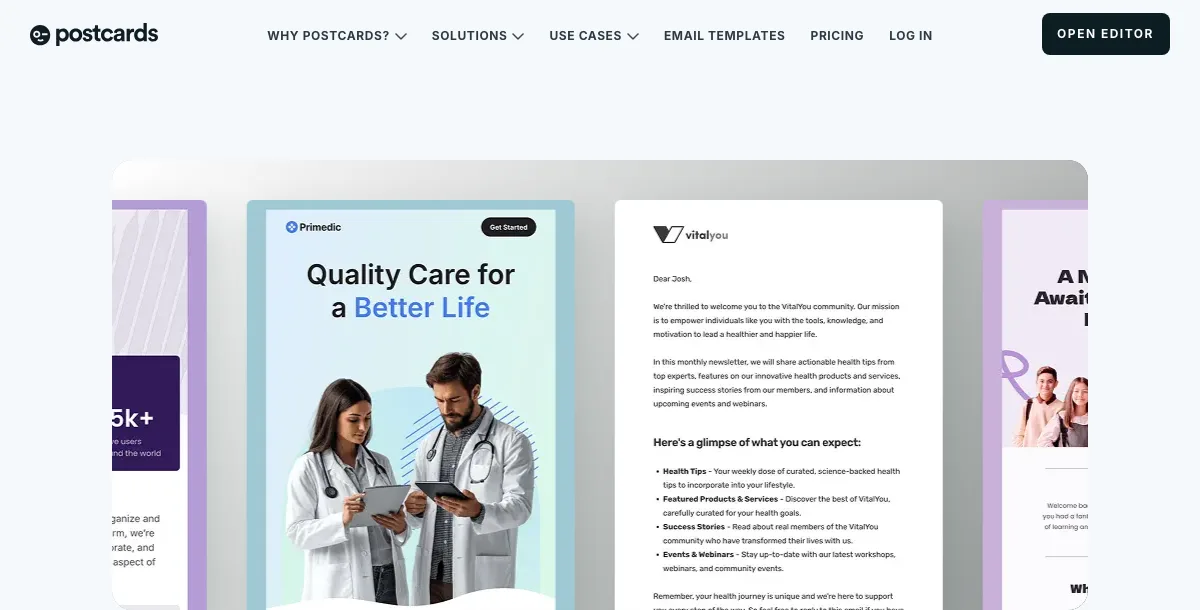
Postcards by Designmodo is a drag-and-drop email builder for responsive marketing emails, with ready-made templates and an AI Suite that builds a template from a text prompt. It can import a logo, colors and fonts from your website URL, preview emails in Gmail, Outlook, Apple Mail and Yahoo, and export clean HTML or send the design to email platforms including Mailchimp, Klaviyo, Constant Contact, Brevo and HubSpot.
- Start (free): 10 template projects, 5 exports a month, 10 test emails a day.
- Plus: $19 a month, or $16 a month billed yearly. Unlimited template projects, 20 exports a month (5 a day), 20 email client previews a month, countdown timers, 1 editor included.
- Pro: $29 a month, or $24 a month billed yearly. Unlimited exports, unlimited test emails, 50 email client previews a month, 3 editors included.
Limitations: Postcards designs emails but doesn’t send them or manage your list, so you still need an ESP. Square Marketing is not among its listed integrations; check whether your platform accepts imported HTML before you rely on it. For other options, see the best email template builders.
Send the emails: ESPs restaurants use
- Mailchimp: a general email platform with templates, signup forms, segmentation and automated customer journeys, such as a welcome series.
- Klaviyo: a B2C marketing platform that unifies customer data and automates email, SMS and other channels. It fits restaurants that also sell online, such as gift cards or meal kits.
- Square Marketing: built for businesses on Square Point of Sale. Square describes email campaigns with templates and targeting groups, plus automated welcome, birthday and win-back emails, synced with the free Square Customer Directory, and it tracks attributed sales and coupon redemptions.
Pick the platform that already holds your guest data, so birthday and win-back emails trigger on real visits, and compare prices on each vendor’s pricing page.
Test before a big send: Unspam
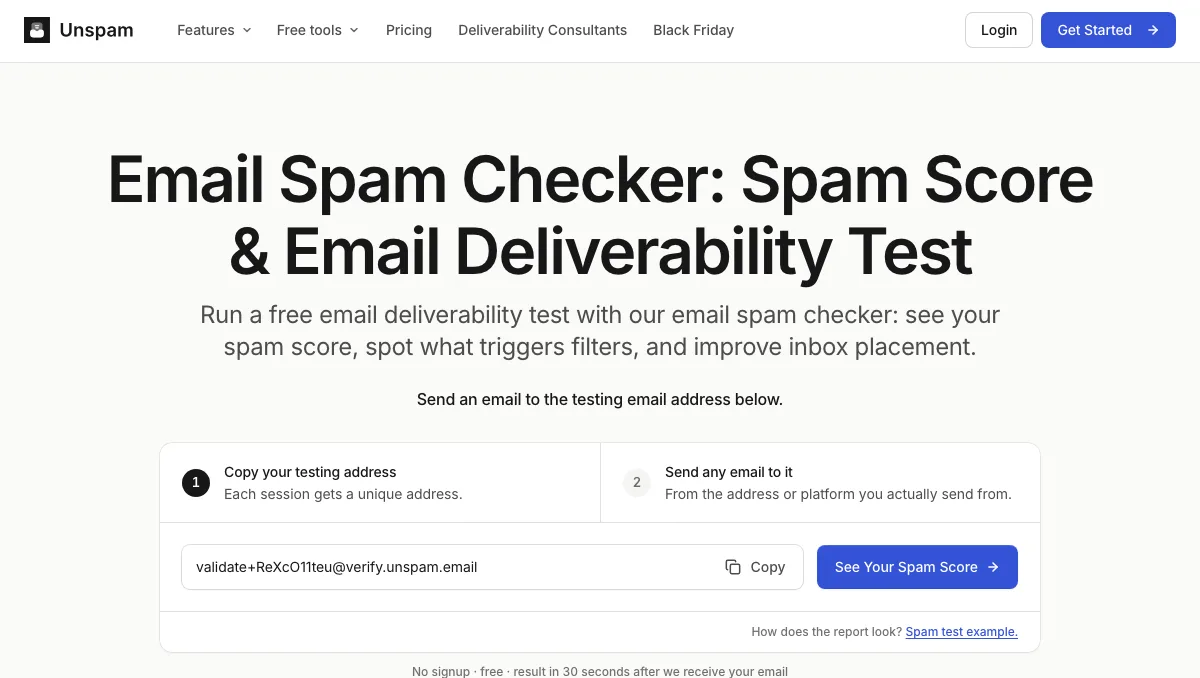
Before the holiday announcement or a send to the whole list, send the final email to Unspam. Its spam test scores the message against deliverability signals (SPF, DKIM and DMARC authentication, content, blacklists and HTML). Its inbox placement test sends to 10 seed mailboxes at 7 providers, including Gmail, Outlook and Yahoo, and reports whether each copy landed in the inbox, a tab such as Promotions, spam, or went missing.
- No account: 3 spam tests and 2 inbox placements a month, straight from the site.
- Free plan: 21 tests a month (5 spam tests, 3 inbox placements, 3 device previews, 5 email screenshots, 5 heatmaps), 14-day result retention and an AI assistant that explains what to fix.
- Custom plan: pay per test, from $0.18 per spam test and $0.50 per inbox placement; the default 25-test bundle is $6.40 a month.
Limitations: seed mailboxes are a sample, so real placement can differ. Retest after changing the template or the sending platform. More options are in the best email testing tools.
Restaurant email metrics that matter
Why open rates are unreliable
Apple says Mail Privacy Protection “prevents senders from seeing if you’ve opened the email message they sent you” and hides the reader’s IP address. Opens are measured with a tiny tracking image, so for guests who use Apple Mail with the feature on, an open rate no longer shows who really read the email. Don’t judge subject lines or send times on opens alone.
What to track instead
- Clicks and click rate: who tapped “Book a table” or “Order now”.
- Bookings and orders from email: add UTM tags to links, or use a booking link only used in email.
- Coupon and offer redemptions: a unique code per email (such as BDAY or FALL15) shows which emails bring guests in. Square Marketing reports coupon redemptions and attributed sales directly.
- Unsubscribes and spam complaints after each send: a rise means too many emails or the wrong audience.
- List growth by source: signups from table cards, Wi-Fi, bookings and the website.
FAQ
What emails should a restaurant send?
Start with a welcome email, a weekly or monthly specials email, and automated birthday, win-back, reminder and review emails. Add new menu, event and holiday emails when you have news.
How often should a restaurant send marketing emails?
Most independent restaurants do well with one regular email a week at most, plus automated emails triggered by guests’ own actions. If unsubscribes rise when you send more often, cut back.
Do restaurants need permission to email customers?
In the US, CAN-SPAM is opt-out based, but it requires an honest sender and subject, a postal address and an opt-out honored within 10 business days. For EU guests, GDPR calls for clear, affirmative consent. Asking every guest for a clear yes is the safest approach everywhere.
What are good restaurant newsletter ideas?
Weekly specials, a seasonal menu, the story behind a dish, tasting nights, holiday bookings, kitchen photos and loyalty updates. End each issue with one action, such as booking a table.
How do I know if my restaurant emails go to spam?
Send the final email to a spam checker such as Unspam before a big send, fix what it flags, then run an inbox placement test to see where it lands at Gmail, Outlook and other providers. After sending, watch for a drop in clicks and bookings.
Build your Bootstrap theme
Design a custom Bootstrap 5 theme visually with a live preview, then export clean Sass or CSS.
Open the Builder