Hard Bounce vs Soft Bounce: What Each Means and Fixes (2026)
A hard bounce is a permanent delivery failure, usually because the address or domain doesn’t exist, so you should stop mailing it right away. A soft bounce is a temporary failure, such as a full mailbox or a busy server, so the sending server retries and your email platform only suppresses the address if it keeps happening. Below: the SMTP codes behind each type, sample bounce messages, and how Mailchimp, Brevo and Amazon SES handle them, all checked against official sources in November 2026.
TL;DR
- Hard bounce: a permanent failure, usually a
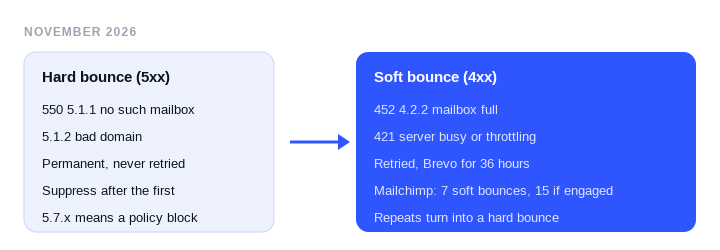
5xxreply such as550 5.1.1(no such mailbox). Remove the address after the first one. - Soft bounce: a temporary failure, usually a
4xxreply such as452 4.2.2(mailbox full). The message is retried, and the address is suppressed only after repeated failures. - ESP rules differ: Mailchimp allows 7 soft bounces (15 for engaged contacts) before treating an address as hard bounced. Brevo retries for 36 hours and blocklists an address after five consecutive campaign soft bounces.
- Watch for 5.7.x codes: these are policy rejections. The address is probably fine, and the problem is your authentication, reputation or content.
- Prevention: verify addresses at signup, use double opt-in, catch typos in the form, and remove addresses that bounce. Unspam verifies addresses from $6.40 per 1,000, and its spam test checks the authentication, reputation and content signals behind policy blocks.
Soft bounce vs hard bounce at a glance
| Hard bounce | Soft bounce | |
|---|---|---|
| What it means | Delivery failed permanently | Delivery failed for now |
| Typical SMTP reply | 5xx (550, 551, 553) |
4xx (421, 450, 451, 452) |
| Typical enhanced code | 5.1.1, 5.1.2, 5.3.4 |
4.2.2, 4.7.0, 4.7.28 |
| Common causes | Address doesn’t exist, domain has no mail server, address syntax rejected | Mailbox full, server down or throttling, message too large, temporary block |
| Does the sender retry? | No | Yes, until it succeeds or the retry window ends |
| What your ESP does | Suppresses the address, usually after the first bounce | Counts repeats and suppresses after a threshold |
The split isn’t perfectly clean. Mailchimp and Brevo both list “the domain doesn’t exist” as a soft bounce, although RFC 3463 treats a bad destination domain as permanent, and Mailchimp notes that mailbox providers bounce mail based on their own classification systems. The reply code is the best evidence you have.
What is a soft bounce email?
A soft bounce is a refusal for a reason that might go away. Brevo describes it as a temporary failure where, in most cases, the address is valid and the message reached the recipient’s server but was rejected, so it didn’t land in any folder, spam included.
Common causes listed by Mailchimp and Brevo: a full mailbox, a recipient server that’s down, too many messages from you in a short period, a message that’s too large, and blocks based on content or sender reputation.
Because the condition might clear, the sending server keeps the message in its queue and tries again. RFC 5321, the SMTP standard, says the retry interval should be at least 30 minutes and the give-up time generally needs to be at least 4 to 5 days. ESPs often stop sooner: Brevo retries deferred email for 36 hours.
What is a hard bounce?
A hard bounce is a permanent refusal: sending the same message again won’t help. Mailchimp lists two main reasons, the recipient address doesn’t exist, or the recipient’s server has blocked delivery completely. Other permanent causes include a domain that can’t receive mail at all (see the MX record guide) and a malformed address.
Amazon SES counts only hard bounces in the bounce rate it uses to review accounts, and warns that long-bouncing addresses can become spam traps.
The SMTP codes behind every bounce
Every bounce starts as an SMTP reply with two layers of codes.
Basic reply codes (RFC 5321)
The first digit decides the type. RFC 5321 defines 4yz as a transient negative reply: the action didn’t happen, but the client can try again. 5yz is a permanent negative reply, and the client should not repeat the exact request.
| Code | RFC 5321 meaning | Bounce type |
|---|---|---|
| 421 | Service not available, closing transmission channel | Soft |
| 450 | Mailbox unavailable (busy, or temporarily blocked for policy reasons) | Soft |
| 452 | Insufficient system storage | Soft |
| 550 | Mailbox unavailable (not found, no access, or rejected for policy reasons) | Hard |
| 552 | Exceeded storage allocation | Hard (by code) |
| 553 | Mailbox name not allowed (for example, bad syntax) | Hard |
550 covers both “no such user” and policy rejections, which is why the enhanced code matters.
Enhanced status codes (RFC 3463)
RFC 3463 adds a three-part code such as 5.1.1. The first number is the class: 2 for success, 4 for a persistent transient failure, 5 for a permanent failure. The second and third numbers say what went wrong.
| Enhanced code | RFC 3463 meaning | What it usually tells you |
|---|---|---|
5.1.1 |
Bad destination mailbox address | The address doesn’t exist. Remove it. |
5.1.2 |
Bad destination system address | The domain is wrong or can’t take mail. Check for a typo. |
x.2.1 |
Mailbox disabled | The account exists but isn’t accepting mail. Can be temporary or permanent. |
4.2.2 |
Mailbox full | Over quota. Soft; retry later. |
5.3.4 |
Message too big for system | Shrink attachments or images, then resend. |
x.4.7 |
Delivery time expired | The retry window ran out. |
5.7.1 |
Delivery not authorized, message refused | A policy block. Look at the text after the code. |
Mailbox providers add their own wording. Gmail’s SMTP error reference pairs 550 5.1.1 with “The email account that you tried to reach does not exist” and 452 4.2.2 with “The recipient’s inbox is out of storage space”. It also uses 552 5.2.2 when the inbox is full and inactive, a sign that a mailbox-full soft bounce has become a dead address.
What a bounce back email looks like
A bounce back email (also called a non-delivery report, NDR, or delivery status notification) is a message your sending server or ESP generates when delivery fails. RFC 5321 requires it to be sent with an empty envelope sender (<>), which is why it often appears to come from “Mail Delivery Subsystem” or MAILER-DAEMON. The machine-readable part follows RFC 3464: a multipart/report message with fields such as Final-Recipient, Action, Status and Diagnostic-Code.
Sample hard bounce
From: Mail Delivery Subsystem <MAILER-DAEMON@mail.example.com>
To: news@example.com
Subject: Undelivered Mail Returned to Sender

Your message to jane.doe@example.net couldn't be delivered.

Reporting-MTA: dns; mail.example.com
Final-Recipient: rfc822; jane.doe@example.net
Action: failed
Status: 5.1.1
Remote-MTA: dns; mx1.example.net
Diagnostic-Code: smtp; 550 5.1.1 The email account that you
  tried to reach does not exist.
Action: failed means delivery was abandoned. Remove the address.
Sample soft bounce (delay warning)
From: Mail Delivery Subsystem <MAILER-DAEMON@mail.example.com>
To: news@example.com
Subject: Delivery Status Notification (Delay)

Delivery to sam@example.org has been delayed. The server will
keep trying.

Final-Recipient: rfc822; sam@example.org
Action: delayed
Status: 4.2.2
Remote-MTA: dns; mx.example.org
Diagnostic-Code: smtp; 452 4.2.2 The recipient's inbox is out
  of storage space.
Action: delayed means the server is still retrying. If the retry window runs out, you’ll get a second notice with Action: failed, often with status 4.4.7 (delivery time expired).
Bounce or auto-reply?
An out-of-office reply is not a bounce: the original message was delivered. RFC 3834 says automatic responses should carry an Auto-Submitted: auto-replied header. An auto-reply saying the person has left is still a good reason to remove the contact.
How ESPs handle hard and soft bounces
| Platform | Hard bounces | Soft bounces |
|---|---|---|
| Mailchimp | Cleaned from the audience automatically and immediately in most cases | After 7 soft bounces (no subscriber activity) or up to 15 (previous activity), treated as hard and cleaned |
| Brevo | Never retried | Retried for 36 hours, then logged; 5 consecutive campaign soft bounces blocklist the address (not for transactional email) |
| Amazon SES | Counted in your account bounce rate; you must remove them | Mailbox-full and blocked-IP bounces don’t count toward the bounce rate |
Sources: Mailchimp’s soft vs hard bounces article, Brevo’s bounce help article and the Amazon SES enforcement FAQ. Mailchimp keeps bounce details in email reports for 30 days after sending and notes that valid addresses can occasionally hard bounce. Brevo charges a credit only for the first send attempt, not for retries, and says 4XX codes “usually” mean a soft bounce and 5XX a hard bounce.
Bounce rate benchmarks: what official sources say
Few providers publish a bounce rate number. The clearest published threshold comes from Amazon SES:
- Keep it below 2% for best results.
- 5% or higher: SES places the account under review.
- 10% or higher: SES may pause the account’s ability to send.
SES counts only hard bounces to domains you haven’t verified, over a “representative volume” rather than a fixed time window. These are one ESP’s enforcement thresholds, not an industry average.
Gmail and Yahoo don’t set a bounce rate limit. The 0.3% figure in their sender rules is a spam complaint rate, not a bounce rate: Gmail’s sender guidelines ask senders to keep the spam rate in Postmaster Tools below 0.3% (ideally below 0.1%), and Yahoo’s best practices ask for a spam rate below 0.3%. What they do say about bounces is qualitative:
- Gmail lists automatically unsubscribing recipients who have multiple bounced messages as an option, and says to reduce sending volume if messages start bouncing or being deferred.
- Yahoo says to monitor hard and soft bounces, remove invalid recipients promptly, and use double or confirmed opt-in.
When a bounce means a block, not a bad address
A 5.7.x code (or 4.7.x, its temporary form) points to security or policy. The address usually exists; the server refused you, so removing the contact won’t fix anything.
Examples from Gmail’s error reference:
| Reply | Gmail’s explanation | Likely fix |
|---|---|---|
550 5.7.26 |
Blocked because the sender is unauthenticated | Set up SPF, DKIM and DMARC aligned with your From domain |
550 5.7.1 |
This message is likely unsolicited email | Review content, links, list source and complaint rate |
421 4.7.28 |
Gmail has detected an unusual rate of email | Slow down and spread volume over time |
550 5.7.25 |
The sending IP address doesn’t have a PTR record | Ask your provider to set reverse DNS |
451 4.7.24 |
The SPF record of the sending domain has suspicious entries | Clean up the SPF record |
Signs of a block rather than bad data: many bounces at once at one domain (Brevo calls a high number of soft bounces from one domain a typical sign of a blocklisted IP or domain), and bounce text that mentions spam, policy, reputation, authentication or a blocklist.
To diagnose, run a real message through a spam test to check authentication and content, and check your IP and domain against blocklists. The email blacklist removal guide covers delisting, and the cold email spam checklist covers outreach-specific causes.
How to reduce email bounces
- Verify addresses at signup. A real-time check on your form stops dead domains, disposable addresses and nonexistent mailboxes. The guide to stopping spam signups with an email verification API shows the setup.
- Catch typos.
name@gmial.comis a guaranteed hard bounce. Suggest corrections for misspelled domains, or, as Amazon SES suggests, ask for the address twice and check that both match. - Use double opt-in. A confirmation click proves the address works. SES and Yahoo both recommend it.
- Never buy, rent or share lists. It’s the first item on SES’s list of ways to minimize bounces.
- Keep the list clean. Remove hard bounces immediately and make sure your CRM doesn’t re-import suppressed addresses. Re-verify old segments before mailing them, and, as SES advises, send to only a small portion of long-unmailed contacts at a time.
- Drop people who never engage. Gmail and SES both suggest unsubscribing long-inactive recipients.
For a comparison of verifiers by price per 10,000 and 100,000 checks, see the roundups of email verification tools and ZeroBounce alternatives.
Unspam: verify addresses, then test the message
Unspam covers both bounce causes: bad addresses and blocked messages.
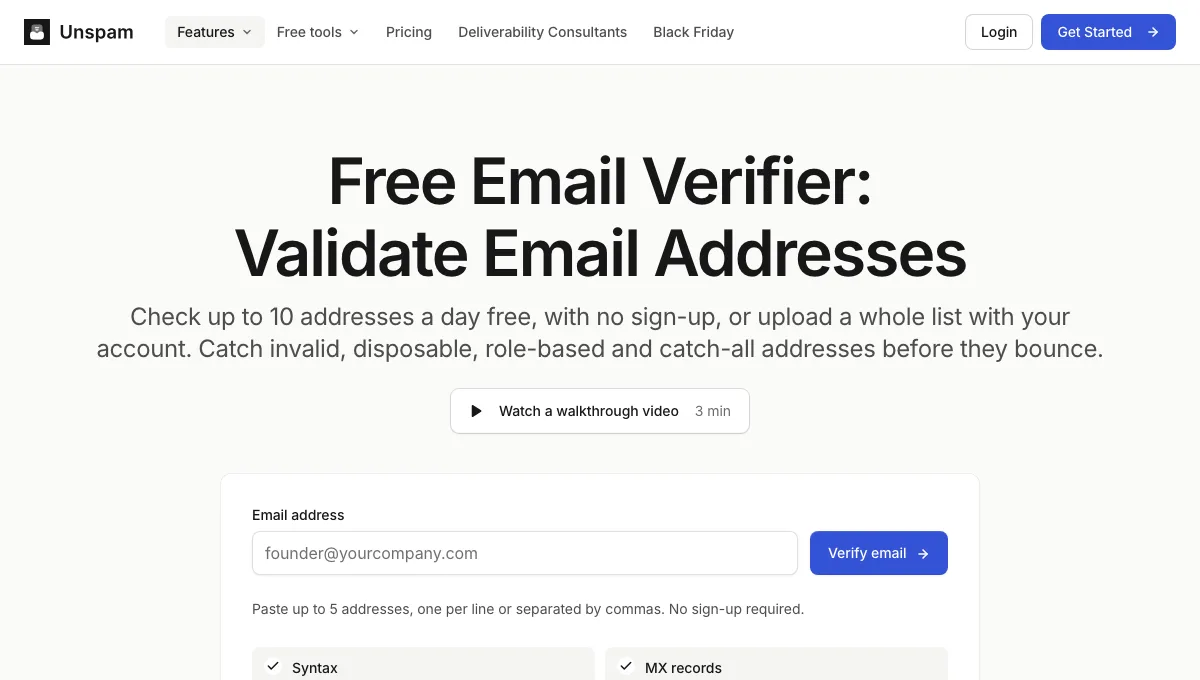
Email verification. The email verifier runs six checks on each address: syntax (RFC 5322 conformance and length limits), MX records, an SMTP probe that asks the server whether the mailbox exists without sending mail, disposable domains (cross-referenced against 200+ providers), role-based addresses such as info@ and support@, and catch-all domains. It also reports full or disabled mailboxes and suggests corrections for likely typos in a list.
- Free: up to 10 addresses a day with no sign-up.
- Lists: upload a CSV or TXT file of up to 100,000 rows, then download a clean file or a suppression list for your ESP.
- Pricing: verifications come with the Custom plan, from $6.40 per 1,000 addresses, cheaper per address at higher volumes. Only unique addresses with a definitive result use a credit; duplicates, malformed addresses and unknown results are free. Paid plans have a 14-day refund window.
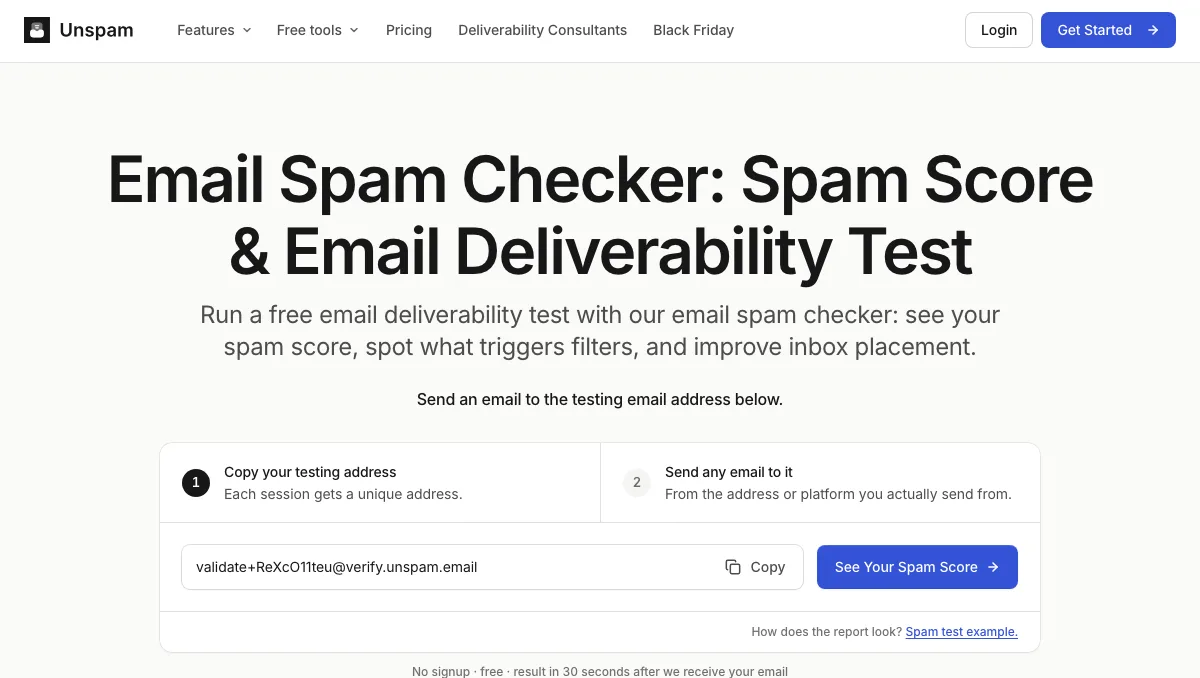
Spam test for policy bounces. If bounces show 5.7.x codes, send a real message to the spam test address. The report gives a 0 to 100 score built from authentication (SPF, DKIM, DMARC), sender reputation, blacklists and content, and flags the message as high risk whenever core authentication fails, regardless of the score. The Free plan includes 5 spam tests a month; on the Custom plan a spam test costs $0.18 at the base rate.
Limitations: list verification needs the paid Custom plan. Unspam says Yahoo and AOL accept every address during a mailbox check, so those come back as “can’t be verified” (not charged). No verifier can detect spam traps, and a catch-all domain can accept a message and bounce it later, so verification lowers bounces but can’t remove them entirely.
FAQ
What is a soft bounce email?
A soft bounce is an email the recipient’s server refused temporarily, usually with a 4xx code. Common causes are a full mailbox, a server that’s down or throttling, or a message that’s too large. The sender retries, and your ESP suppresses the address only if soft bounces keep repeating.
Should I delete hard bounced email addresses?
Yes. Stop sending to them right away, and keep them on a suppression list so they can’t be re-imported. If the bounce was a 5.7.x policy rejection rather than 5.1.1, fix the sending problem instead, since the address itself may be valid.
Why is my email bouncing back when the address is correct?
Check the code. A 4.2.2 means the mailbox is full; a 5.7.x means a policy refusal, such as missing authentication, poor reputation, a blocklisted IP or spammy content. Fix authentication first, then run a spam test.
What is a good email bounce rate?
There’s no universal standard. Amazon SES recommends staying below 2% and reviews accounts at 5%, counting hard bounces only. Gmail’s and Yahoo’s 0.3% limits apply to spam complaints, not bounces.
Can a soft bounce turn into a hard bounce?
Yes. At Mailchimp, 7 soft bounces for an inactive contact (up to 15 for an engaged one) turn the address into a hard bounce. Brevo blocklists an address after five consecutive campaign soft bounces. A mailbox that stays full and inactive may also start returning a permanent code such as Gmail’s 552 5.2.2.
Build your Bootstrap theme
Design a custom Bootstrap 5 theme visually with a live preview, then export clean Sass or CSS.
Open the Builder