Best Firebase Hosting Alternatives in 2026 (8 Compared)
Firebase Hosting is a good product with two failure modes that catch people at exactly the wrong moment. On the free Spark plan, exceeding the transfer allowance does not slow your site down or bill you, it disables the site until the end of the month. On the paid Blaze plan, the opposite is true: nothing stops, and nothing caps what you spend.
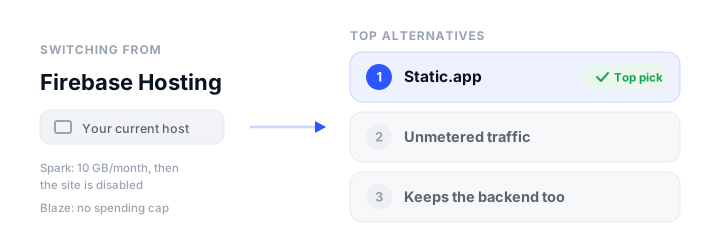
Google is unusually direct about the second one. Its own documentation says budget alerts “do not cap your usage or charges” and warns there can be a delay of up to a few days between running up a cost and being told about it. Budget spend caps do exist, but only for a handful of products, and Hosting is not among them. So the free plan can take your site offline for a fortnight, and the paid plan cannot be capped. For a static marketing site, neither is a trade you have to accept.
To be clear about what this article is not saying: Firebase Hosting is not deprecated and is not going anywhere. What has changed is the surrounding context. Firebase Studio, the AI development environment many people arrived through, closed to new signups on 22 June 2026 and shuts down completely on 22 March 2027. Google now steers server-rendered projects toward Firebase App Hosting instead. If you are re-evaluating anyway, this is a sensible moment.
This guide covers the eight best Firebase Hosting alternatives, including what to do about Firestore and Firebase Auth if you are using those too, since that is the part most comparisons skip. Prices were verified in September 2026.
What you are actually replacing
Firebase Hosting is three things bundled together, and you may not need all three somewhere else:
- A static file host on a global CDN, with free SSL and custom domains. This part is easy to replace and usually cheaper elsewhere.
- A deploy pipeline driven by the Firebase CLI (
firebase deploy), with atomic releases, preview channels, and one-command rollback. Most alternatives match this through git or a CLI of their own. - A backend, if your app also uses Firestore, Firebase Auth, Cloud Functions, or Storage. This is the part that decides how big the move is, and it is covered in its own section below.
If you only ever ran firebase deploy on a folder of HTML, this is a short afternoon. If your app authenticates users against Firebase Auth and reads Firestore, treat the hosting move and the backend move as two separate projects.
The best Firebase Hosting alternatives at a glance
| Platform | Free tier | Starting price | Static / Dynamic | Custom domain + SSL | Best for |
|---|---|---|---|---|---|
| Static.app | Yes (1 site, 50 MB) | $6/mo (Starter) | Static only | Paid plans, free SSL | Drag-and-drop, no CLI |
| Cloudflare Workers | Yes (unlimited static requests) | $5/mo (Workers Paid) | Both | Yes, free SSL | Unmetered traffic at any scale |
| Netlify | Yes (300 credits/mo) | $9/mo (Personal) | Both | Yes, free SSL | Previews and a git workflow |
| Vercel | Yes (Hobby, non-commercial) | $20/seat/mo (Pro) | Both | Yes, free SSL | Next.js and SSR |
| Render | Yes (Hobby + compute) | $25/mo (Pro) | Both | 2 free, then $0.25/domain/mo | A static front end beside a real backend |
| GitHub Pages | Yes (public repos) | $4/mo (private repos) | Static only | Yes, free SSL | Free hosting straight from a repo |
| Surge | Yes (unlimited sites) | $30/mo (Professional) | Static only | Yes, free managed SSL | One-command CLI deploys |
| Supabase | Yes (2 projects, 500 MB) | $25/mo (Pro) | Backend only | n/a | Replacing Firestore and Auth |
The alternatives, reviewed
Static.app
What it is. Static.app is a static host built around dragging a folder or ZIP into a dashboard. No CLI, no git, no build step, free SSL on every site. It is bootstrap.build’s hosting partner, and for anyone whose Firebase project was only ever firebase deploy on a build folder, it removes the tooling entirely.
Who it is for: people who want the site online without installing anything, and who would rather pay a flat $6 than reason about a metered bill.
Strengths: pricing is flat and traffic is unlimited on paid plans, so neither Firebase failure mode has an equivalent here. There is no daily or monthly transfer allowance to trip, and no usage-based bill to cap. The managed extras cover what a bare static host makes you assemble yourself: form submissions with spam filtering, cookieless analytics, and password-protected pages. Updating is a re-upload, an edit in the browser editor, or a folder sync from the desktop app, and a REST API, MCP server, and GitHub Action are there on paid plans if you want automation later.
The catch. Static only. There is no server-side runtime, so Cloud Functions have no equivalent and a server-rendered app will not run. The free plan is one site, 50 MB, on a subdomain, and custom domains start on the paid tier. It is a smaller vendor without Google’s edge footprint.
Pricing: Free $0 (1 site, 50 MB); Starter $6/month, or $5/month billed annually (2 sites, 500 MB, custom domains, unlimited traffic); Medium $12/month, or $10/month annually (7 sites, 3 GB); Large $18/month, or $15/month annually (30 sites, 10 GB).
Cloudflare Workers
What it is. Cloudflare’s platform for static assets and edge code, and the closest thing to the opposite of Firebase’s billing model: requests to static assets are free and unlimited, with no egress charges at any volume.
Who it is for: anyone whose reason for leaving is the Spark cutoff or an uncapped Blaze bill, and who wants the traffic question to stop existing.
Strengths: the free tier is the most generous here where traffic is concerned, with no bandwidth billing at all, so a post going viral cannot disable your site or generate an invoice. It runs server-side code too, which makes it a real destination for Cloud Functions logic rather than just the static files. Custom domains with automatic SSL are included, and the network is genuinely global.
The catch. It is the most developer-oriented option on the list. Deployment is through the Wrangler CLI or a git connection rather than an upload, so it swaps Firebase’s CLI for a different CLI rather than removing one. Cloudflare now directs new projects to Workers rather than Pages, so a lot of the tutorials you will find are written for the older product. Free static hosting sits alongside a 100,000 request per day limit on Worker scripts themselves.
Pricing: Free $0 (unlimited static asset requests); Workers Paid from $5/month. Our Cloudflare Pages alternatives roundup covers the surrounding field.
Netlify
What it is. A git-driven host with deploy previews on every pull request, serverless and edge functions, forms, and a drag-and-drop path for people who do not want the git part.
Who it is for: teams who reviewed changes through Firebase preview channels and want a more polished version of that workflow.
Strengths: preview deployments are the best in class, every branch and pull request gets an immutable URL, and rollback is one click. Custom domains with free SSL are on the free plan. Netlify Drop will now build a project from source when you are signed in, so you can drag in a folder that still needs npm run build and let the platform handle it.
The catch. The credit model introduced in 2026 is a hard ceiling rather than a bill. The free plan gets 300 credits a month, a production deploy costs 15 and bandwidth costs 20 per GB, and when credits run out every project on the account is paused until the reset. That is closer to the Spark failure mode than most people expect, so size the plan honestly.
Pricing: Free $0 (300 credits); Personal $9/month (1,000 credits); Pro from $20/month (3,000 credits), rising through $33, $63, $95, and $126 for larger credit tiers; Enterprise custom. See our Netlify alternatives roundup.
Vercel
What it is. The default home for Next.js, with automatic framework detection, per-pull-request previews, and first-class server-side rendering.
Who it is for: anyone moving off Firebase App Hosting rather than plain Firebase Hosting, since App Hosting exists precisely to run the server-rendered frameworks Vercel specializes in.
Strengths: nothing else deploys Next.js with less friction, custom domains with SSL work on the free plan, and the preview workflow is excellent.
The catch. The free Hobby plan prohibits commercial use, and Vercel defines that unusually broadly: processing payments, running ads, and even being paid to build or maintain the site all count, as do donations. A client site on Hobby is a breach whether or not it sells anything, so budget for Pro at $20 per seat per month. Usage beyond the included allowances is metered, which reintroduces the variable bill you may be leaving Firebase to escape.
Pricing: Hobby free (personal, non-commercial); Pro $20 per seat/month plus usage; Enterprise custom. Our Vercel alternatives guide covers the field.
Render
What it is. A unified cloud that runs static sites, containers, cron jobs, background workers, and managed Postgres from one git-driven workflow.
Who it is for: people whose Firebase project was really an app, with Cloud Functions and a database, who want the whole thing in one place rather than split across vendors.
Strengths: static sites are free to deploy and sit next to real backend services, so Cloud Functions become ordinary web services and Firestore can become managed Postgres without adding a second vendor. TLS is free and automatic on every plan.
The catch. Costs are metered in several directions at once. Bandwidth is 5 GB a month on the free Hobby workspace and 25 GB on Pro, then $0.15 per GB. Custom domains are now metered too: two are included on Hobby, and additional ones are $0.25 per domain per month. Builds consume pipeline minutes. For a purely static site this is much heavier machinery than you need.
Pricing: Hobby $0 plus compute; Pro $25/month plus compute; Scale $499/month; Enterprise custom. Compare it in our Render alternatives roundup.
GitHub Pages
What it is. Static hosting straight from a repository, built by Jekyll or any generator through a GitHub Actions workflow, free for public repositories with free SSL on custom domains.
Who it is for: documentation, project sites, and personal pages whose source already lives on GitHub.
Strengths: genuinely free and permanent for public repositories, with free automatic HTTPS on custom domains and a git-native history where every deploy is a commit you can inspect and revert.
The catch. Two hard limits worth checking before you commit. Publishing from a private repository requires a paid plan, and GitHub’s terms prohibit running an ecommerce site or a commercial SaaS on Pages, which rules it out for a lot of the projects people build on Firebase. There is no upload path at all, so everything goes through git. Soft limits sit at 1 GB of published content and 100 GB of bandwidth a month.
Pricing: Free for public repos; GitHub Pro around $4/month for private repos. See our GitHub Pages alternatives roundup.
Surge
What it is. A CLI-first publisher: install it globally, run surge in a build folder, and the site is live. It is the closest like-for-like swap for firebase deploy.
Who it is for: developers who liked the Firebase CLI and want the same muscle memory with nothing else attached.
Strengths: the free tier allows unlimited sites and unlimited publishing, custom domains work on free with managed certificates provisioned automatically, and the free plan also covers the CDN, clean URLs, revisions, and collaborators. Previews map neatly onto Firebase preview channels: surge publish --preview puts a revision on its own permanent URL without touching production, then surge cutover promotes it or surge discard throws it away.
The catch. The only paid tier is a steep jump to $30 a month, which is what password protection, custom redirects, cross-origin headers, and custom certificates cost. Project size is informally capped at a few hundred megabytes, discovered through an error rather than documentation, and there are no published bandwidth figures. It is static only, with no functions.
Pricing: Free $0 (unlimited sites, custom domains, managed SSL); Professional $30/month. Our Surge.sh alternatives guide covers similar CLI hosts.
Supabase
What it is. Not a static host, and included here deliberately. Supabase is the open-source Firebase alternative for the backend half: Postgres instead of Firestore, plus auth, file storage, realtime subscriptions, and edge functions.
Who it is for: anyone whose move is blocked by Firestore and Firebase Auth rather than by the files.
Strengths: it is the most complete like-for-like replacement for Firebase’s backend, and because the database is standard Postgres, your data is portable in a way Firestore’s is not. A pg_dump is a real backup you can restore anywhere. Auth covers email, magic links, and the usual social providers, so most Firebase Auth flows have a direct equivalent.
The catch. It hosts no static files, so you still need one of the options above for the site itself. The free tier pauses projects after a week of inactivity, which is fine for side projects and unacceptable for production. Migrating from Firestore’s document model to relational tables is a genuine data-modelling exercise, not an export and import, and Firebase Auth password hashes need a deliberate migration path if you do not want to force every user through a reset.
Pricing: Free $0 (2 active projects, 500 MB database, 5 GB egress, 1 GB file storage, paused after a week idle); Pro $25/month; Team $599/month; Enterprise custom.
Moving off firebase deploy
For a static site the move is mechanical:
- Build as usual. Whatever produced your
public/folder for Firebase produces the same folder for everyone else. Checkfirebase.jsonfor thepublickey to confirm which directory is actually being deployed. - Carry your rewrites across. The single-page-app rewrite in
firebase.jsonthat sends every path to/index.htmlhas an equivalent everywhere: a200.htmlfile on Static.app and Surge, a_redirectsfile on Netlify and Cloudflare. Skip it and every route except the home page will 404. - Re-create custom headers. Anything in the
headersblock offirebase.json, such as cache-control rules, needs restating in the new host’s config. - Move the domain last. Add the domain at the new host, let its certificate issue, and only then repoint DNS. Lower the TTL a day beforehand so the switch is quick.
- Keep Firebase alive briefly. Leave the old deploy in place until DNS has fully propagated, then delete the site rather than the project if you are still using Firestore or Auth.
If you are also moving the backend, do it in the other order: migrate data first, run both backends in parallel, then switch the frontend once the new one is verified.
How to choose
- You are leaving because of the Spark cutoff or an uncapped bill: Cloudflare Workers, where static traffic is unmetered and unbilled, or Static.app for a flat monthly price with unlimited traffic on paid plans.
- You only ever deployed a build folder: Static.app if you want to stop using a CLI, Surge if you want to keep one.
- Your site is on a public repo already: GitHub Pages, as long as it is not commercial.
- You are moving off Firebase App Hosting, not plain Hosting: Vercel or Netlify, both of which run server-rendered frameworks properly.
- You have Cloud Functions and Firestore too: Render to keep everything under one roof, or Supabase for the backend paired with any static host for the front end.
- You want previews like Firebase preview channels: Netlify, or Surge if the terminal is enough.
Once the site is live, put an uptime check on it, since a host change is exactly when you want to know quickly if something broke: our roundup of the best website monitoring tools covers the free options. For the wider picture, see static website hosting and where to host an HTML website.
FAQ
Is Firebase Hosting being discontinued?
No. Firebase Hosting is not deprecated and continues to be supported. What changed around it is that Firebase Studio, the AI development environment, closed to new signups on 22 June 2026 and shuts down entirely on 22 March 2027, and Google now points server-rendered projects toward Firebase App Hosting. Apps already deployed to Firebase Hosting keep running normally.
What happens if I exceed the free Firebase Hosting limits?
The two limits fail differently. Exceeding the 10 GB of storage means you can no longer deploy new content. Exceeding the 10 GB monthly data transfer allowance disables your sites after a short grace period, and they stay disabled until the start of the next month unless you upgrade to Blaze. That is why a single traffic spike on a free Firebase site can take it offline for weeks.
Can I set a spending limit on the Firebase Blaze plan?
Not a real one for Hosting. Google’s documentation states plainly that budgets and budget alerts do not cap usage or charges, and warns that cost reporting can lag by up to a few days. Budget spend caps exist for a few Firebase products, including App Hosting and Cloud Functions, but Hosting is not one of them, and Google notes those caps are not hard caps either. The documented workaround is to automate disabling Cloud Billing on the project through Pub/Sub, which is a blunt instrument.
What is the cheapest Firebase Hosting alternative?
Cloudflare Workers is the cheapest at scale, since requests to static assets are free and unlimited with no egress charges, so a busy site costs nothing to serve. For a permanent free site, GitHub Pages is free for public repositories and Neocities offers 1 GB of storage with no expiry. Static.app is the cheapest flat paid option at $6 a month, or $5 billed annually, which buys custom domains and unlimited traffic.
Which alternative replaces Firestore and Firebase Auth?
Supabase is the closest equivalent, offering Postgres, auth, storage, realtime, and edge functions in one open-source platform, with a free tier of two projects and 500 MB of database. Render is the alternative if you would rather run managed Postgres beside your own services. Neither is a drag-and-drop migration: moving from Firestore’s document model to relational tables is a data-modelling exercise, and user passwords need a deliberate migration path.
Do I need to change my code to move off Firebase Hosting?
Usually not for a static site. The build output is the same, and the two things that need translating are the single-page-app rewrite and any custom headers from firebase.json. The rewrite becomes a 200.html file on Static.app or Surge, or a _redirects file on Netlify or Cloudflare. If your app calls the Firebase SDK for Firestore or Auth, that code stays exactly as it is until you migrate the backend, which is a separate job.
Can I keep Firebase Auth but host the site elsewhere?
Yes, and it is a sensible way to split the work. The Firebase SDKs run in the browser and do not care where the files were served from, so you can move hosting today and leave Firestore and Auth on Firebase indefinitely. Add your new domain to the authorized domains list in the Firebase Auth settings, or sign-in redirects will start failing.
Build your Bootstrap theme
Design a custom Bootstrap 5 theme visually with a live preview, then export clean Sass or CSS.
Open the Builder